19

Black-gold CCD flash subway night portrait: GPT Image 2 prompt
Enlarge

Example images

Black-gold CCD flash subway night portrait: GPT Image 2 prompt

Prompt
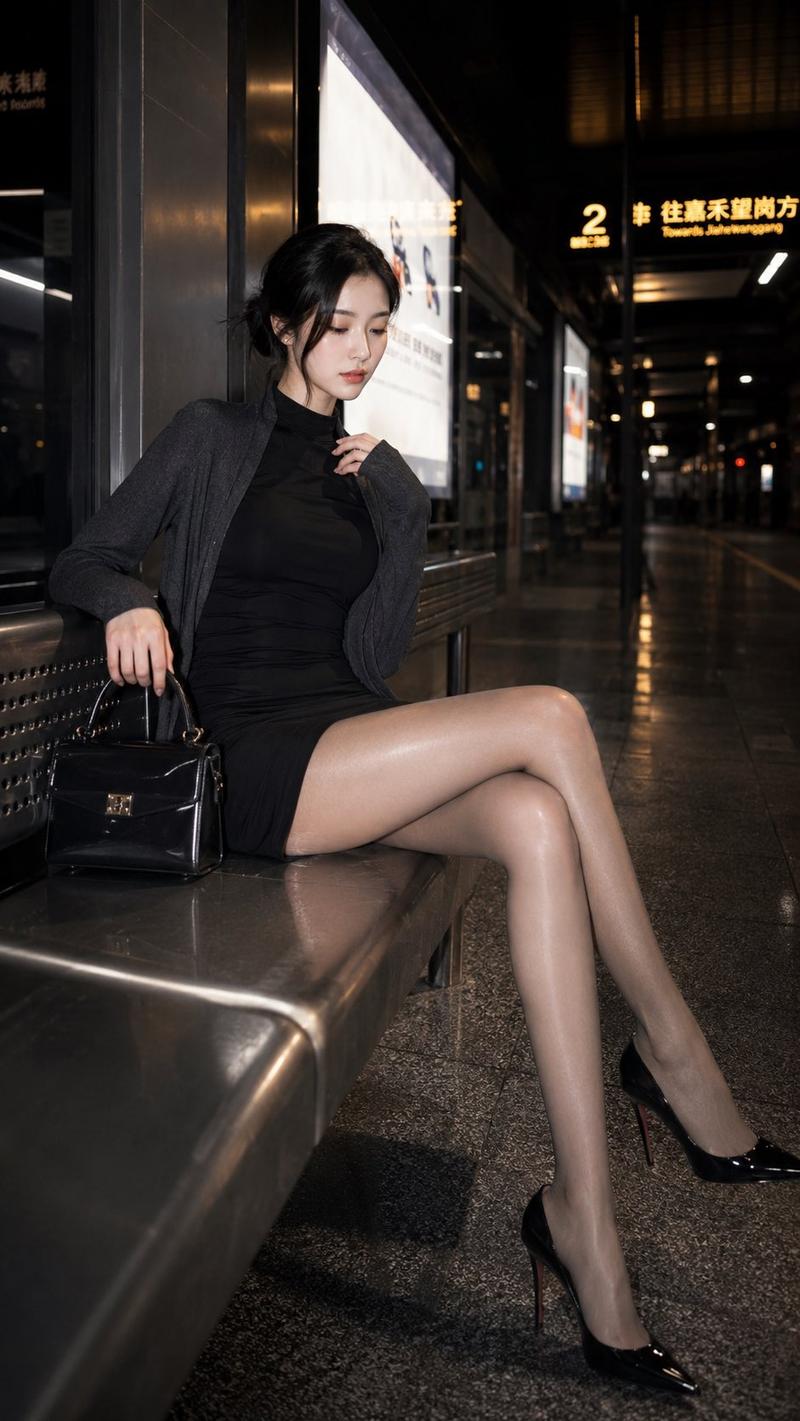
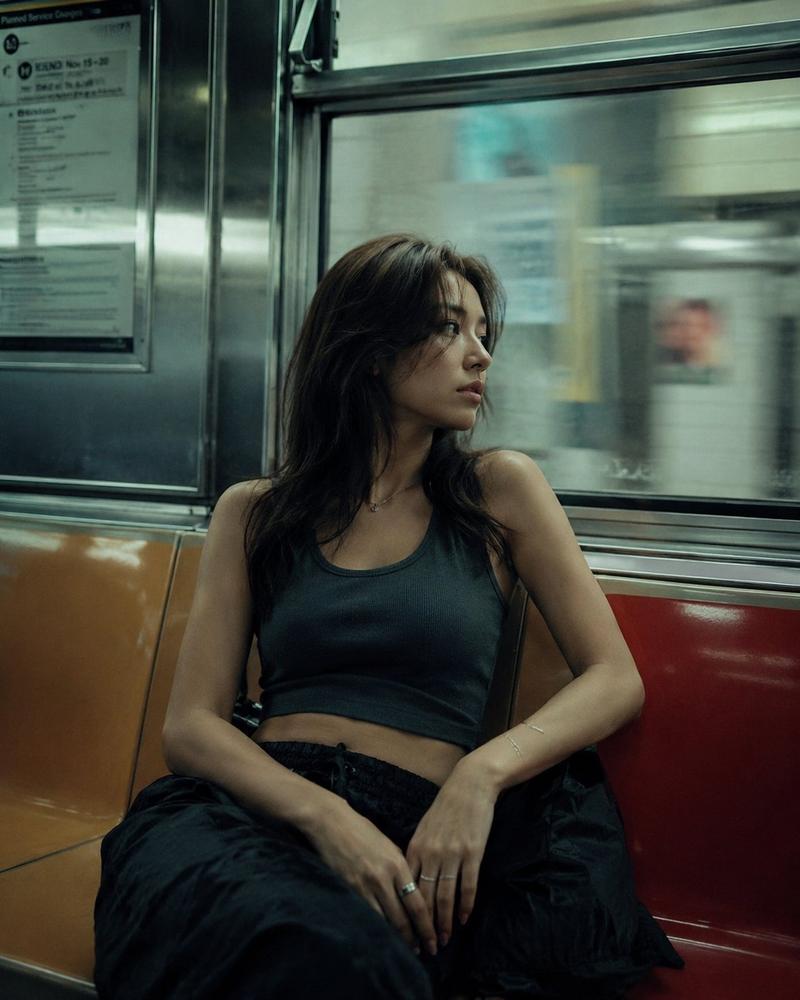
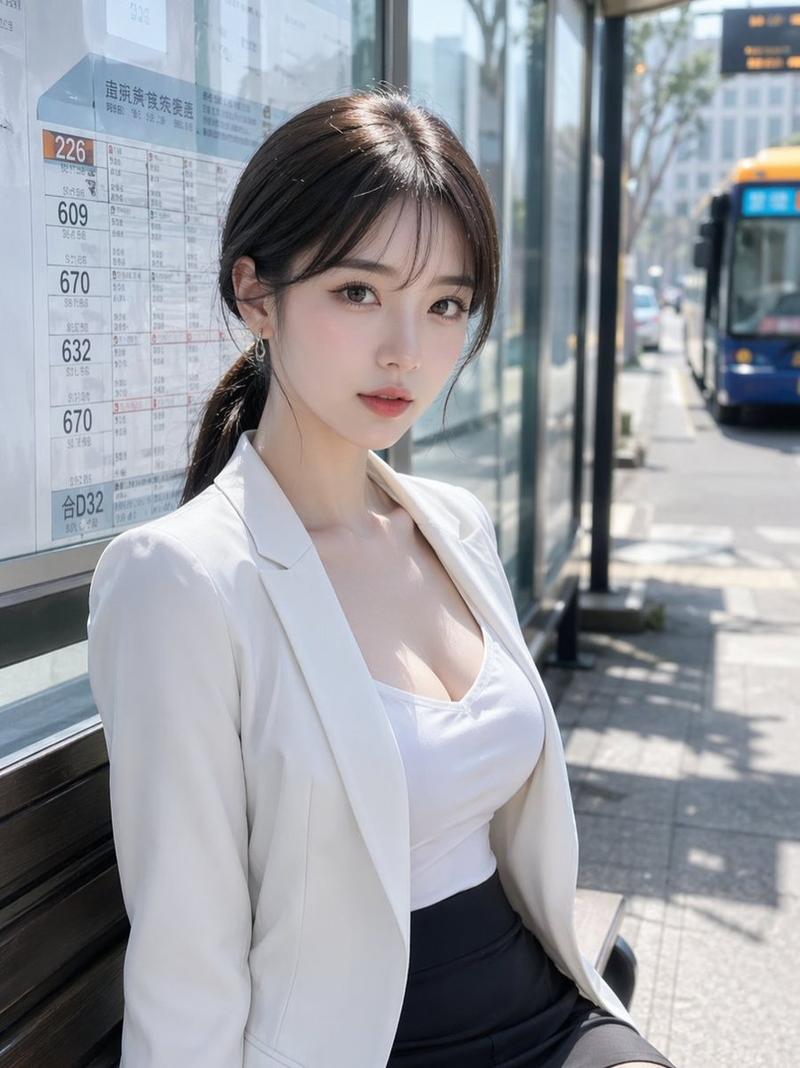
Black pearl ink-gold CCD flash filter, low saturation black pearl dark gold CCD flash, deep charcoal-gray shadows, understated dark-gold light-strip reflections, soft direct flash lifting the subject, slight overexposure, light grain, an overall calm, oppressive, late-night urban commute mood.

Subject: a young adult East Asian woman, coolly elegant small oval face, slender almond eyes, distant gaze, black low ponytail.
Wardrobe: black high-neck fitted dress + dark-gray light jacket + sheer tights + pointed-toe high heels.
Scene: an empty late-night subway platform, metal seating, blurred advertising lightboxes, floor reflections.
Pose: seated on the platform bench, legs naturally crossed, one hand resting on the bag.
Expression: thoughtful, head lowered then eyes lifted toward the camera.
Focus: emphasize leg length, waistline, cool aura.
Aspect ratio: 9:16
Category
Photography & Realism
Model
GPT Image 2
Creator
李岳
Views0
Source ID
2068317298101031406
Published
Jun 20, 2026

Guide

About "Black-gold CCD flash subway night portrait: GPT Image 2 prompt"

What is this prompt for?

"Black-gold CCD flash subway night portrait: GPT Image 2 prompt" AI image prompt for GPT Image 2 (Photography & Realism). Black pearl ink-gold CCD flash filter…

The full copyable prompt and example visuals above are ready for AI image generation or one-click recreate in Picva.

How to use this prompt

  1. Step 1

    Open the prompt detail

    Review the example visuals, category, and full prompt text for "Black-gold CCD flash subway night portrait: GPT Image 2 prompt".

  2. Step 2

    Copy the prompt

    Copy the prompt body from this page, or load it directly in Studio.

  3. Step 3

    Pick a model (GPT Image 2)

    Prefer GPT Image 2. If you switch models, keep subject and composition and tweak style terms.

  4. Step 4

    Generate and export

    Recreate the look in Picva, or export into your workflow for editing and publishing.

FAQ

What is the "Black-gold CCD flash subway night portrait: GPT Image 2 prompt" prompt?
It is an AI image-generation prompt for GPT Image 2 in the Photography & Realism category. This page includes the full prompt text, example visuals, and a one-click recreate path in Picva.
How do I use this prompt to generate an image?
Copy the prompt from this page, or use Generate / Studio. Paste it into a compatible image model, or recreate the look in Picva with optional reference images.
Which model is this prompt for?
This page lists GPT Image 2. Most descriptive prompts also transfer to nearby image models such as GPT Image, Flux, or Midjourney with light style tweaks.
Can I use the result commercially?
You can usually copy the prompt for creation, but commercial use of the final image depends on the model terms, reference-image rights, and the generated content. Follow the source author and platform rules.