15

Resolution commercial: GPT Image 2 prompt
Enlarge

Resolution commercial: GPT Image 2 prompt

Prompt
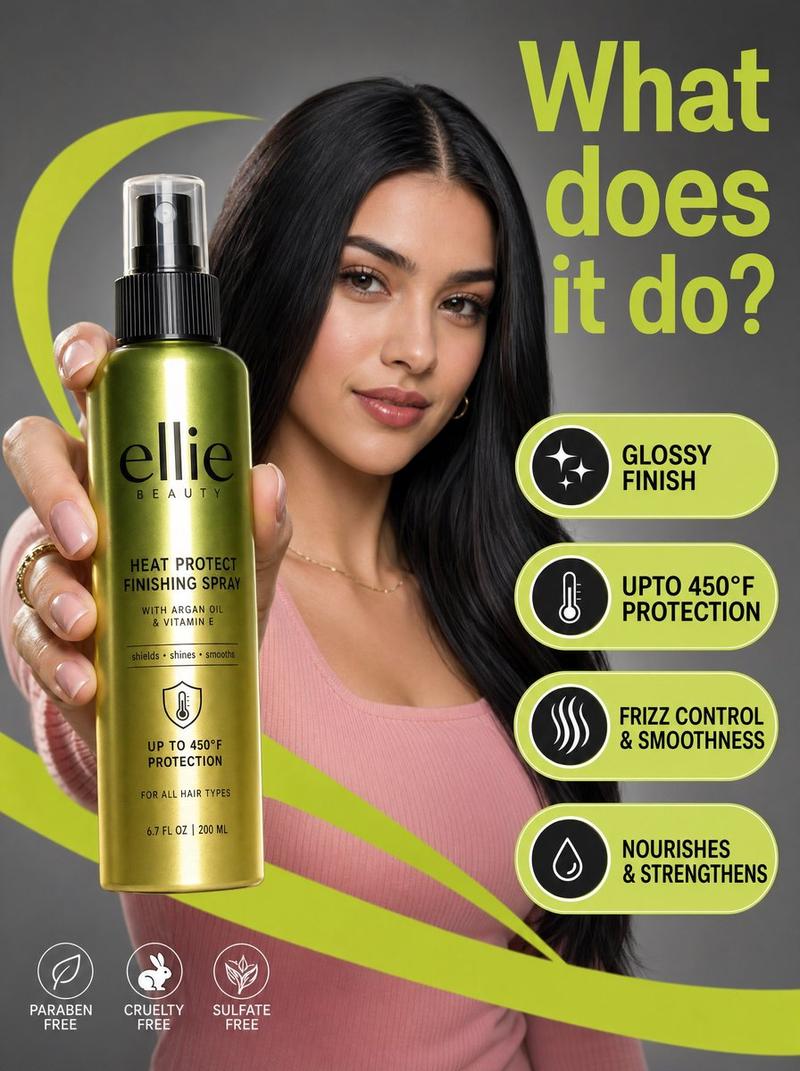
A high-resolution commercial marketing photograph features a young woman with sleek dark hair and a pink ribbed top in a neutral grey studio setting, centered behind a glossy Ellie Beauty spray bottle held prominently in the foreground. The composition is energized by vibrant, lime-green graphic "swooshes" and floating pill-shaped callouts that highlight product features like "glossy finish" and "upto 450°F protection" in bold black sans-serif text. The lighting is professionally diffused, casting soft highlights on the model’s face while creating a sharp, vertical reflection on the metallic green-to-gold gradient bottle label. Topping the scene is a large, lime-green headline in the upper right asking, "What does it do?", altogether creating a clean, modern, and high-contrast aesthetic with a shallow depth of field that keeps the product and the model's focused expression in sharp relief.
Category
Brand & Logos
Model
GPT Image 2
Views0
Source ID
awesome-ui-46
Published
Apr 29, 2026

Guide

About "Resolution commercial: GPT Image 2 prompt"

What is this prompt for?

"Resolution commercial: GPT Image 2 prompt" AI image prompt for GPT Image 2 (Brand & Logos). A high-resolution commercial marketing photograph features a young…

The full copyable prompt and example visuals above are ready for AI image generation or one-click recreate in Picva.

How to use this prompt

  1. Step 1

    Open the prompt detail

    Review the example visuals, category, and full prompt text for "Resolution commercial: GPT Image 2 prompt".

  2. Step 2

    Copy the prompt

    Copy the prompt body from this page, or load it directly in Studio.

  3. Step 3

    Pick a model (GPT Image 2)

    Prefer GPT Image 2. If you switch models, keep subject and composition and tweak style terms.

  4. Step 4

    Generate and export

    Recreate the look in Picva, or export into your workflow for editing and publishing.

FAQ

What is the "Resolution commercial: GPT Image 2 prompt" prompt?
It is an AI image-generation prompt for GPT Image 2 in the Brand & Logos category. This page includes the full prompt text, example visuals, and a one-click recreate path in Picva.
How do I use this prompt to generate an image?
Copy the prompt from this page, or use Generate / Studio. Paste it into a compatible image model, or recreate the look in Picva with optional reference images.
Which model is this prompt for?
This page lists GPT Image 2. Most descriptive prompts also transfer to nearby image models such as GPT Image, Flux, or Midjourney with light style tweaks.
Can I use the result commercially?
You can usually copy the prompt for creation, but commercial use of the final image depends on the model terms, reference-image rights, and the generated content. Follow the source author and platform rules.