18

室内空间渲染图
Enlarge

室内空间渲染图

Prompt
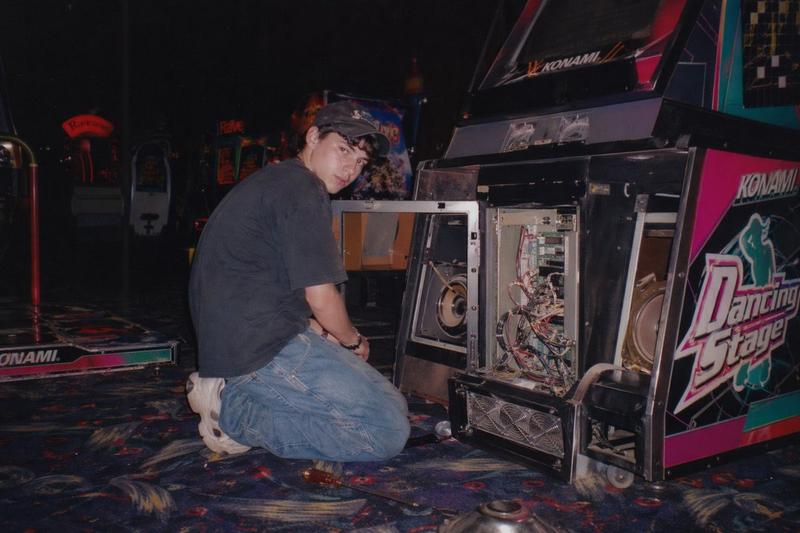
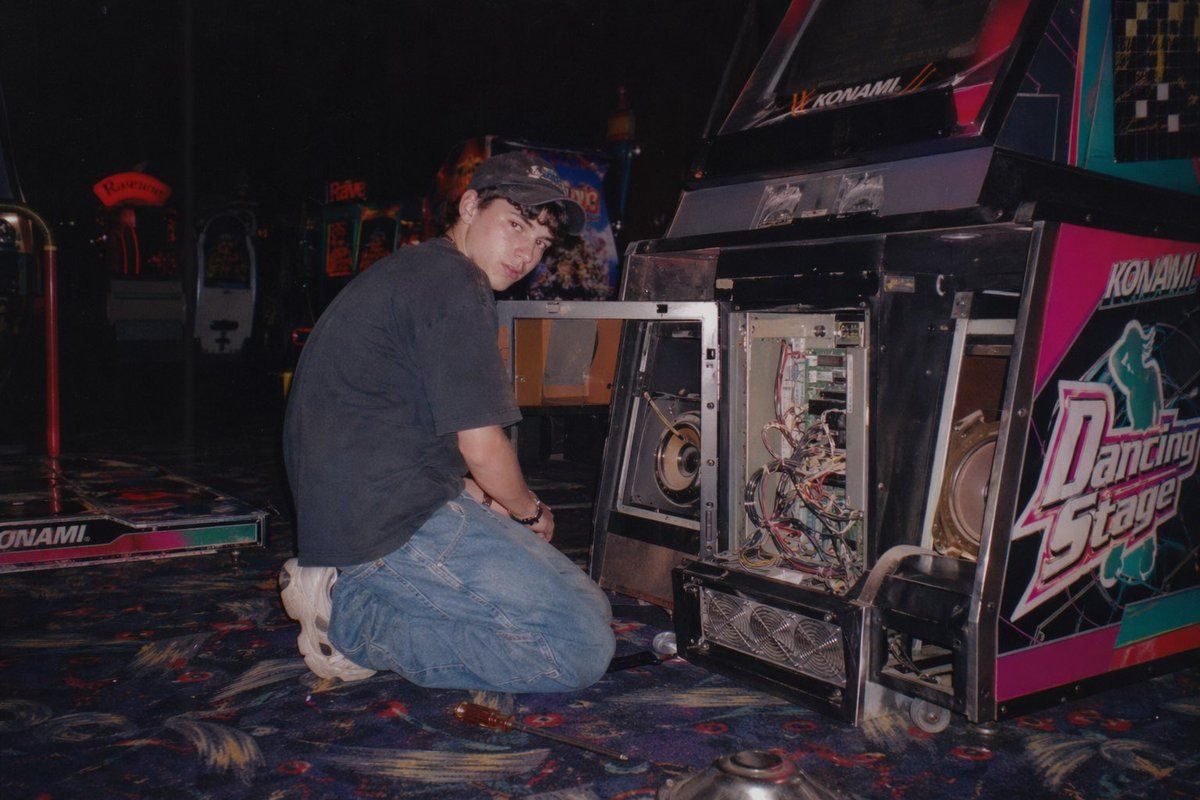
A vintage, late 90s amateur flash photograph of a young man repairing an arcade machine. He is kneeling on a dark, patterned arcade carpet, looking back over his shoulder directly at the camera with a neutral expression. He wears a dark short-sleeved t-shirt, baggy blue jeans, chunky white sneakers, and a dark baseball cap. The lower front panel of the arcade cabinet is wide open, exposing its complex internal electronics, including a tangle of wires, green circuit boards, a large speaker, and metal cooling fans at the base. The side of the cabinet features vibrant pink, black, and white graphics with the text "{argument name="arcade game title" default="Dancing Stage"}" and the brand "{argument name="arcade brand" default="KONAMI"}". The setting is a dimly lit arcade interior with other glowing game cabinets visible in the blurred background. A screwdriver lies on the carpet near the man's knee. The image features harsh direct flash lighting, a slightly grainy film texture, deep shadows, and a nostalgic Y2K aesthetic.
Category
Photography & Realism
Model
GPT Image 2
Views4
Source ID
53

Guide

About "室内空间渲染图"

What is this prompt for?

"室内空间渲染图" AI image prompt for GPT Image 2 (Photography & Realism). A vintage, late 90s amateur flash photograph of a young man repairing an arcade machine. He…

The full copyable prompt and example visuals above are ready for AI image generation or one-click recreate in Picva.

How to use this prompt

  1. Step 1

    Open the prompt detail

    Review the example visuals, category, and full prompt text for "室内空间渲染图".

  2. Step 2

    Copy the prompt

    Copy the prompt body from this page, or load it directly in Studio.

  3. Step 3

    Pick a model (GPT Image 2)

    Prefer GPT Image 2. If you switch models, keep subject and composition and tweak style terms.

  4. Step 4

    Generate and export

    Recreate the look in Picva, or export into your workflow for editing and publishing.

FAQ

What is the "室内空间渲染图" prompt?
It is an AI image-generation prompt for GPT Image 2 in the Photography & Realism category. This page includes the full prompt text, example visuals, and a one-click recreate path in Picva.
How do I use this prompt to generate an image?
Copy the prompt from this page, or use Generate / Studio. Paste it into a compatible image model, or recreate the look in Picva with optional reference images.
Which model is this prompt for?
This page lists GPT Image 2. Most descriptive prompts also transfer to nearby image models such as GPT Image, Flux, or Midjourney with light style tweaks.
Can I use the result commercially?
You can usually copy the prompt for creation, but commercial use of the final image depends on the model terms, reference-image rights, and the generated content. Follow the source author and platform rules.