Computer Lab
Prompt
由 ChatGPT 图像 2.0 生成的怀旧电脑室场景,展示了学生们正在使用笨重的台式电脑,CRT 显示器上打开着 ChatGPT;整体风格如同 21 世纪初的教室照片,带有陈旧的时间戳和复古技术元素。
- Category
- Scenes & Storytelling
- Model
- GPT Image 2
- Creator
- OpenAI
- Source ID
- 022
Views2
20
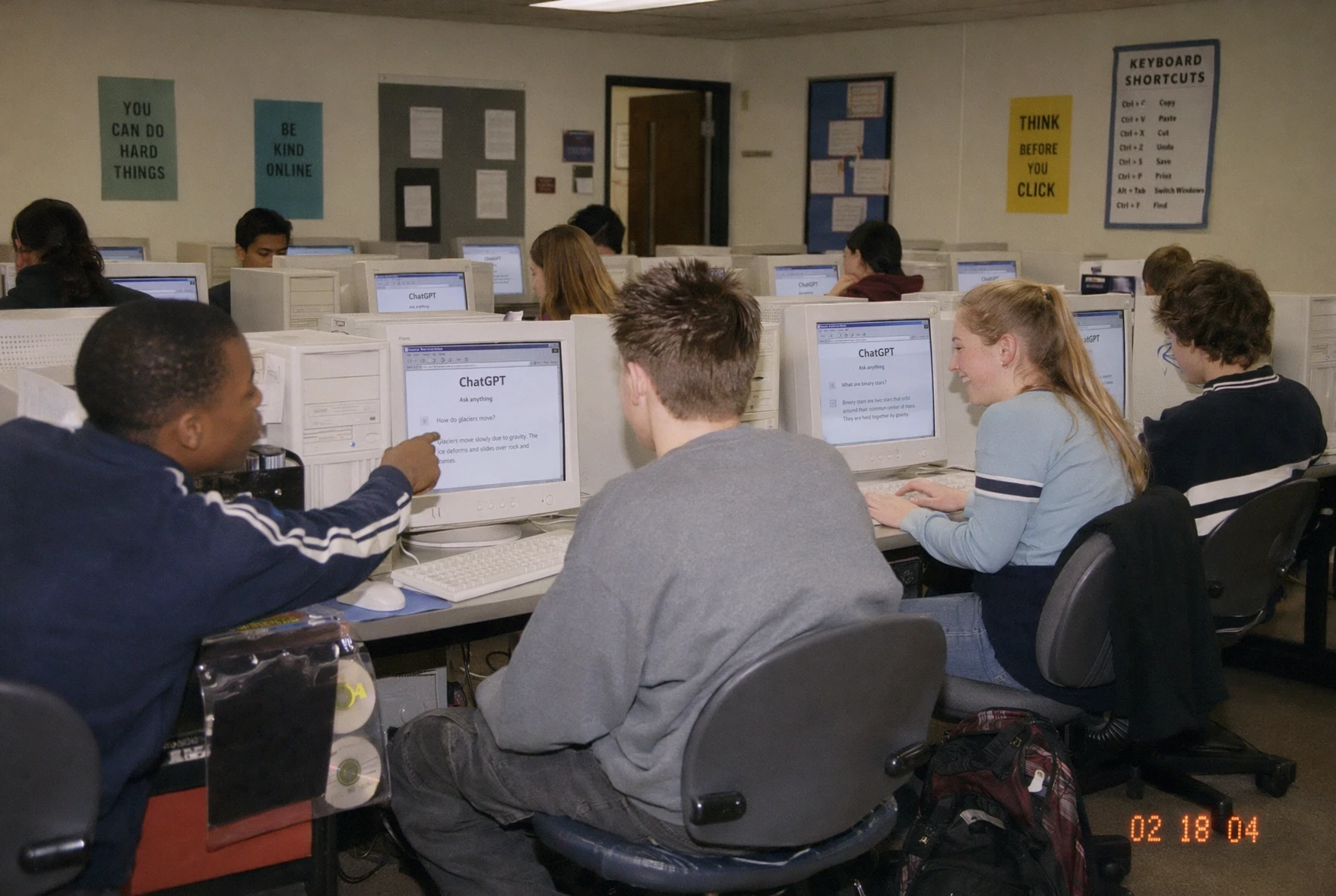
由 ChatGPT 图像 2.0 生成的怀旧电脑室场景,展示了学生们正在使用笨重的台式电脑,CRT 显示器上打开着 ChatGPT;整体风格如同 21 世纪初的教室照片,带有陈旧的时间戳和复古技术元素。
Guide
"Computer Lab" AI image prompt for GPT Image 2 (Scenes & Storytelling). 由 ChatGPT 图像 2.0 生成的怀旧电脑室场景,展示了学生们正在使用笨重的台式电脑,CRT 显示器上打开着 ChatGPT;整体风格如同 21 世纪初的教室照片,带有…
The full copyable prompt and example visuals above are ready for AI image generation or one-click recreate in Picva.
Step 1
Review the example visuals, category, and full prompt text for "Computer Lab".
Step 2
Copy the prompt body from this page, or load it directly in Studio.
Step 3
Prefer GPT Image 2. If you switch models, keep subject and composition and tweak style terms.
Step 4
Recreate the look in Picva, or export into your workflow for editing and publishing.