13

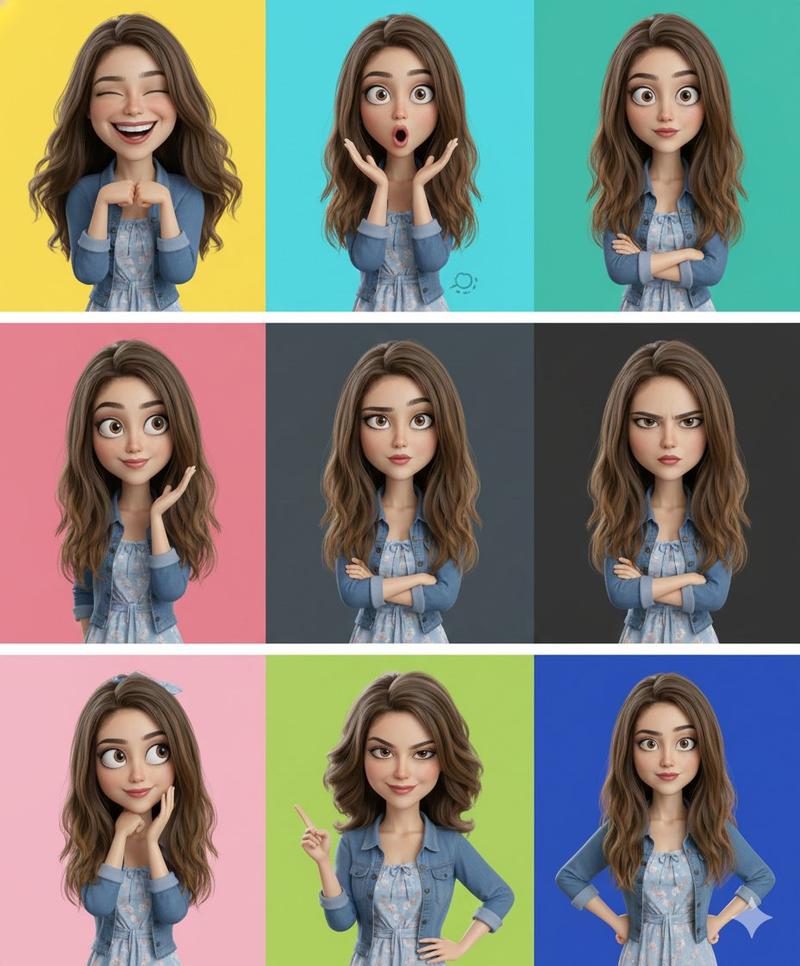
3D风格女孩六格角色设计图
Enlarge

3D风格女孩六格角色设计图

Prompt
a polished 6-panel character sheet featuring the same stylized 3D animated doll-like girl in different outfits and moods. She has a sleek dark bob haircut with blunt bangs, huge expressive eyes, rosy cheeks, smooth warm skin, and glossy cinematic CGI rendering.

Each panel has a bold pastel background and unique personality:

1. Yellow — white tee, blue jeans, hands on hips, confident smile
2. Blue — denim jacket, thinking pose, curious expression
3. Red — leather jacket, double peace signs, playful wink
4. Pink — oversized hoodie, hands near face, excited joy
5. Purple — purple hoodie, arms crossed, calm smile
6. Green — floral sundress, soft graceful pose, peaceful expression

Modern animated film concept art style, soft cinematic lighting, smooth toy-like textures, expressive facial design, clean symmetrical studio presentation, high-end Pixar-style character sheet aesthetic.
Category
Photography & Realism
Model
ChatGPT
Creator
@arghzq
Views18
Source ID
14943
Published
May 24, 2026

Guide

About "3D风格女孩六格角色设计图"

What is this prompt for?

"3D风格女孩六格角色设计图" AI image prompt for ChatGPT (Photography & Realism). 一张精致的六格角色设计图,展示了同一个风格化的3D动画人偶般的小女孩,穿着不同的服装,展现出不同的心情。她留着柔顺的黑色波波头和齐刘海,拥有巨大的表现力丰富的眼睛、红润的双颊、光滑…

The full copyable prompt and example visuals above are ready for AI image generation or one-click recreate in Picva.

How to use this prompt

  1. Step 1

    Open the prompt detail

    Review the example visuals, category, and full prompt text for "3D风格女孩六格角色设计图".

  2. Step 2

    Copy the prompt

    Copy the prompt body from this page, or load it directly in Studio.

  3. Step 3

    Pick a model (ChatGPT)

    Prefer ChatGPT. If you switch models, keep subject and composition and tweak style terms.

  4. Step 4

    Generate and export

    Recreate the look in Picva, or export into your workflow for editing and publishing.

FAQ

What is the "3D风格女孩六格角色设计图" prompt?
It is an AI image-generation prompt for ChatGPT in the Photography & Realism category. This page includes the full prompt text, example visuals, and a one-click recreate path in Picva.
How do I use this prompt to generate an image?
Copy the prompt from this page, or use Generate / Studio. Paste it into a compatible image model, or recreate the look in Picva with optional reference images.
Which model is this prompt for?
This page lists ChatGPT. Most descriptive prompts also transfer to nearby image models such as GPT Image, Flux, or Midjourney with light style tweaks.
Can I use the result commercially?
You can usually copy the prompt for creation, but commercial use of the final image depends on the model terms, reference-image rights, and the generated content. Follow the source author and platform rules.