14

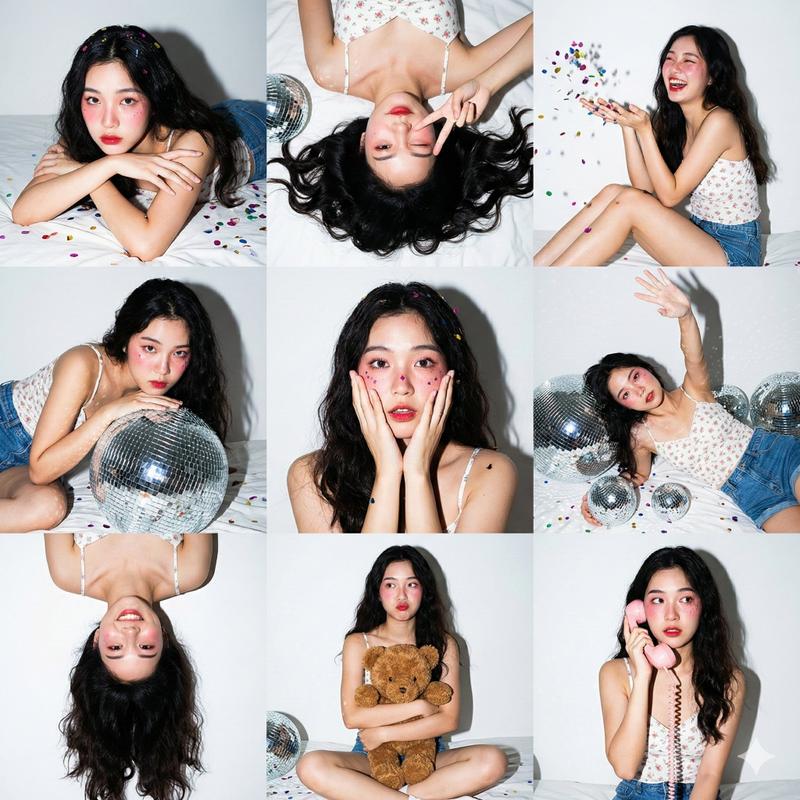
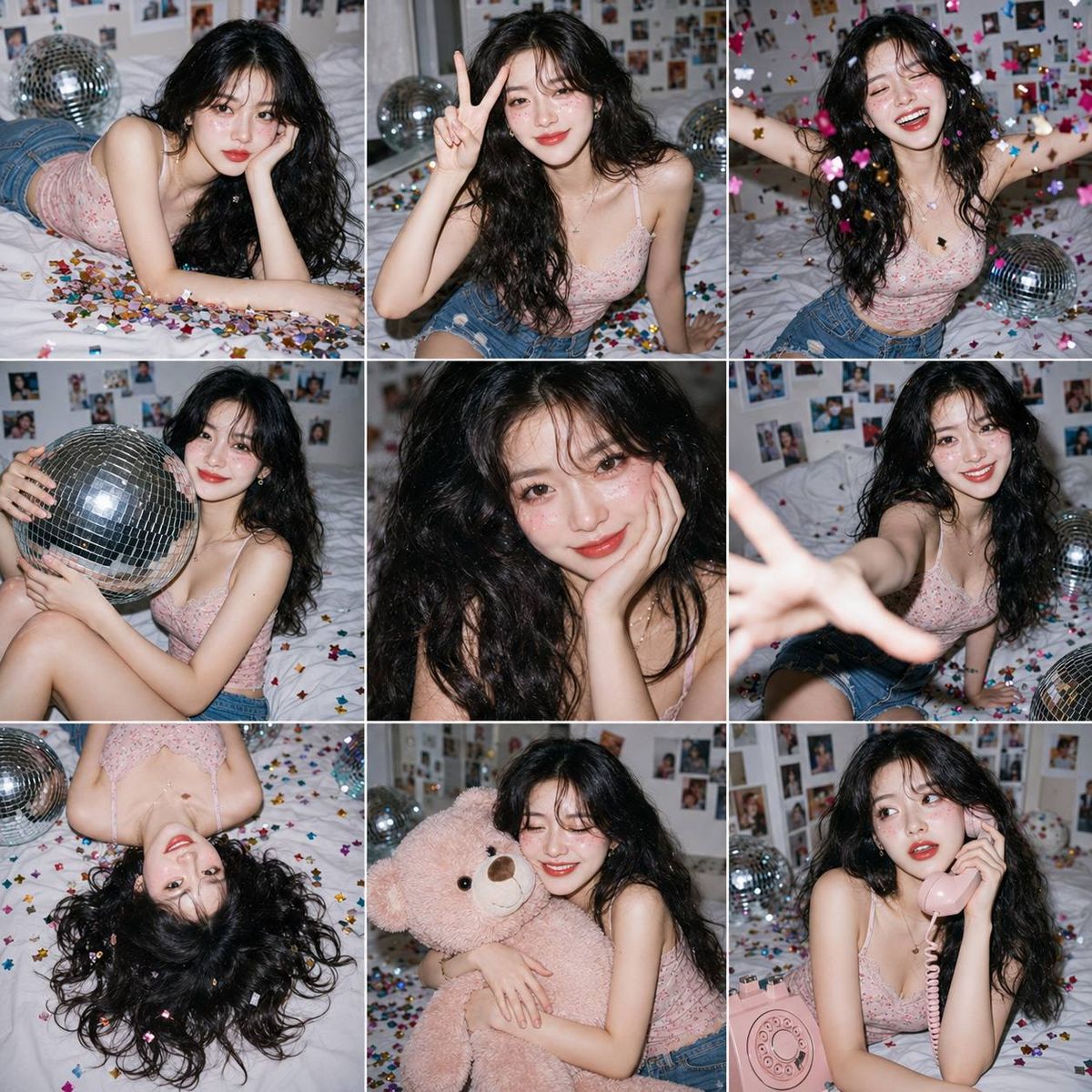
亚裔少女GenZ风格派对九宫格拼贴写真
Enlarge

亚裔少女GenZ风格派对九宫格拼贴写真

Prompt
3×3 photo collage (9-panel grid), same cute young Asian woman in every panel, fair porcelain skin, long voluminous dark wavy hair, soft Igari pink blush, glossy red lips, glitter on cheeks, wearing a pastel pink floral camisole and blue denim shorts. Gen Z home party aesthetic, playful candid expressions, each panel showing a unique pose (lying down, peace sign, laughing with confetti, hugging a silver disco ball, cute close-up, reaching toward camera, upside-down pose, hugging a teddy bear, talking on a pink retro phone). 

White bedroom with taped photos, white bedsheets, silver disco balls, colorful metallic confetti everywhere. Direct on-camera hard flash, crisp shadows, vibrant colors, editorial fashion photography, 35mm lens, f/5.6, ISO 200, ultra-realistic, highly detailed skin texture, cinematic, premium magazine quality, 8K.
Category
Charts & Infographics
Model
ChatGPT
Views26
Source ID
17281
Published
Jul 2, 2026

Guide

About "亚裔少女GenZ风格派对九宫格拼贴写真"

What is this prompt for?

"亚裔少女GenZ风格派对九宫格拼贴写真" AI image prompt for ChatGPT (Charts & Infographics). 3×3 照片拼贴(9 格网格),每个格子中都是同一位可爱的年轻亚裔女性,白皙的瓷肌,蓬松的长深色波浪发,柔和的宿醉妆粉色腮红,亮面红唇,脸颊上有亮片,穿着淡粉色花朵吊带…

The full copyable prompt and example visuals above are ready for AI image generation or one-click recreate in Picva.

How to use this prompt

  1. Step 1

    Open the prompt detail

    Review the example visuals, category, and full prompt text for "亚裔少女GenZ风格派对九宫格拼贴写真".

  2. Step 2

    Copy the prompt

    Copy the prompt body from this page, or load it directly in Studio.

  3. Step 3

    Pick a model (ChatGPT)

    Prefer ChatGPT. If you switch models, keep subject and composition and tweak style terms.

  4. Step 4

    Generate and export

    Recreate the look in Picva, or export into your workflow for editing and publishing.

FAQ

What is the "亚裔少女GenZ风格派对九宫格拼贴写真" prompt?
It is an AI image-generation prompt for ChatGPT in the Charts & Infographics category. This page includes the full prompt text, example visuals, and a one-click recreate path in Picva.
How do I use this prompt to generate an image?
Copy the prompt from this page, or use Generate / Studio. Paste it into a compatible image model, or recreate the look in Picva with optional reference images.
Which model is this prompt for?
This page lists ChatGPT. Most descriptive prompts also transfer to nearby image models such as GPT Image, Flux, or Midjourney with light style tweaks.
Can I use the result commercially?
You can usually copy the prompt for creation, but commercial use of the final image depends on the model terms, reference-image rights, and the generated content. Follow the source author and platform rules.