17

先锋艺术排版海报设计
Enlarge

Example images

先锋艺术排版海报设计

Prompt
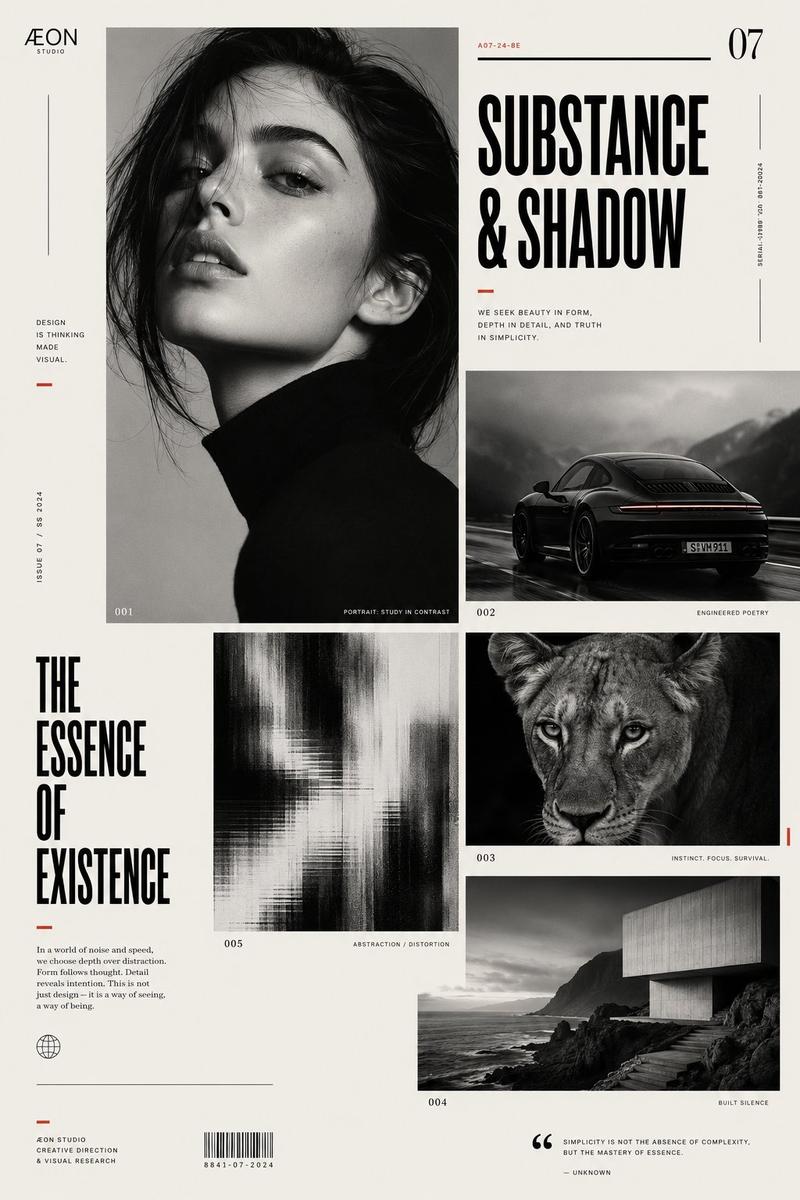
Avant-garde graphic design poster page, elegant editorial layout, off-white background, 4:5 aspect ratio. Build a clean asymmetrical modular grid with four distinct image blocks: one high-contrast close portrait of [HUMAN], one cinematic photograph of [CAR], one striking image of [ANIMAL], and one atmospheric photograph of [PLACE], each contained in its own rectangular block. Use black as the dominant color with subtle accents of [ACCENT1] and [ACCENT2], minimal but refined. Add one abstract distortion or texture panel to reinforce the experimental design language. Include a bold title reading “[TITLE]”, a small minimalist logo reading “[LOGO]”, microtypography, short editorial text columns, tiny serial numbers, thin dividers, small captions, and elegant negative space. High-fashion graphic design aesthetic, niche magazine page, refined Swiss-meets-avant-garde composition, crisp typography, monochrome photography, subtle blur and texture variation, sophisticated art-direction.
Category
Charts & Infographics
Model
ChatGPT
Views0
Source ID
17396
Published
Jul 5, 2026

Guide

About "先锋艺术排版海报设计"

What is this prompt for?

"先锋艺术排版海报设计" AI image prompt for ChatGPT (Charts & Infographics). 前卫图形设计海报页面,优雅的编辑排版,米白色背景,4:5 宽高比。构建一个干净的非对称模块化网格,包含四个不同的图像块:一个 [HUMAN] 的高对比度特写肖像,一张 [CAR] 的电影…

The full copyable prompt and example visuals above are ready for AI image generation or one-click recreate in Picva.

How to use this prompt

  1. Step 1

    Open the prompt detail

    Review the example visuals, category, and full prompt text for "先锋艺术排版海报设计".

  2. Step 2

    Copy the prompt

    Copy the prompt body from this page, or load it directly in Studio.

  3. Step 3

    Pick a model (ChatGPT)

    Prefer ChatGPT. If you switch models, keep subject and composition and tweak style terms.

  4. Step 4

    Generate and export

    Recreate the look in Picva, or export into your workflow for editing and publishing.

FAQ

What is the "先锋艺术排版海报设计" prompt?
It is an AI image-generation prompt for ChatGPT in the Charts & Infographics category. This page includes the full prompt text, example visuals, and a one-click recreate path in Picva.
How do I use this prompt to generate an image?
Copy the prompt from this page, or use Generate / Studio. Paste it into a compatible image model, or recreate the look in Picva with optional reference images.
Which model is this prompt for?
This page lists ChatGPT. Most descriptive prompts also transfer to nearby image models such as GPT Image, Flux, or Midjourney with light style tweaks.
Can I use the result commercially?
You can usually copy the prompt for creation, but commercial use of the final image depends on the model terms, reference-image rights, and the generated content. Follow the source author and platform rules.