18

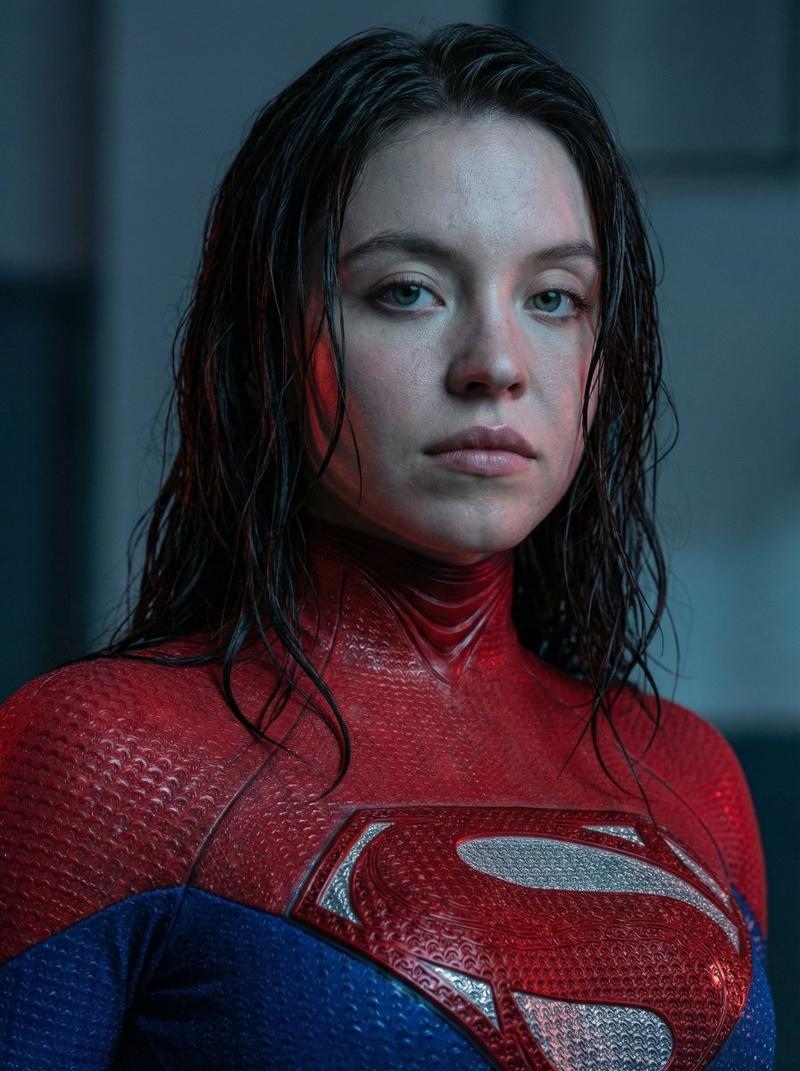
女性超级英雄肖像
Enlarge

女性超级英雄肖像

Prompt
Ultra-realistic cinematic portrait of [[your character]], female superhero, chest-up framing. 
Wearing a tight, textured superhero suit in deep red and dark blue, with a metallic emblem on the chest (custom symbol, not copyrighted). 
Wet hair, dark brown, shoulder length, slightly messy, strands sticking to the face and neck. 
Natural face, minimal makeup, pale skin with visible skin texture and pores. 
Neutral, serious expression, calm but powerful gaze, looking directly at the camera.

Cold, moody lighting with soft blue ambient tones and subtle red rim light reflecting on the face and suit. 
Shallow depth of field, background blurred, urban night atmosphere, cinematic feel.
Hyper-detailed skin, realistic fabric texture, water droplets on suit.
Shot on 85mm lens, f/1.8, ultra high resolution, photorealism, dramatic contrast, film still quality.
Category
Architecture & Spaces
Model
Nano Banana Pro
Views88
Source ID
2383
Published
Feb 4, 2026

Guide

About "女性超级英雄肖像"

What is this prompt for?

"女性超级英雄肖像" AI image prompt for Nano Banana Pro (Architecture & Spaces). 超逼真的电影风格肖像,描绘的是一位女性超级英雄,胸部以上特写。 身穿深红色和深蓝色紧身纹理超级英雄战衣,胸前有金属徽章(定制符号,非版权所有)。 湿漉漉的头发,深棕色,及肩,…

The full copyable prompt and example visuals above are ready for AI image generation or one-click recreate in Picva.

How to use this prompt

  1. Step 1

    Open the prompt detail

    Review the example visuals, category, and full prompt text for "女性超级英雄肖像".

  2. Step 2

    Copy the prompt

    Copy the prompt body from this page, or load it directly in Studio.

  3. Step 3

    Pick a model (Nano Banana Pro)

    Prefer Nano Banana Pro. If you switch models, keep subject and composition and tweak style terms.

  4. Step 4

    Generate and export

    Recreate the look in Picva, or export into your workflow for editing and publishing.

FAQ

What is the "女性超级英雄肖像" prompt?
It is an AI image-generation prompt for Nano Banana Pro in the Architecture & Spaces category. This page includes the full prompt text, example visuals, and a one-click recreate path in Picva.
How do I use this prompt to generate an image?
Copy the prompt from this page, or use Generate / Studio. Paste it into a compatible image model, or recreate the look in Picva with optional reference images.
Which model is this prompt for?
This page lists Nano Banana Pro. Most descriptive prompts also transfer to nearby image models such as GPT Image, Flux, or Midjourney with light style tweaks.
Can I use the result commercially?
You can usually copy the prompt for creation, but commercial use of the final image depends on the model terms, reference-image rights, and the generated content. Follow the source author and platform rules.