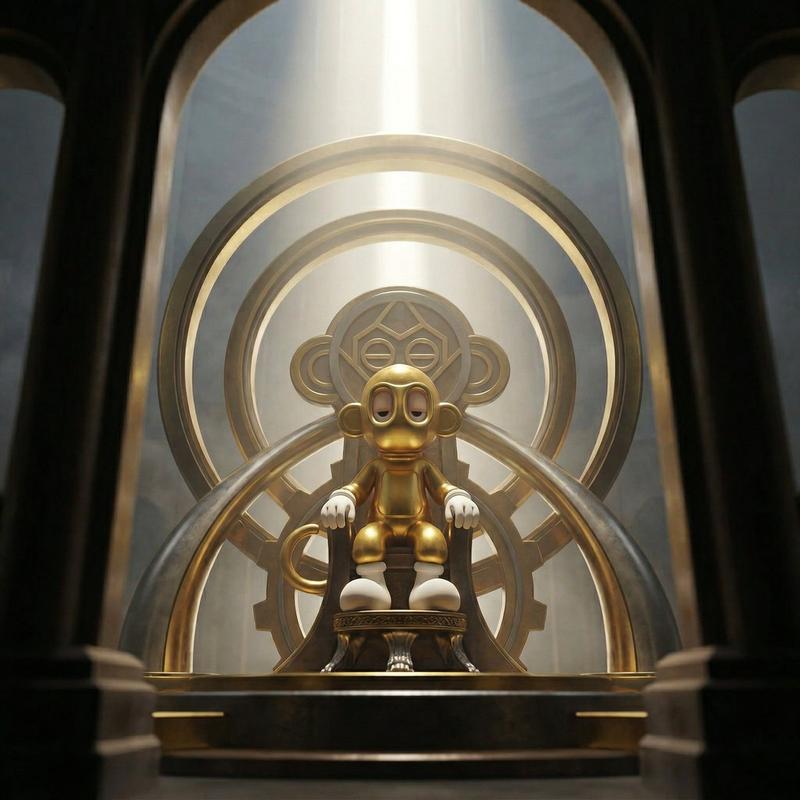
神圣王座上的绝对统治者
Prompt
Create a dominance portrait of the uploaded reference character seated on a divine throne that feels engineered from their own world and design language. The camera observes the ruler from a partially obstructed viewpoint, as if the viewer is looking through the monumental structure of the throne itself. Likeness Integrity (HIGHEST PRIORITY) Maintain exact: • Head-to-body proportions • Eye shape, spacing, stylization • Surface materials • Silhouette and structural design Do not humanize. Do not reinterpret anatomy. Do not add unintended accessories. Perspective exaggeration must come only from camera placement, not structural redesign. Identity always wins. Throne Adaptation System (UNIVERSAL LOGIC) The throne must feel like a structural extension of the character’s design universe and must feel divine. Rules: Extract design language from the character: Dominant material logic Geometric language Color World energy Translate, never copy. Echo shapes subtly in silhouette Reflect material family, not exact textures Use tonal harmony, not color duplication Patterns may appear in architecture, structure, or ornamentation but must remain subordinate to the character’s identity. Camera & Perspective • Camera positioned slightly below the throne platform but offset laterally • 16–20mm wide cinematic lens • The throne structure partially obstructs the frame • Large architectural element of the throne occupies the foreground edge of the frame • Character visible through the throne’s structural opening or between its elements • Horizon slightly tilted 5–8 degrees • The viewer feels as if witnessing the ruler from behind the architecture of power Foreground elements must feel massive and close to the lens, framing the character like a monumental gateway. Composition • The character sits centered within the throne structure but partially framed by its geometry • Throne architecture creates a natural visual tunnel toward the character • Foreground throne elements remain slightly out of focus • Character remains the focal authority within the frame Lighting • Singular vertical divine beam descending from above the throne • Volumetric haze revealing light shafts • Strong rim light outlining the character silhouette • Controlled specular spikes along throne edges • Foreground throne elements remain darker, creating contrast against the illuminated ruler Depth & Focus • Eyes in absolute clarity • Character face and upper torso remain sharp • Foreground throne structure slightly blurred from proximity to lens • Background dissolves into atmospheric layers The image must feel layered in depth: foreground architecture → seated ruler → atmospheric background. Background • Vast negative space above the throne • Atmospheric tension • Light beam
- Category
- Brand & Logos
- Model
- Nano Banana Pro
- Creator
- @edizkan_
- Source ID
- 13143
- Published
- Apr 3, 2026
Views49