15

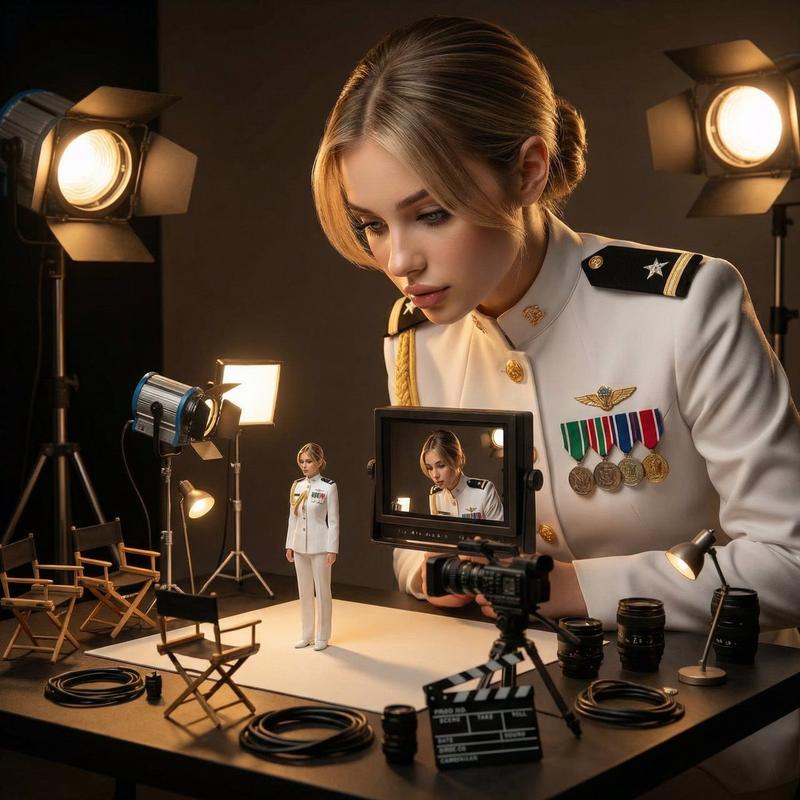
巨人女导演调整微缩胶片相机
Enlarge

巨人女导演调整微缩胶片相机

Prompt
Create a hyper-realistic cinematic studio scene where a giant woman filmmaker is carefully adjusting a miniature vintage film camera mounted on a tripod. Beside the tiny camera, place a small elegant woman in a flowing pastel blue dress, posed like a model on set. Build the scene inside a professional film studio with detailed softboxes, studio lights, film reels, cables, a clapperboard, and production gear all around. The giant filmmaker should have blonde hair tied back, soft natural makeup, and an intensely focused expression. Use dramatic soft lighting, shallow depth of field, volumetric light, ultra-detailed textures, 8K photorealism, studio photography realism, and a polished cinematic composition.
Category
Charts & Infographics
Model
ChatGPT
Views30
Source ID
17245
Published
Jul 1, 2026

Guide

About "巨人女导演调整微缩胶片相机"

What is this prompt for?

"巨人女导演调整微缩胶片相机" AI image prompt for ChatGPT (Charts & Infographics). 创建一个超逼真的电影制片厂场景,其中一位巨人女电影制作人正在仔细调整安装在三脚架上的微缩复古电影摄像机。在微型摄像机旁边,放置一位穿着飘逸浅蓝色连衣裙的小巧优雅女性,像片场模特一样…

The full copyable prompt and example visuals above are ready for AI image generation or one-click recreate in Picva.

How to use this prompt

  1. Step 1

    Open the prompt detail

    Review the example visuals, category, and full prompt text for "巨人女导演调整微缩胶片相机".

  2. Step 2

    Copy the prompt

    Copy the prompt body from this page, or load it directly in Studio.

  3. Step 3

    Pick a model (ChatGPT)

    Prefer ChatGPT. If you switch models, keep subject and composition and tweak style terms.

  4. Step 4

    Generate and export

    Recreate the look in Picva, or export into your workflow for editing and publishing.

FAQ

What is the "巨人女导演调整微缩胶片相机" prompt?
It is an AI image-generation prompt for ChatGPT in the Charts & Infographics category. This page includes the full prompt text, example visuals, and a one-click recreate path in Picva.
How do I use this prompt to generate an image?
Copy the prompt from this page, or use Generate / Studio. Paste it into a compatible image model, or recreate the look in Picva with optional reference images.
Which model is this prompt for?
This page lists ChatGPT. Most descriptive prompts also transfer to nearby image models such as GPT Image, Flux, or Midjourney with light style tweaks.
Can I use the result commercially?
You can usually copy the prompt for creation, but commercial use of the final image depends on the model terms, reference-image rights, and the generated content. Follow the source author and platform rules.