12

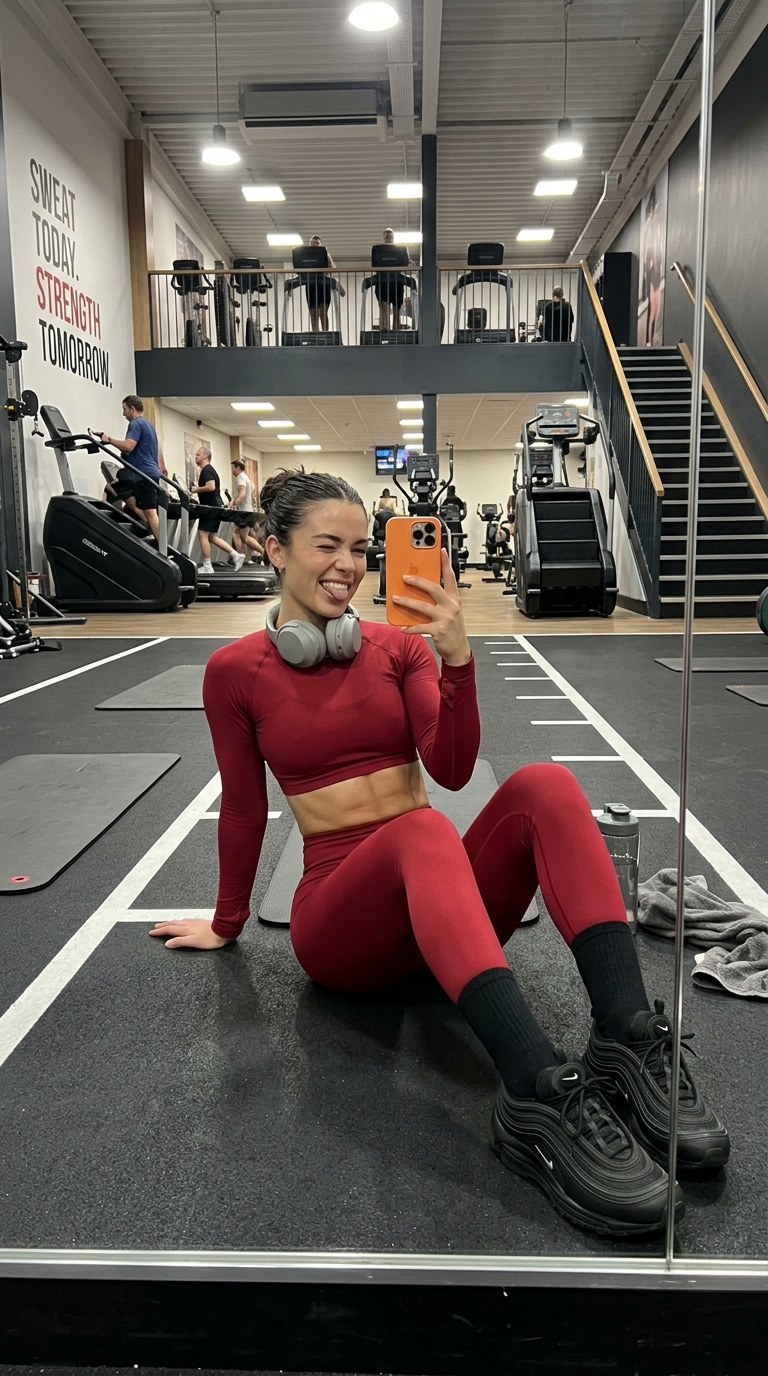
健身房里的Q版迷你我
Enlarge

健身房里的Q版迷你我

Prompt
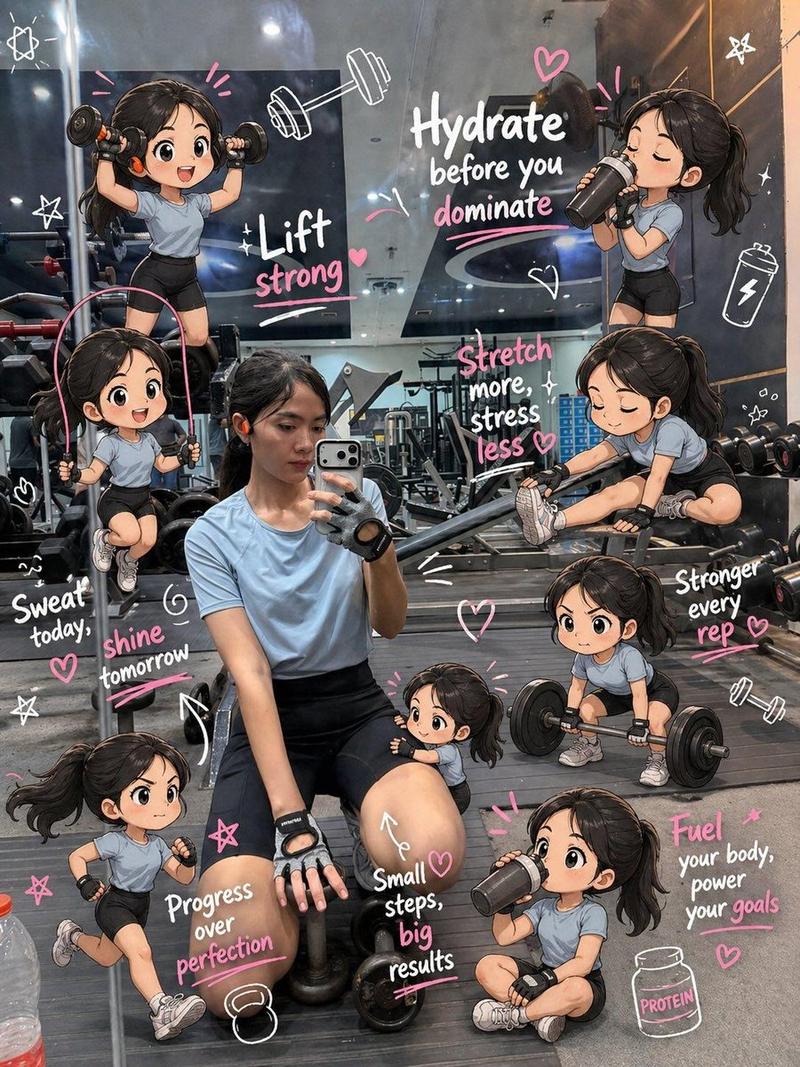
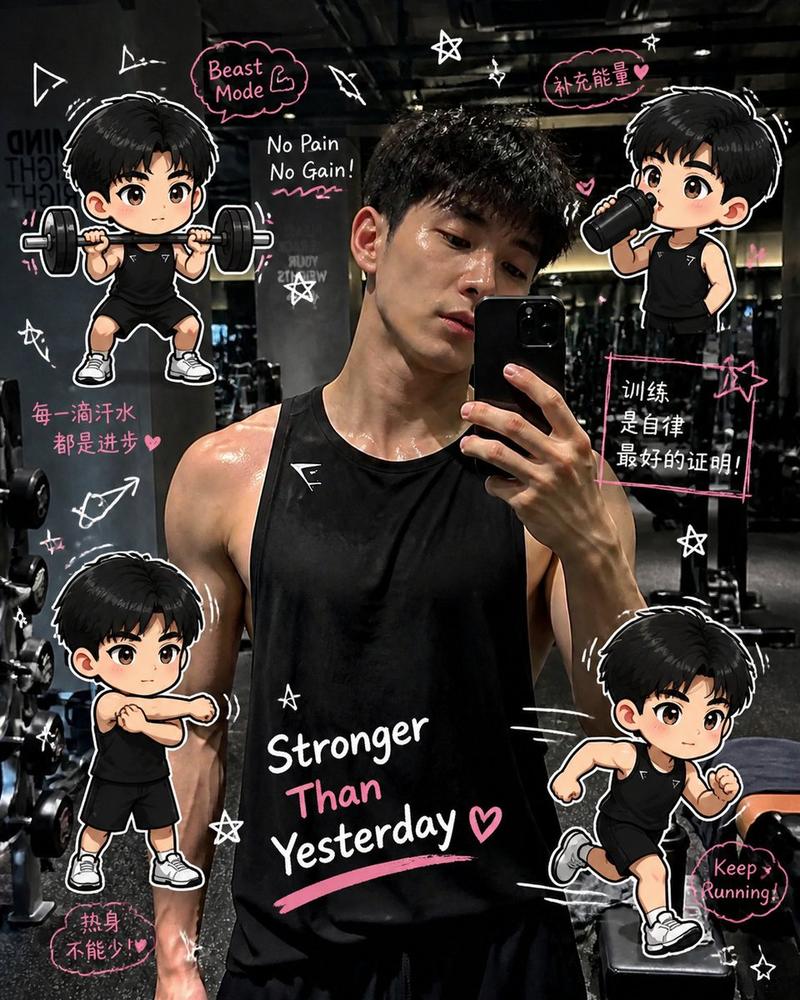
Edit the image while keeping the original photo completely unchanged — including the person, face, body, pose, lighting, and gym background.

Add multiple small, cute chibi-style “mini versions” of her around the image. Each mini character should have a big head, expressive facial features, and match her hairstyle and outfit.

Depict each mini version doing different gym-related activities:

one cheering with arms raised

one running in running shoes

one drinking from a shaker bottle

one wearing sporty running glasses

one climbing near her leg

Enhance the image with playful, hand-drawn doodles and handwritten notes in white and pink ink, in a scrapbook style. Include elements like arrows, stars, hearts, sparkles, and sketchy lines.

Add cute, handwritten gym-themed motivational phrases:

“lift strong”

“stronger every rep”

“no pain no gain”

“sweat now, shine later”

“progress over perfection”

“train hard, stay soft”

The overall vibe should feel fun, energetic, and feminine.
Category
Products & E-commerce
Model
ChatGPT
Creator
@Ciri_ai
Views276
Source ID
13955
Published
May 2, 2026

Guide

About "健身房里的Q版迷你我"

What is this prompt for?

"健身房里的Q版迷你我" AI image prompt for ChatGPT (Products & E-commerce). 编辑图像,同时保持原始照片完全不变——包括人物、脸部、身体、姿势、灯光和健身房背景。 在图像周围添加多个小巧可爱的 Q 版“迷你版本”的她。每个迷你角色都应该有一个大头,富有表现力的面部…

The full copyable prompt and example visuals above are ready for AI image generation or one-click recreate in Picva.

How to use this prompt

  1. Step 1

    Open the prompt detail

    Review the example visuals, category, and full prompt text for "健身房里的Q版迷你我".

  2. Step 2

    Copy the prompt

    Copy the prompt body from this page, or load it directly in Studio.

  3. Step 3

    Pick a model (ChatGPT)

    Prefer ChatGPT. If you switch models, keep subject and composition and tweak style terms.

  4. Step 4

    Generate and export

    Recreate the look in Picva, or export into your workflow for editing and publishing.

FAQ

What is the "健身房里的Q版迷你我" prompt?
It is an AI image-generation prompt for ChatGPT in the Products & E-commerce category. This page includes the full prompt text, example visuals, and a one-click recreate path in Picva.
How do I use this prompt to generate an image?
Copy the prompt from this page, or use Generate / Studio. Paste it into a compatible image model, or recreate the look in Picva with optional reference images.
Which model is this prompt for?
This page lists ChatGPT. Most descriptive prompts also transfer to nearby image models such as GPT Image, Flux, or Midjourney with light style tweaks.
Can I use the result commercially?
You can usually copy the prompt for creation, but commercial use of the final image depends on the model terms, reference-image rights, and the generated content. Follow the source author and platform rules.