14

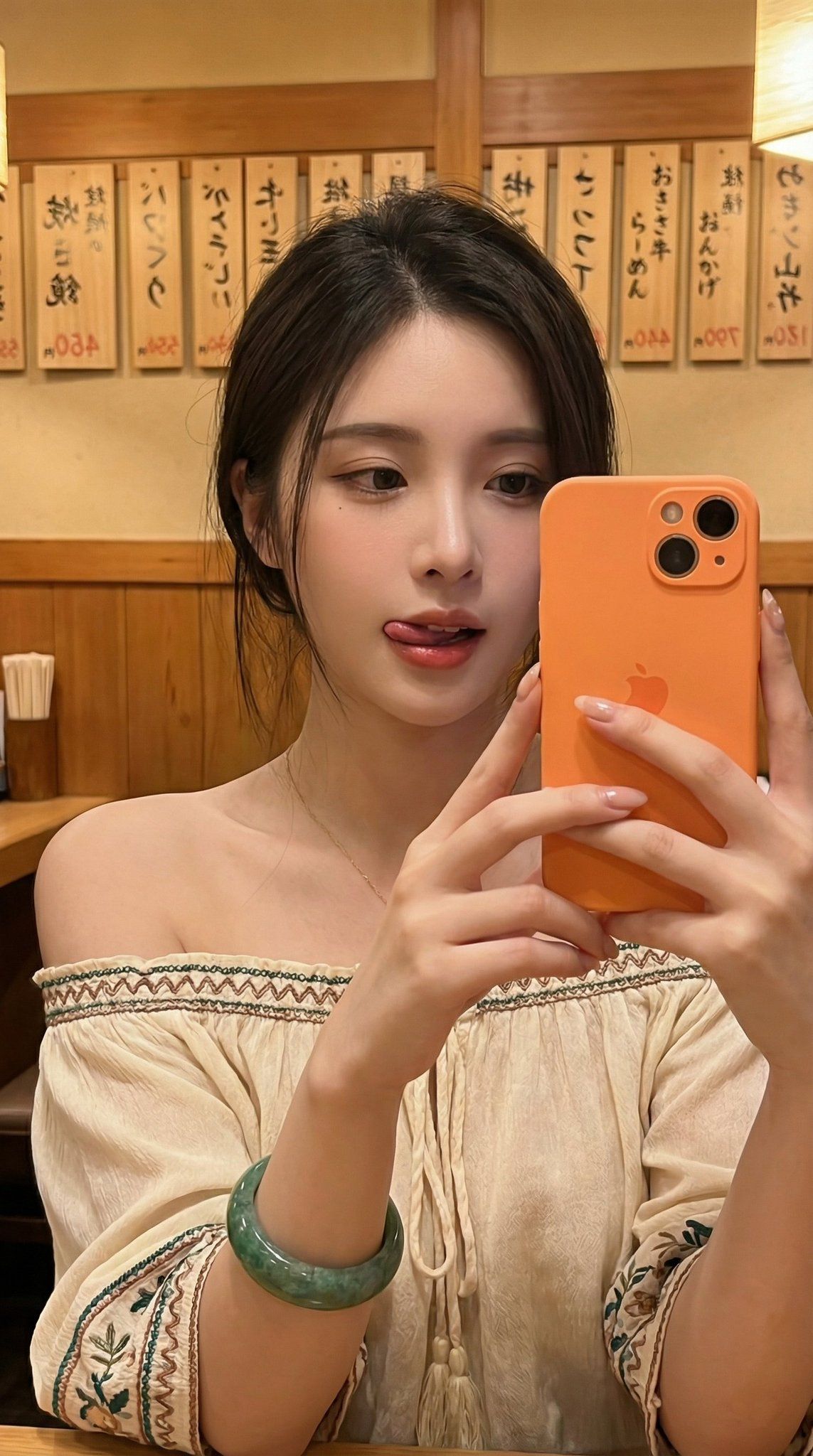
霓虹酒馆少女自拍
Enlarge

霓虹酒馆少女自拍

Prompt
{
  "composition": {
    "layout": "Close-up selfie",
    "perspective": "First-person, held by subject",
    "elements": "Young woman in off-the-shoulder top, holding orange phone, against wooden wall with menu signs in background."
  },
  "lighting": {
    "source": "Indoor ambient, likely mixed with screen light",
    "mood": "Warm, soft, slightly pink glow on face"
  },
  "typography": {
    "style": "Handwritten Japanese characters on wooden plaques",
    "content": "Various menu items, e.g., '生ビール', 'おでん', '焼き鳥'"
  },
  "effects": {
    "filters": "Slight soft focus on face, potentially a beauty filter",
    "textures": "Fabric of top, wooden wall, metallic phone"
  },
  "colors": [
    "#F2984B",
    "#F3E6DA",
    "#3A5F40",
    "#D9C0A3",
    "#5A3E2F"
  ],
  "master_prompt": "A close-up selfie of a young woman in an off-the-shoulder cream top with embroidered details and a large green bracelet, holding an orange iPhone. She is licking her upper lip, looking into the phone camera. The background is a wooden-walled Japanese restaurant with hanging handwritten menu plaques. The lighting is warm and ambient, casting a soft glow. The phone screen is not visible."
}
Category
Posters & Typography
Model
Nano Banana Pro
Creator
@joshesye
Views153
Source ID
2049
Published
Jan 17, 2026

Guide

About "霓虹酒馆少女自拍"

What is this prompt for?

"霓虹酒馆少女自拍" AI image prompt for Nano Banana Pro (Posters & Typography). { "composition": { "layout": "特写自拍", "perspective": "第一人称,由主体手持", "elements": "年轻女子穿着露肩上…

The full copyable prompt and example visuals above are ready for AI image generation or one-click recreate in Picva.

How to use this prompt

  1. Step 1

    Open the prompt detail

    Review the example visuals, category, and full prompt text for "霓虹酒馆少女自拍".

  2. Step 2

    Copy the prompt

    Copy the prompt body from this page, or load it directly in Studio.

  3. Step 3

    Pick a model (Nano Banana Pro)

    Prefer Nano Banana Pro. If you switch models, keep subject and composition and tweak style terms.

  4. Step 4

    Generate and export

    Recreate the look in Picva, or export into your workflow for editing and publishing.

FAQ

What is the "霓虹酒馆少女自拍" prompt?
It is an AI image-generation prompt for Nano Banana Pro in the Posters & Typography category. This page includes the full prompt text, example visuals, and a one-click recreate path in Picva.
How do I use this prompt to generate an image?
Copy the prompt from this page, or use Generate / Studio. Paste it into a compatible image model, or recreate the look in Picva with optional reference images.
Which model is this prompt for?
This page lists Nano Banana Pro. Most descriptive prompts also transfer to nearby image models such as GPT Image, Flux, or Midjourney with light style tweaks.
Can I use the result commercially?
You can usually copy the prompt for creation, but commercial use of the final image depends on the model terms, reference-image rights, and the generated content. Follow the source author and platform rules.