20

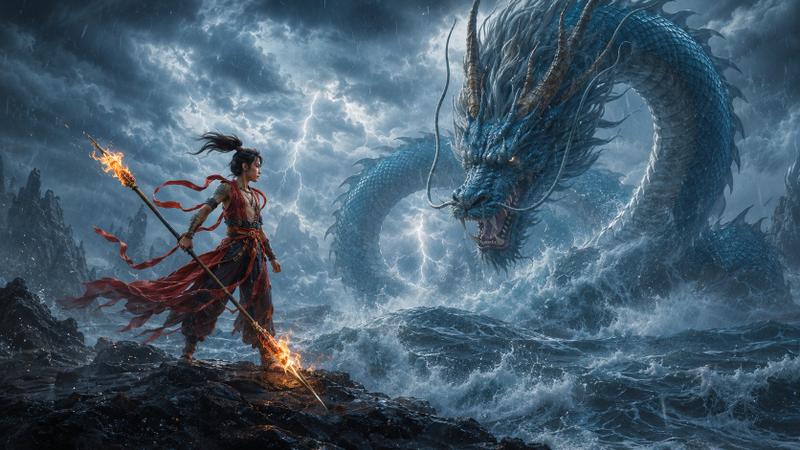
巨型能量长龙与渺小少女对峙构图
Enlarge

巨型能量长龙与渺小少女对峙构图

Prompt
2D animated cinematic frame, wide letterboxed composition, massive serpentine dragon formed entirely of glowing yellow and white energy curving from the upper left across the frame, small shadowed humanoid female figure in the lower right facing the massive creature, extreme scale difference, dark jagged silhouette of a barren landscape along the bottom edge, dark murky sky background, extreme high contrast, intense bloom and glowing light emitted from the dragon form, deep silhouette shadows on the small figure and ground, scattering luminous sparks and downward light streaks, dominant brilliant yellows and warm oranges against deep blacks and dark grays, heavy digital compositing glow effects, cel shaded linework beneath intense lighting overlays.
Category
Photography & Realism
Model
ChatGPT
Views42
Source ID
14283
Published
May 12, 2026

Guide

About "巨型能量长龙与渺小少女对峙构图"

What is this prompt for?

"巨型能量长龙与渺小少女对峙构图" AI image prompt for ChatGPT (Photography & Realism). 2D动画电影画面,宽画幅信箱模式构图,由发光黄白色能量构成的巨大蜿蜒长龙从左上角横跨画面,右下角是一个渺小的阴影状女性人形,极端的体型差异,底部边缘是荒凉景观的深色锯齿状剪影,…

The full copyable prompt and example visuals above are ready for AI image generation or one-click recreate in Picva.

How to use this prompt

  1. Step 1

    Open the prompt detail

    Review the example visuals, category, and full prompt text for "巨型能量长龙与渺小少女对峙构图".

  2. Step 2

    Copy the prompt

    Copy the prompt body from this page, or load it directly in Studio.

  3. Step 3

    Pick a model (ChatGPT)

    Prefer ChatGPT. If you switch models, keep subject and composition and tweak style terms.

  4. Step 4

    Generate and export

    Recreate the look in Picva, or export into your workflow for editing and publishing.

FAQ

What is the "巨型能量长龙与渺小少女对峙构图" prompt?
It is an AI image-generation prompt for ChatGPT in the Photography & Realism category. This page includes the full prompt text, example visuals, and a one-click recreate path in Picva.
How do I use this prompt to generate an image?
Copy the prompt from this page, or use Generate / Studio. Paste it into a compatible image model, or recreate the look in Picva with optional reference images.
Which model is this prompt for?
This page lists ChatGPT. Most descriptive prompts also transfer to nearby image models such as GPT Image, Flux, or Midjourney with light style tweaks.
Can I use the result commercially?
You can usually copy the prompt for creation, but commercial use of the final image depends on the model terms, reference-image rights, and the generated content. Follow the source author and platform rules.