13

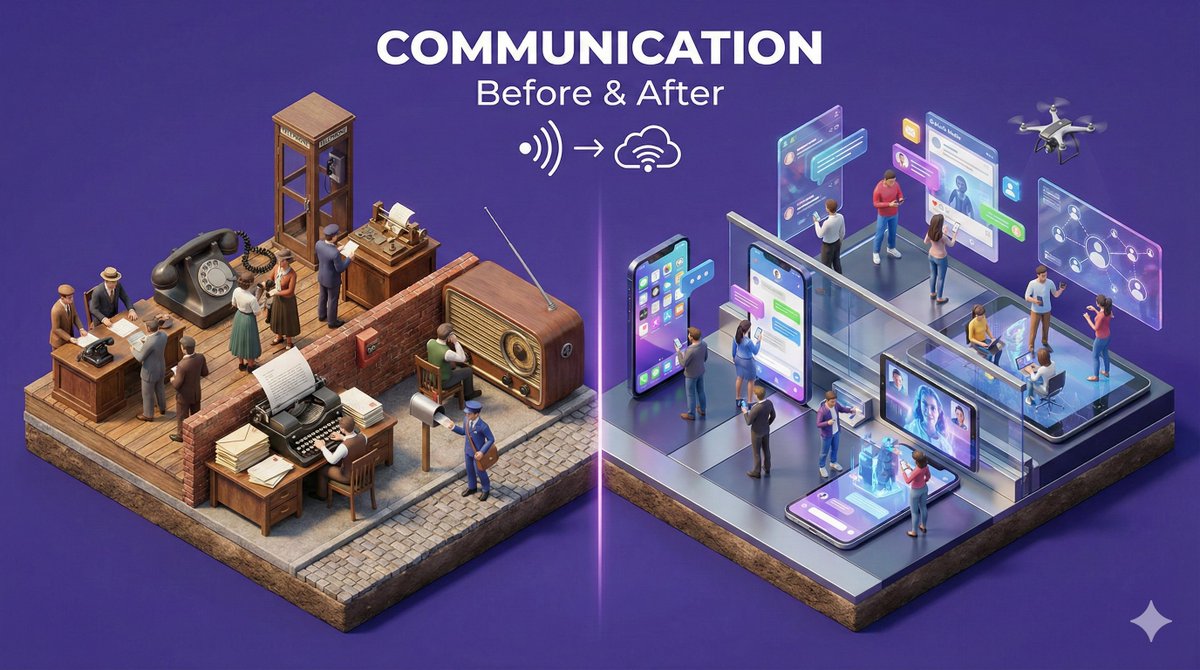
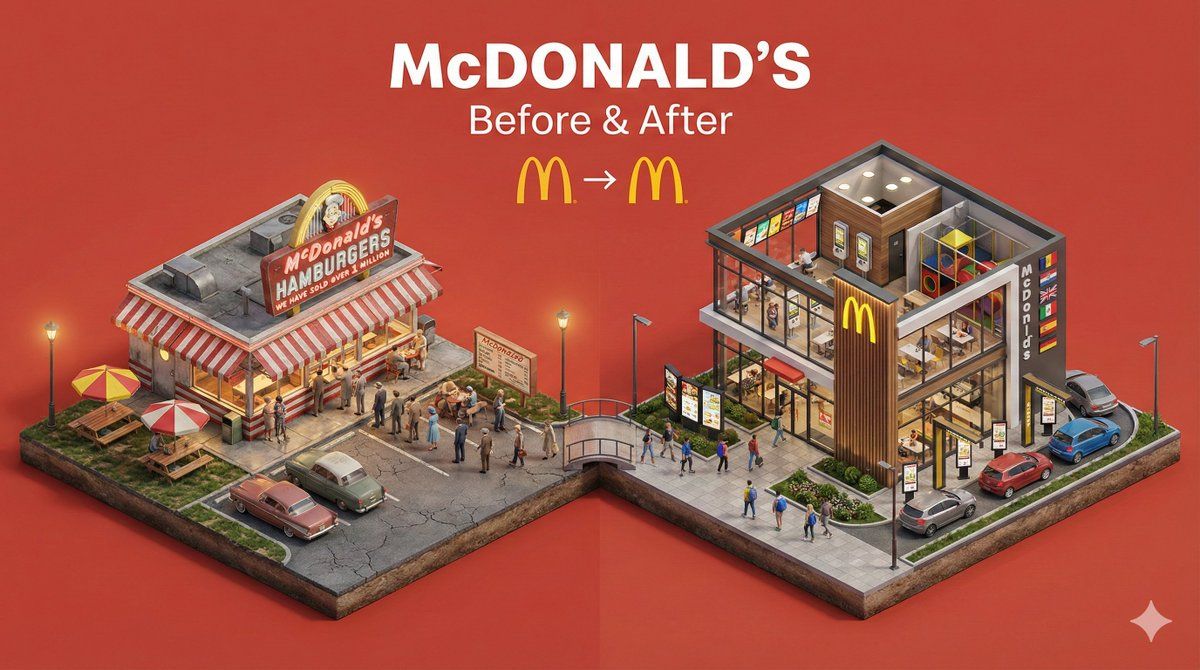
微缩前后转变立体模型
Enlarge

微缩前后转变立体模型

Prompt
Create a clear, 45° top-down isometric miniature 3D split diorama showing [SUBJECT] before and after [TRANSFORMATION].

Use soft refined textures, realistic PBR materials, and balanced lighting across both sides.
Design a single raised base divided into two environments with contrasting details.

Include tiny stylized people to emphasize scale and change (no facial details).

Use a clean solid [BACKGROUND COLOR] background.

At the top-center, display [SUBJECT NAME] in large bold text, beneath it show ‘Before & After’ in medium text, and place a minimal transformation icon below.

All text must automatically match the background contrast (white or black).
Category
Posters & Typography
Model
Nano Banana Pro
Views67
Source ID
2158
Published
Jan 25, 2026

Guide

About "微缩前后转变立体模型"

What is this prompt for?

"微缩前后转变立体模型" AI image prompt for Nano Banana Pro (Posters & Typography). 创建一个清晰、45°俯视角等距微缩3D分割立体模型,展示[主题]在[转变]前后的对比。使用柔和精致纹理、真实PBR材质,两侧保持均衡光照。设计一个整体抬高的底座,分为两个环…

The full copyable prompt and example visuals above are ready for AI image generation or one-click recreate in Picva.

How to use this prompt

  1. Step 1

    Open the prompt detail

    Review the example visuals, category, and full prompt text for "微缩前后转变立体模型".

  2. Step 2

    Copy the prompt

    Copy the prompt body from this page, or load it directly in Studio.

  3. Step 3

    Pick a model (Nano Banana Pro)

    Prefer Nano Banana Pro. If you switch models, keep subject and composition and tweak style terms.

  4. Step 4

    Generate and export

    Recreate the look in Picva, or export into your workflow for editing and publishing.

FAQ

What is the "微缩前后转变立体模型" prompt?
It is an AI image-generation prompt for Nano Banana Pro in the Posters & Typography category. This page includes the full prompt text, example visuals, and a one-click recreate path in Picva.
How do I use this prompt to generate an image?
Copy the prompt from this page, or use Generate / Studio. Paste it into a compatible image model, or recreate the look in Picva with optional reference images.
Which model is this prompt for?
This page lists Nano Banana Pro. Most descriptive prompts also transfer to nearby image models such as GPT Image, Flux, or Midjourney with light style tweaks.
Can I use the result commercially?
You can usually copy the prompt for creation, but commercial use of the final image depends on the model terms, reference-image rights, and the generated content. Follow the source author and platform rules.