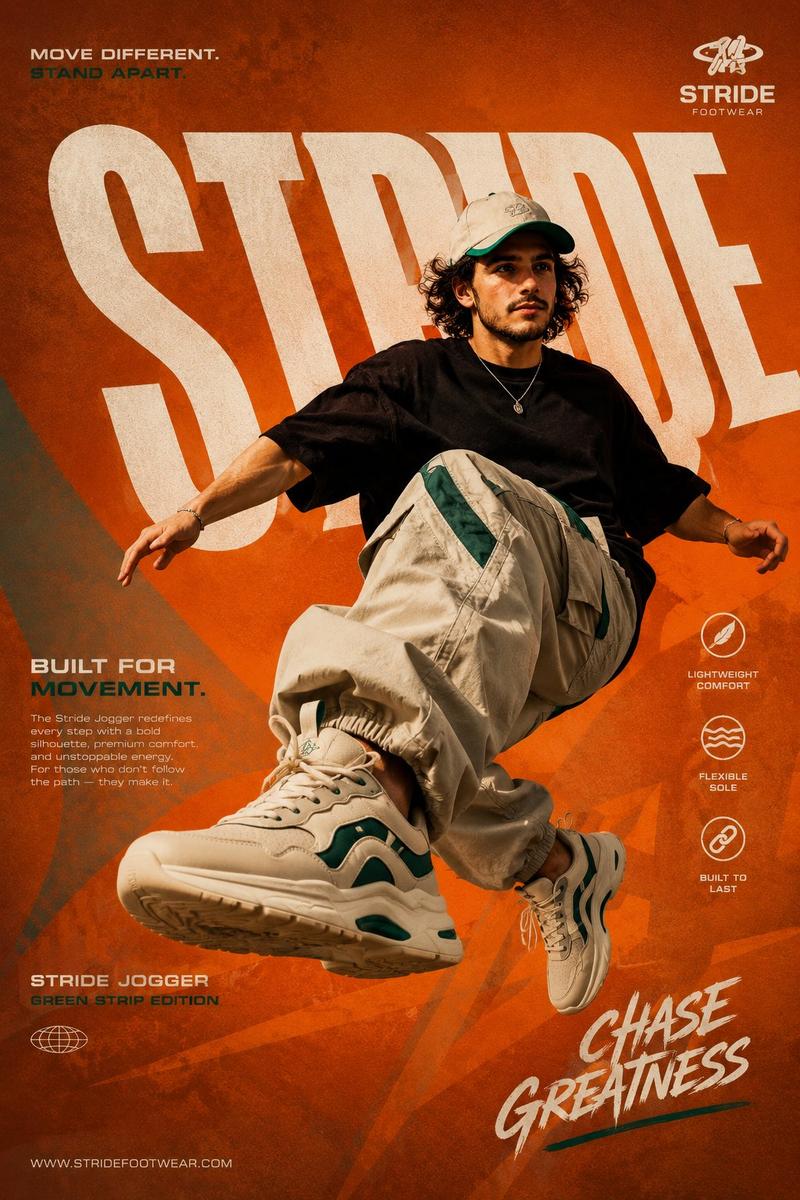
极简高级的Yeezy街头拼贴
Prompt
[
  BRAND NAME = ADIDAS × YEEZY
] [
  PRODUCT = YEEZY BOOST 700
] [
  COLORWAY = MONOCHROME GREY / OFF-WHITE / GUM SOLE
] Act as a Social Media Art Director and Digital Collage Artist specializing in bold,
youth-oriented brand content for Instagram and digital campaigns. PHASE 1: CONCEPTUAL FRAMEWORK Create a dynamic digital collage where minimalism collides with dominance. This is controlled rebellion — not loud,
but undeniable. Aesthetic: - Anti-polished but precise - Reduced chaos,
increased weight - Sculptural presence + layered texture - Editorial meets street energy Core Idea: “BUILT DIFFERENT.” PHASE 2: MODEL & PHOTOGRAPHY - Subject: One model (18–30),
neutral expression,
high-fashion posture - Pose Energy: 70% attitude,
30% natural (forward step,
grounded stance) - Outfit: Monochrome oversized Yeezy-style silhouette - Hero Product: Yeezy Boost 700 (primary visual anchor) - Photography Style: Editorial cutout,
clean edges - Camera Angle: Slight low angle (authority perspective) - Crop: 3/4 body,
shoe clearly dominant in foreground - Background Removal: Clean extraction for collage layering PHASE 3: COLOR BLOCKING FOUNDATION - Primary Color Blob: Muted stone grey (hero tone) - Secondary Accent: Soft beige / off-white haze - Shape Style: Irregular brush / soft torn edges (not geometric) - Coverage: 40–50% of composition - Texture: Subtle grain + fabric-like noise (15%) - Placement: Behind model,
slightly diagonal to frame silhouette PHASE 4: GRAPHIC ELEMENTS LAYER Add 3–5 abstract elements: - Soft gradient shapes - Minimal architectural lines - Faint circular forms - Subtle shadow duplication (depth echo) - Light distortion blur fragments Rules: - Color Palette: Neutral tones only (grey / beige / off-white) - Placement: Asymmetric (top-left + bottom-right bias) - Scale: Small (5%) + medium (15%) - Avoid center clutter - Maintain clean,
intentional layering Aesthetic: Refined chaos — visible but controlled PHASE 5: TYPOGRAPHY INTEGRATION - Brand Logo: Top-right (Adidas minimal mark) - Headline: “BUILT DIFFERENT.” - Supporting Copy: “FORM OVER EVERYTHING.” - Micro Copy: “YEEZY BOOST 700” - Type Style: Bold modern sans-serif - Treatment: Mostly aligned,
slight rotation (max 2°) - Hierarchy: Headline → Product → Supporting → Logo PHASE 6: TEXTURE & BACKGROUND - Base Layer: Warm off-white / light grey (RGB 245–248) - Texture: Subtle paper grain + soft noise - Treatment: Texture should be felt,
not dominant PHASE 7: COMPOSITION RULES - Layout: Asymmetric balance (model slightly off-center) - Breathing Room: 20–25% negative space - Layering Order: Background → Color blob → Graphics → Model → Typography - Focal Point: Product (shoe) = 60% Graphics + model = 40% - Movement: Subtle diagonal flow (not aggressive) PHASE 8: BRAND INTELLIGENCE Adidas × Yeezy: - Less noise,
more intention - Presence over movement - Design as identity - Controlled visual disruption PHASE 9: SOCIAL MEDIA FOOTER - Minimal bottom strip Content: http://adidas.com/yeezy - Clean grid layout TECHNICAL SPECS: - Aspect Ratio: 4:5 - Resolution: 2400x3000px - Color Mode: sRGB - High detail,
soft contrast - Slight grain allowed - Photography Base: 85mm lens,
f/2.8 FINAL OUTPUT MOOD: Dominant. Minimal-chaos. Architectural. High-fashion street authority.
- Category
- Charts & Infographics
- Model
- ChatGPT
- Creator
- @Diplomeme
- Source ID
- 13935
- Published
- May 1, 2026
Views227


![[BRAND NAME] Act as a Social Media Art Director and Digital Collage Artist speci](https://i.pixshop.app/storage/v1/render/image/public/prompt-source-media/promptsref/work-9593/image-1-a8e4a10671970441.png?width=800&quality=75&resize=contain)