17

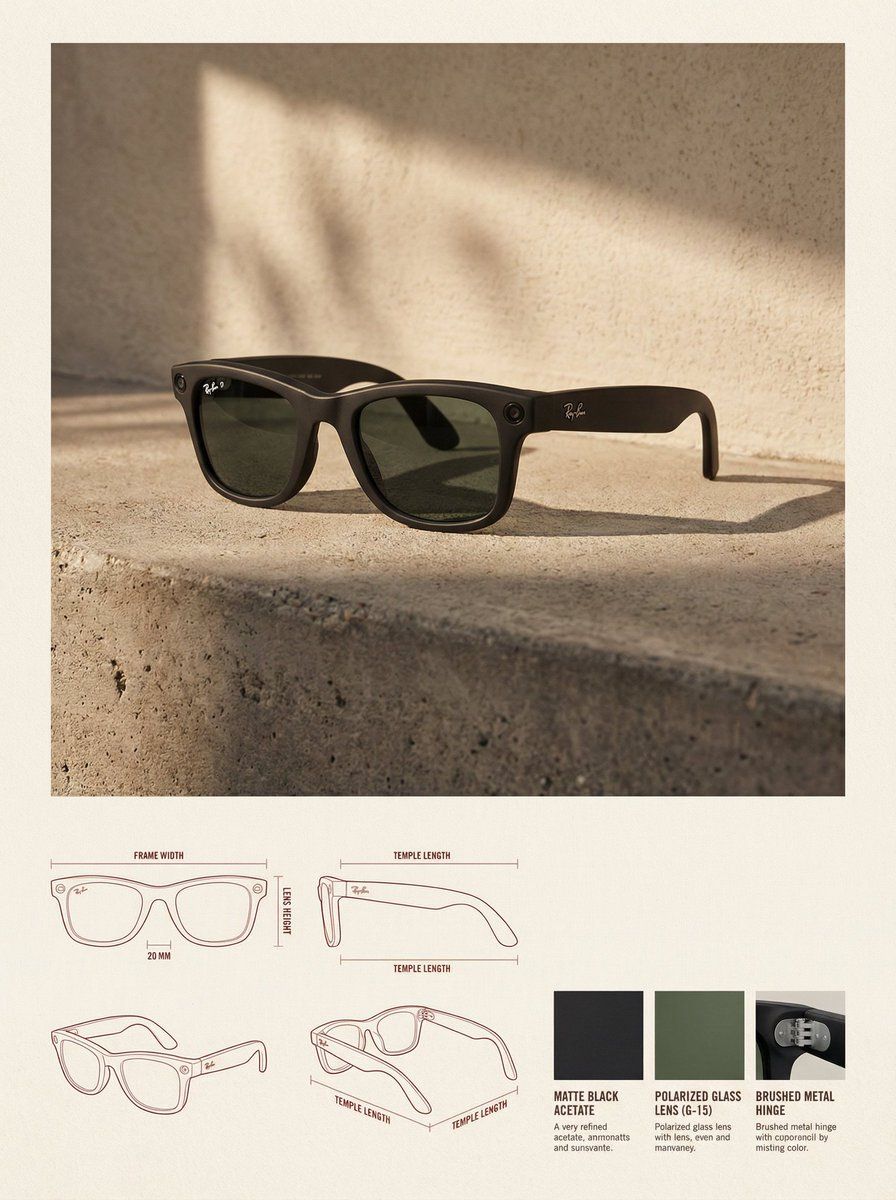
极简建筑设计感的产品杂志排版
Enlarge

极简建筑设计感的产品杂志排版

Prompt
✓ Reference Image: Use the uploaded image as a precise visual reference for the product's form, proportion, material, and overall identity. Do not redesign or reinterpret the product. ✓ Layout: Vertical 3:4 canvas, background is a warm neutral paper surface, the upper part is the lifestyle hero area, and the lower part is the technical specification area. ✓ Upper Section: The product image is placed in the top center, dominating the space, with ample white space around it. ✓ Environment Setting: Minimalist architectural interior, natural side lighting, soft high-contrast shadows, concrete floor, textured stucco walls. ✓ Rendering Style: Editorial lifestyle photography, highly realistic, warm and soft high-end color grading. ✓ Lower Section: Technical specification panel uses a modular grid layout. The bottom left features architectural line drawings (front view, side view, three-quarter top view), soft red or sepia thin lines, with minimal annotations. ✓ Bottom Right: 3-4 material samples, derived from the product's actual materials (fabric, leather, metal, wood, plastic). ✓ Typography: Minimalist editorial style, soft black or dark brown, no large titles. ✓ Overall Style: Design catalog/product design journal, architectural, high-end, calm. Avoid clutter, bold colors, heavy branding, excessive decoration. ✓ Constraints: Do not change the product design, do not fabricate materials, do not add logos unless present in the reference, do not use perspective distortion in the drawings.
Category
Posters & Typography
Model
Nano Banana Pro
Creator
@wanerfu
Views169
Source ID
10145
Published
Mar 27, 2026

Guide

About "极简建筑设计感的产品杂志排版"

What is this prompt for?

"极简建筑设计感的产品杂志排版" AI image prompt for Nano Banana Pro (Posters & Typography). ✓ 参考图像:使用上传的图像作为产品形式、比例、材料和整体身份的精确视觉参考。不要重新设计或重新解释产品。 ✓ 布局:竖向3:4画布,背景为温暖中性纸质表面,上部为…

The full copyable prompt and example visuals above are ready for AI image generation or one-click recreate in Picva.

How to use this prompt

  1. Step 1

    Open the prompt detail

    Review the example visuals, category, and full prompt text for "极简建筑设计感的产品杂志排版".

  2. Step 2

    Copy the prompt

    Copy the prompt body from this page, or load it directly in Studio.

  3. Step 3

    Pick a model (Nano Banana Pro)

    Prefer Nano Banana Pro. If you switch models, keep subject and composition and tweak style terms.

  4. Step 4

    Generate and export

    Recreate the look in Picva, or export into your workflow for editing and publishing.

FAQ

What is the "极简建筑设计感的产品杂志排版" prompt?
It is an AI image-generation prompt for Nano Banana Pro in the Posters & Typography category. This page includes the full prompt text, example visuals, and a one-click recreate path in Picva.
How do I use this prompt to generate an image?
Copy the prompt from this page, or use Generate / Studio. Paste it into a compatible image model, or recreate the look in Picva with optional reference images.
Which model is this prompt for?
This page lists Nano Banana Pro. Most descriptive prompts also transfer to nearby image models such as GPT Image, Flux, or Midjourney with light style tweaks.
Can I use the result commercially?
You can usually copy the prompt for creation, but commercial use of the final image depends on the model terms, reference-image rights, and the generated content. Follow the source author and platform rules.