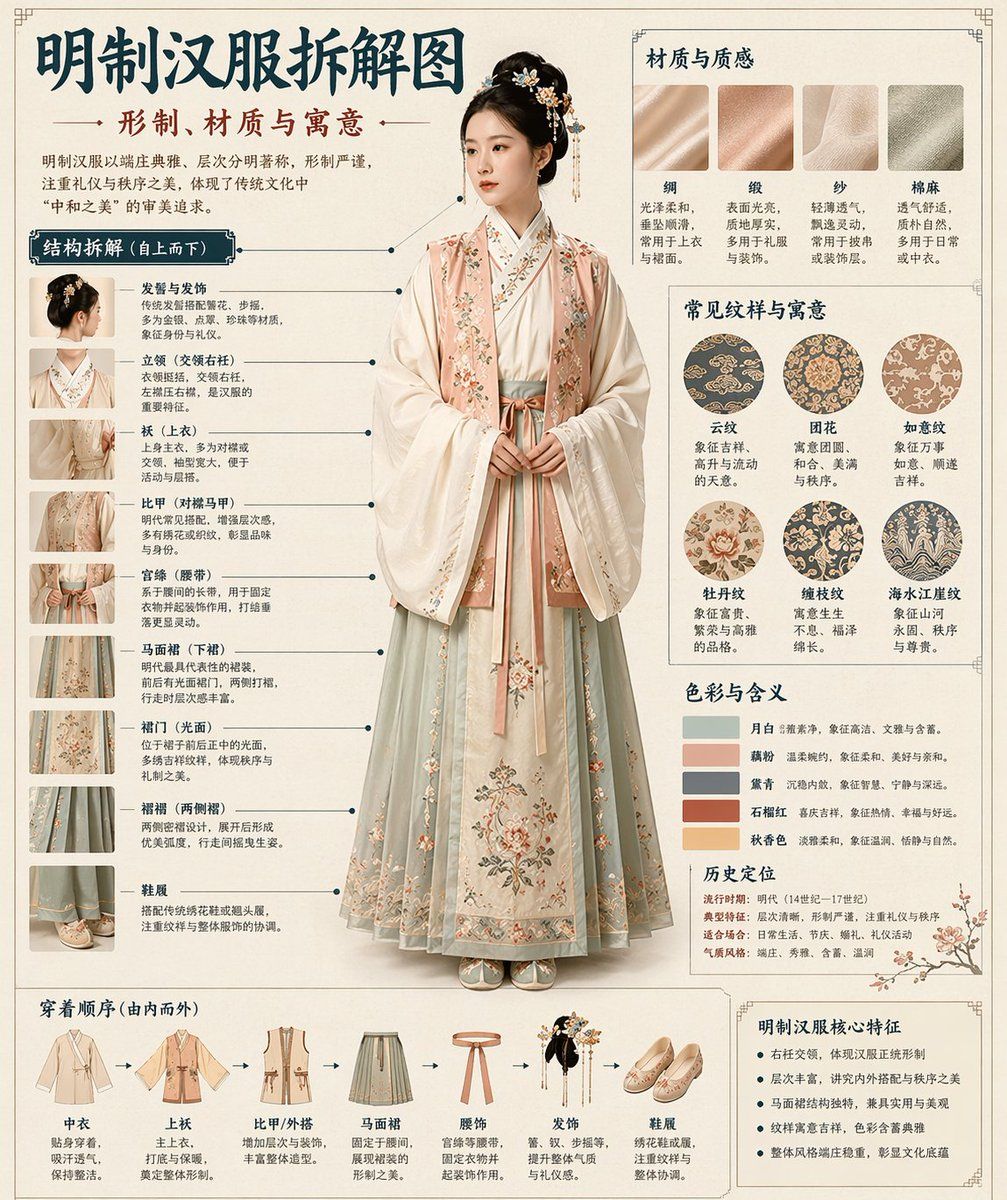
博物馆级中文拆解信息图鉴
Prompt
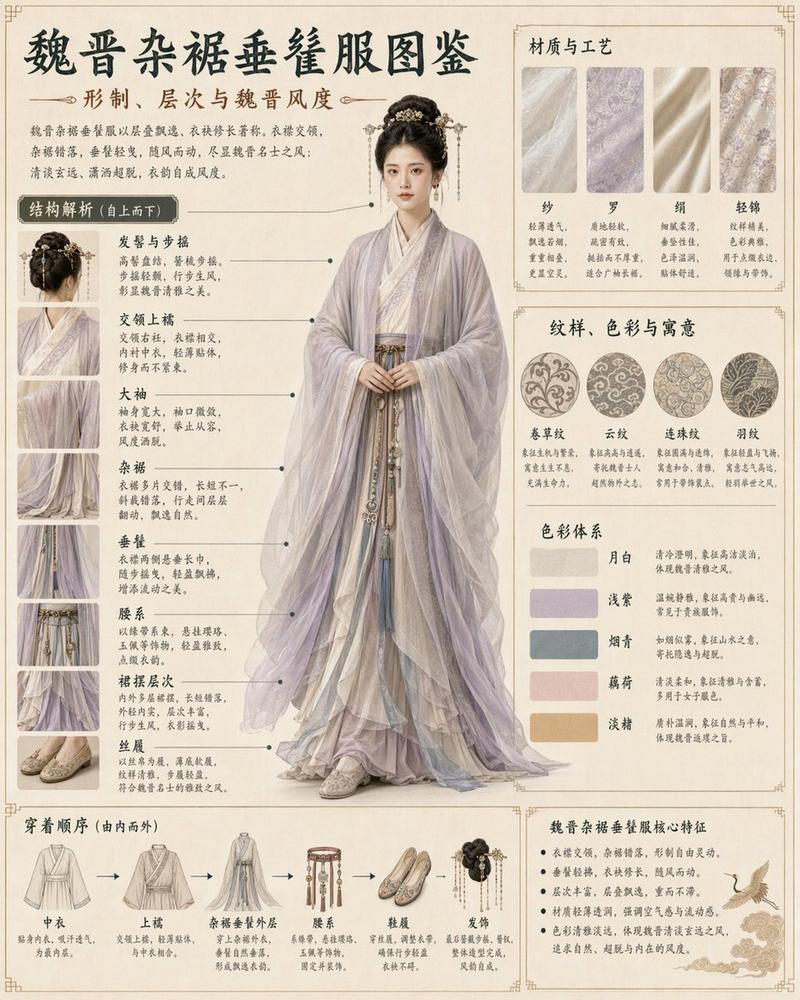
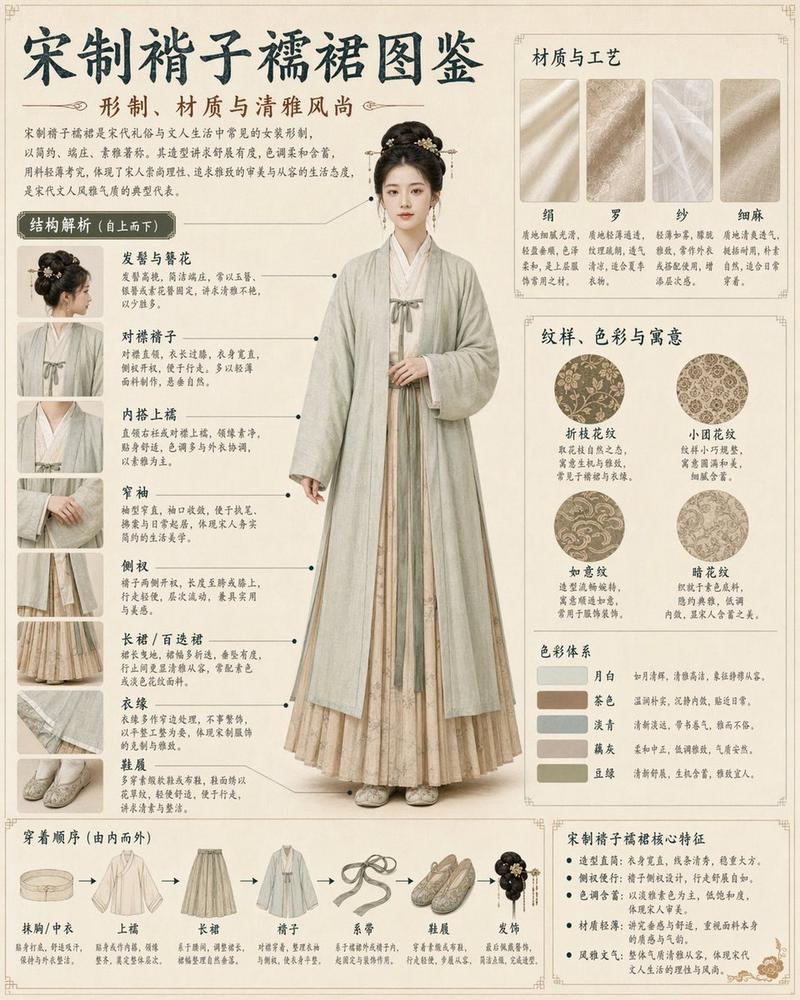
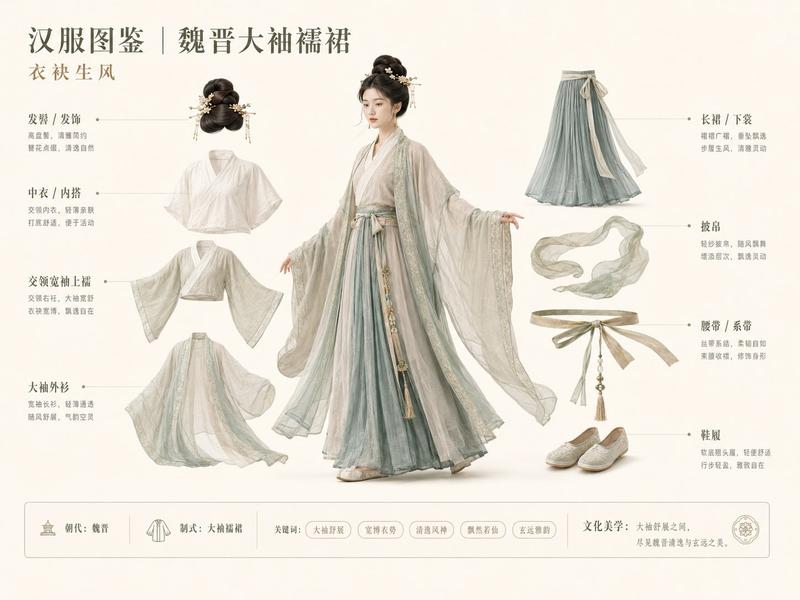
Please automatically generate a "museum catalog-style Chinese disassembly infographic" based on the [Subject].

The entire image is required to combine a realistic main visual, structural disassembly, Chinese annotations, material descriptions, pattern meanings, color meanings, and core feature summaries. You need to automatically determine the most appropriate main subject, clothing system, artifact structure, era style, key components, material craftsmanship, color scheme, and layout structure based on the [Subject], and the user does not need to provide any other information.

The overall style should be: national museum exhibition boards, historical clothing catalogs, and cultural/museum thematic infographics, rather than ordinary posters, ancient-style portraits, e-commerce detail pages, or anime illustrations. The background uses paper textures such as off-white, silk white, and light tea color, making the overall look premium, restrained, professional, and collectible.

The layout is fixed as:
- Top: Chinese main title + subtitle + introduction
- Left: Structural disassembly area, with Chinese lead lines annotating key components, accompanied by close-up details
- Upper right: Material / craftsmanship / texture area, displaying real texture samples with descriptions
- Middle right: Pattern / color / meaning area, displaying the main color palette, pattern samples, and cultural explanations
- Bottom: Dressing order / composition flowchart + core feature summary

If the subject is suitable for character display, use a full-body standing posture of a real person as the central subject; if it is more suitable for artifacts or single structures, change it to a central subject disassembly diagram, but the overall form remains a complete Chinese infographic. All text must be in Simplified Chinese, clear, neat, and readable, without garbled characters, typos, English, or pinyin. The focus is on highlighting real structures, material differences, cultural explanations, and a catalog atmosphere.

Avoid: poster feel, studio portrait feel, e-commerce feel, anime feel, cosplay feel, random annotations, incorrect structures, blurry text, fake materials, excessive decoration.
- Category
- Charts & Infographics
- Model
- ChatGPT
- Creator
- @MrLarus
- Source ID
- 13406
- Published
- Apr 18, 2026
Views667