14

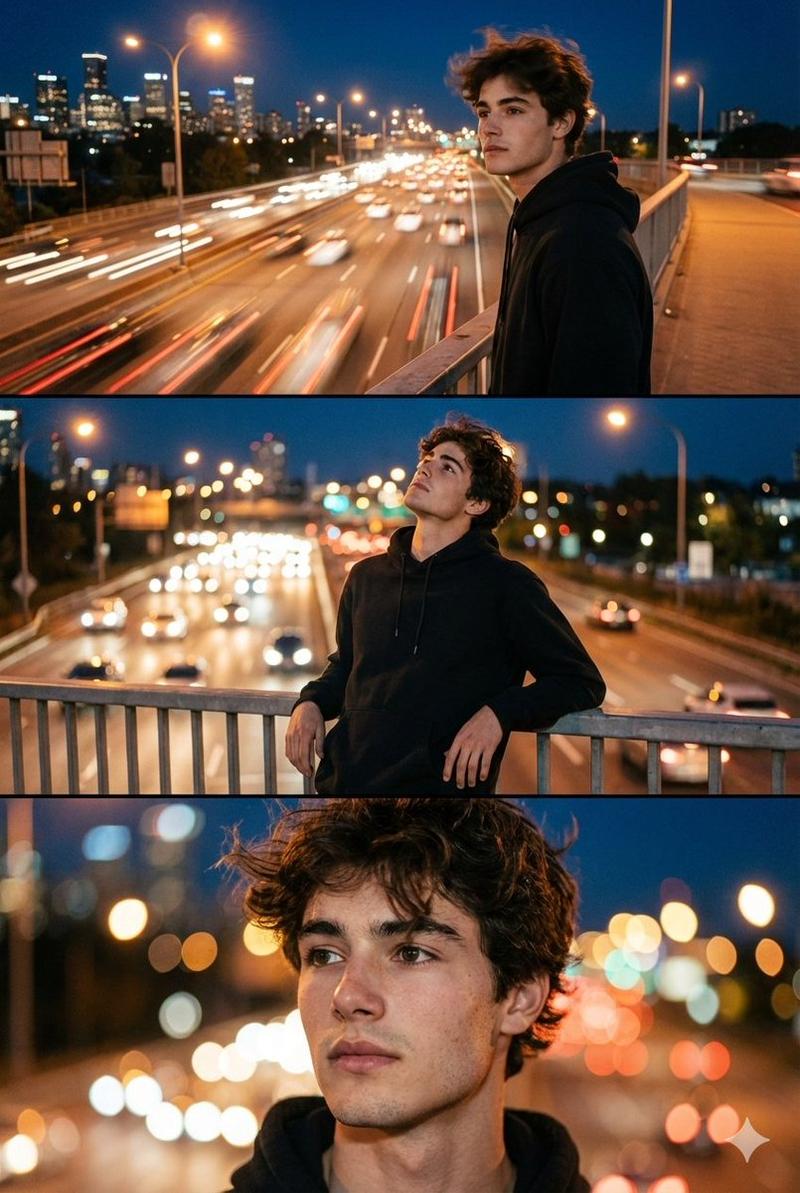
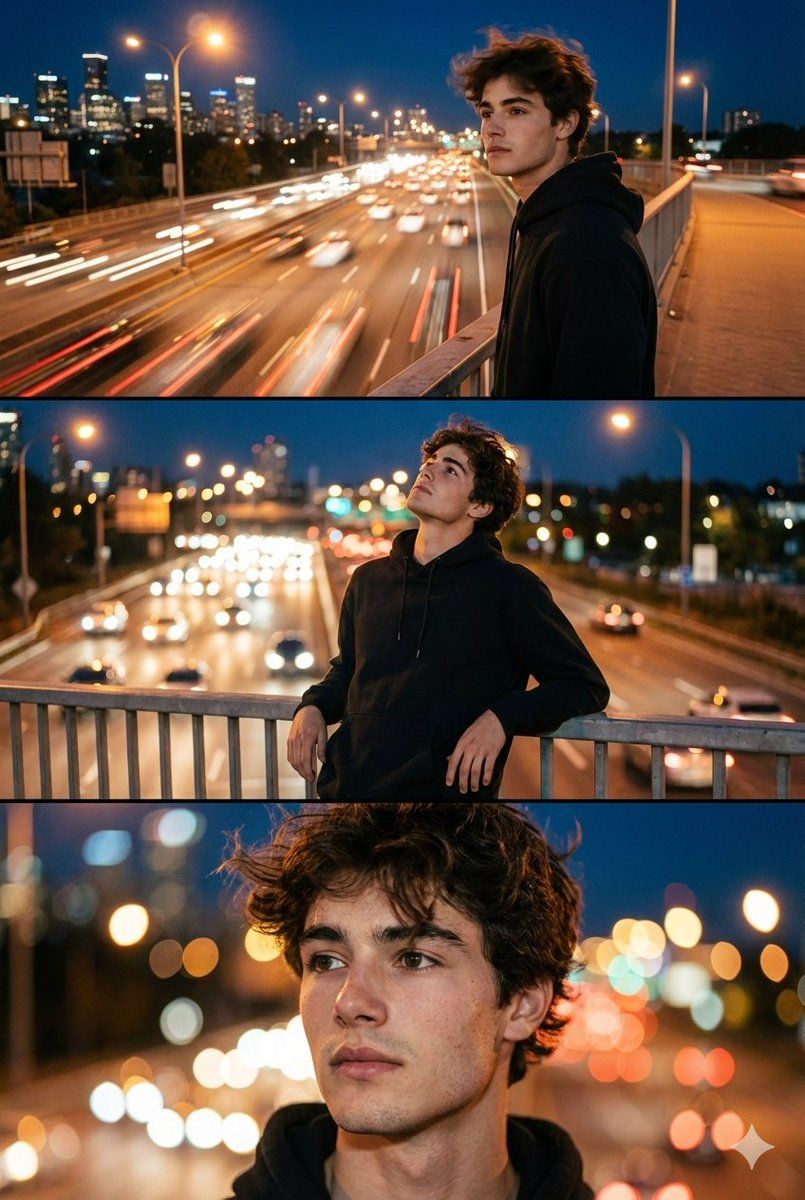
霓虹夜色下的都市浪漫电影感三联画人像
Enlarge

霓虹夜色下的都市浪漫电影感三联画人像

Prompt
use the uploaded photo as the exact identity reference. keep the same person, same face, same facial features, same proportions and natural expression, create a photorealistic cinematic triptych portrait (three-frame composition in one image). scene: night city, bridge over a busy road, moving cars, glowing street lights, evening sky, city skyline in the background. atmosphere: freedom, motion, youth, urban romance, feeling of wind and road. frame 1 (top): wide cinematic shot - the person standing on a bridge above a busy road, slight motion blur from head movement, city lights and cars below, strong urban night mood. frame 2 (middle): medium shot person leaning on the bridge railing, looking up at the sky, relaxed confident pose, cars and headlights glowing behind. frame 3 (bottom): close-up emotional portrait wind in hair, city lights in bokeh behind, thoughtful and dreamy expression. style: real photography, cinematic lifestyle portrait, urban fashion photography. lighting, natural city night lighting, street lamps, car headlights, soft glow on skin. camera: full-frame dslr, 85mm lens look, shallow depth of field. color grading: warm city lights mixed with cool blue night tones, film-style mood. ultra photorealistic, natural skin texture, real candid moment, no illustration, no cgi, no plastic skin, no text, no logos, no watermark.
Category
Posters & Typography
Model
Nano Banana Pro
Creator
@harboriis
Views93
Source ID
9723
Published
May 12, 2026

Guide

About "霓虹夜色下的都市浪漫电影感三联画人像"

What is this prompt for?

"霓虹夜色下的都市浪漫电影感三联画人像" AI image prompt for Nano Banana Pro (Posters & Typography). 请以上传的照片作为精确的身份参考。保持人物、面部、面部特征、比例和自然表情不变,创作一幅电影感十足的写实三联画肖像(一张图片中包含三个画面)。 场景:夜间城…

The full copyable prompt and example visuals above are ready for AI image generation or one-click recreate in Picva.

How to use this prompt

  1. Step 1

    Open the prompt detail

    Review the example visuals, category, and full prompt text for "霓虹夜色下的都市浪漫电影感三联画人像".

  2. Step 2

    Copy the prompt

    Copy the prompt body from this page, or load it directly in Studio.

  3. Step 3

    Pick a model (Nano Banana Pro)

    Prefer Nano Banana Pro. If you switch models, keep subject and composition and tweak style terms.

  4. Step 4

    Generate and export

    Recreate the look in Picva, or export into your workflow for editing and publishing.

FAQ

What is the "霓虹夜色下的都市浪漫电影感三联画人像" prompt?
It is an AI image-generation prompt for Nano Banana Pro in the Posters & Typography category. This page includes the full prompt text, example visuals, and a one-click recreate path in Picva.
How do I use this prompt to generate an image?
Copy the prompt from this page, or use Generate / Studio. Paste it into a compatible image model, or recreate the look in Picva with optional reference images.
Which model is this prompt for?
This page lists Nano Banana Pro. Most descriptive prompts also transfer to nearby image models such as GPT Image, Flux, or Midjourney with light style tweaks.
Can I use the result commercially?
You can usually copy the prompt for creation, but commercial use of the final image depends on the model terms, reference-image rights, and the generated content. Follow the source author and platform rules.