16

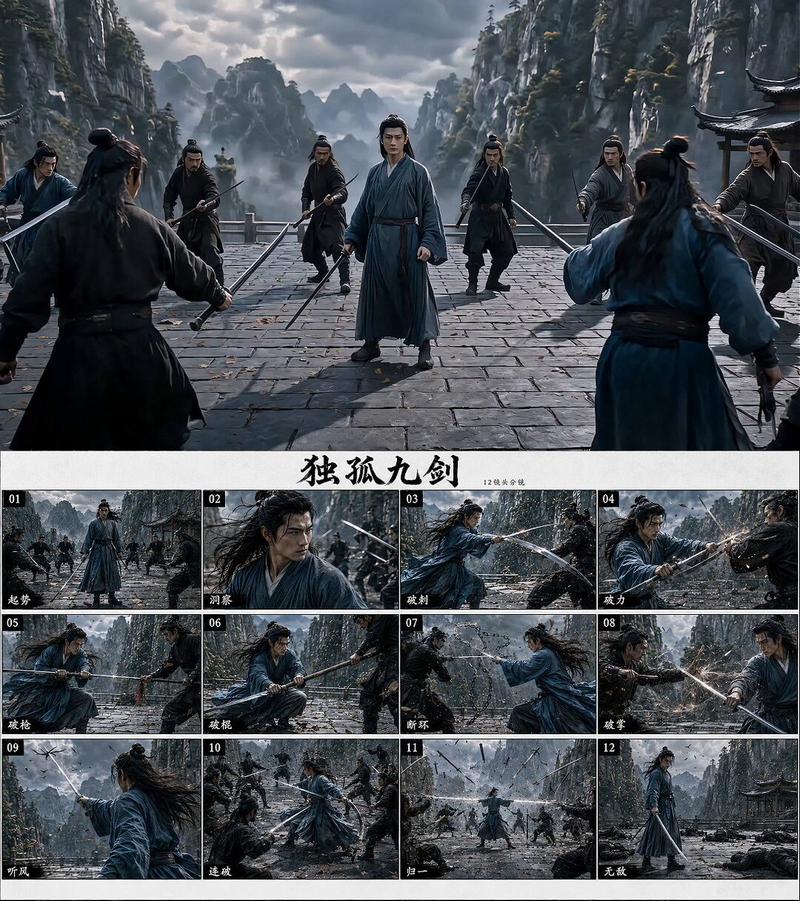
新龙门客栈风沙刀客高光武侠大片
Enlarge

新龙门客栈风沙刀客高光武侠大片

Prompt
Subject:
New Dragon Gate Inn · Sandstorm Swordsman Highlight Piece

Direction:
90s Hong Kong martial arts film feel,
Desert yellow sand, Dragon Gate Inn, black-clad pursuers, sandstorm swordsman, continuous fighting inside and outside the inn.

Character:
The protagonist is the sandstorm swordsman,
Dark-colored old cloak / long robe, single saber at the waist,
Eyes are calm, fierce, and steady, with a sense of world-weariness.

Scene:
Fixed in the overall space of Dragon Gate Inn:
Inn entrance, lobby, wooden tables and stools, wine jars, cloth banners, stairs, second-floor railings, beams, yellow sand clearing outside the door.

Action Core:
Flipping tables and drawing sabers, close-quarters short blade melee, leaping over tables and flipping over, wine jars shattering, chasing and slashing on beams, surrounding kill outside the door, sandstorm continuous slashes, one-cut breaking the formation.

12 Shots:
Sandstorm Inn / Swordsman entering / Killing intent rising / Flipping table and drawing saber
Short blade melee / Leaping over table and flipping over / Wine jar shattering / Chasing and slashing on beams
Surrounding kill outside the door / Sandstorm continuous slashes / One-cut breaking the formation / Yellow sand final shot

Key Points:
The text on the entire storyboard should be minimal, keeping only the numbers and short shot names.
The last frame must clearly see the pursuers fallen on the ground, weapons scattered, and the swordsman sheathing the blade.
Category
Charts & Infographics
Model
ChatGPT
Creator
@MrLarus
Views92
Source ID
17055
Published
Jun 29, 2026

Guide

About "新龙门客栈风沙刀客高光武侠大片"

What is this prompt for?

"新龙门客栈风沙刀客高光武侠大片" AI image prompt for ChatGPT (Charts & Infographics). 主题: 新龙门客栈 · 风沙刀客高光片 方向: 90年代港片武侠感, 大漠黄沙、龙门客栈、黑衣追兵、风沙刀客、客栈内外连续厮杀。 角色: 主角是风沙刀客, 深色旧披风 / 长外…

The full copyable prompt and example visuals above are ready for AI image generation or one-click recreate in Picva.

How to use this prompt

  1. Step 1

    Open the prompt detail

    Review the example visuals, category, and full prompt text for "新龙门客栈风沙刀客高光武侠大片".

  2. Step 2

    Copy the prompt

    Copy the prompt body from this page, or load it directly in Studio.

  3. Step 3

    Pick a model (ChatGPT)

    Prefer ChatGPT. If you switch models, keep subject and composition and tweak style terms.

  4. Step 4

    Generate and export

    Recreate the look in Picva, or export into your workflow for editing and publishing.

FAQ

What is the "新龙门客栈风沙刀客高光武侠大片" prompt?
It is an AI image-generation prompt for ChatGPT in the Charts & Infographics category. This page includes the full prompt text, example visuals, and a one-click recreate path in Picva.
How do I use this prompt to generate an image?
Copy the prompt from this page, or use Generate / Studio. Paste it into a compatible image model, or recreate the look in Picva with optional reference images.
Which model is this prompt for?
This page lists ChatGPT. Most descriptive prompts also transfer to nearby image models such as GPT Image, Flux, or Midjourney with light style tweaks.
Can I use the result commercially?
You can usually copy the prompt for creation, but commercial use of the final image depends on the model terms, reference-image rights, and the generated content. Follow the source author and platform rules.