17

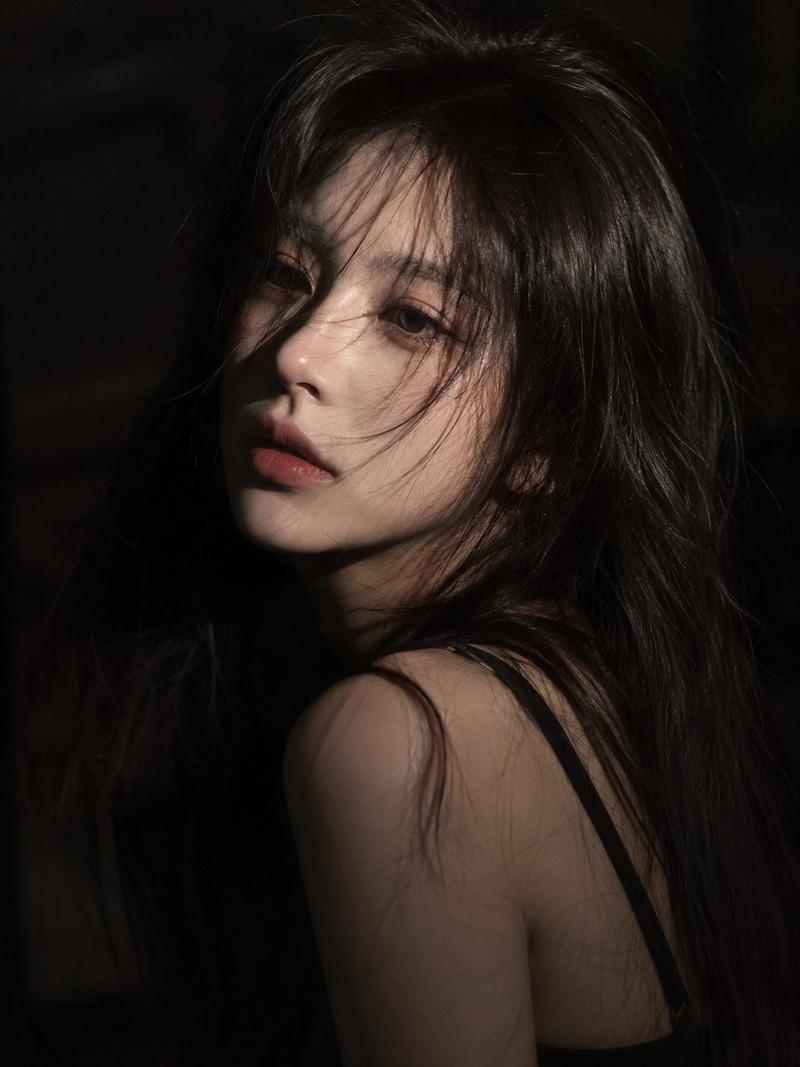
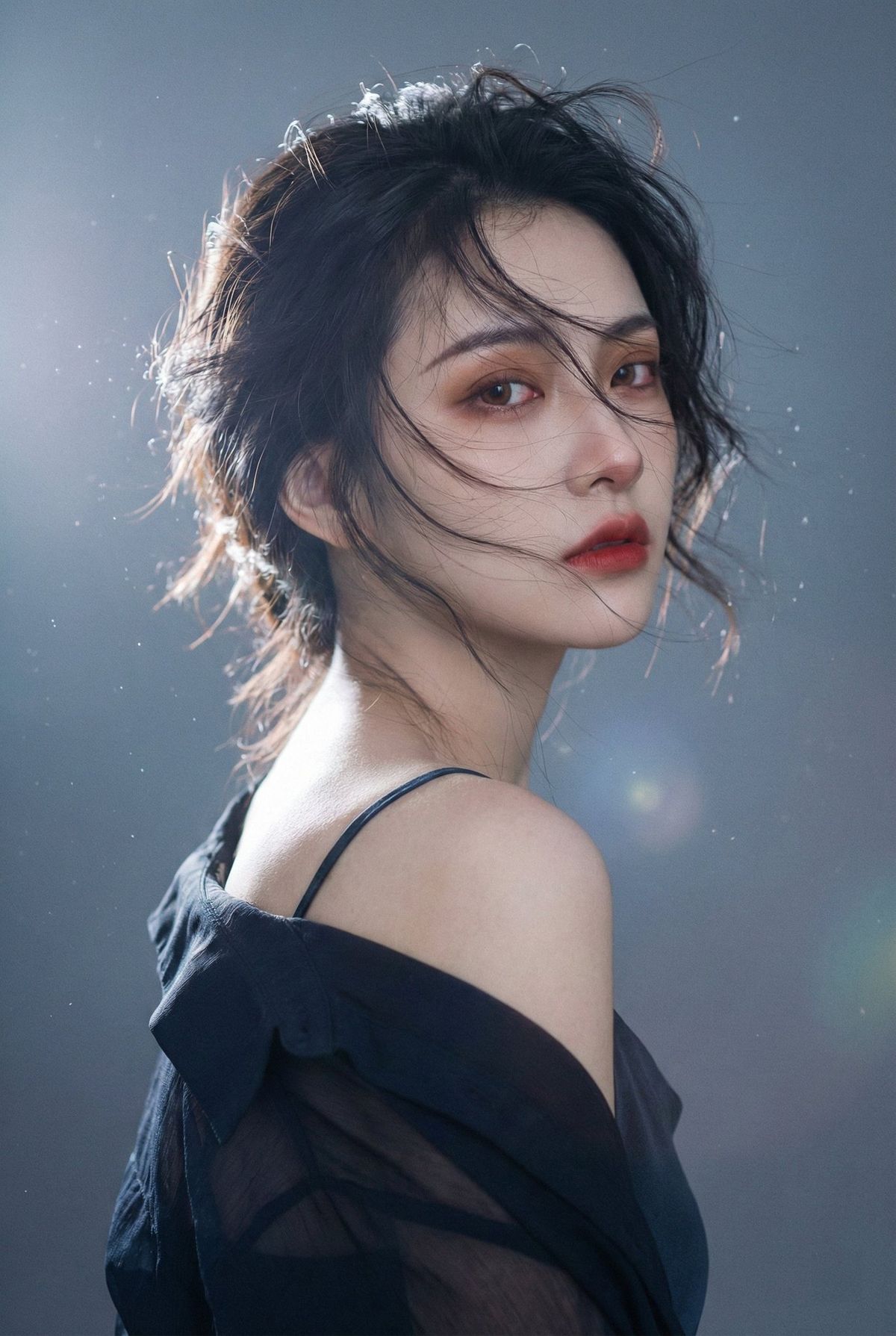
风掠青丝眸藏孤影写真照
Enlarge

风掠青丝眸藏孤影写真照

Prompt
一、主体与动作
1 人物:年轻女性,清冷气质,半身近景,身体侧向右侧,回眸直视镜头
2 表情:眼神锐利克制,略带疏离与忧郁,嘴唇微抿
3 头发:乌黑长发,蓬松凌乱,强风吹拂,发丝大幅飘起并掠过脸颊
4 妆容:暖棕眼影与微红眼周,睫毛清晰,哑光红唇,肤质通透
5 服饰:深色细肩带衣裙或上衣,肩颈与锁骨露出,外侧有深色薄纱或外搭下滑形成暗部包裹

二、构图与镜头
1 画幅:竖幅
2 景别:胸口以上的半身近景,三分之二侧脸
3 位置:人物偏画面中右,头顶留少量空间,左侧留出光源与雾化区域
4 视角:平视或略微仰视,镜头距离较近但不夸张变形
5 对焦:焦点落在眼睛与面部,背景强虚化,整体带轻微柔化与朦胧感

三、光线与氛围
1 主光:左后方强逆光,形成发丝与肩部的明亮轮廓光
2 补光:正面极弱柔光,仅提亮面部细节,阴影保留
3 光质:散射柔光,明显雾化光晕,带空气感与轻微眩光
4 氛围:梦幻、神秘、安静、电影感、带一点冷感与孤独感

四、色彩与质感
1 色调:背景冷灰偏蓝,肤色偏暖,形成冷暖对比
2 饱和度:整体低饱和
3 明暗:对比偏高,暗部压低,高光柔亮不过曝
4 质感:皮肤细腻自然,轻微颗粒与雾面感,边缘高光带光晕

五、背景与环境元素
1 背景:暗灰到黑的渐变空间,无明确场景信息
2 光点:背景与发梢周围有零散点状光斑与闪烁颗粒,类似尘埃反光或微小光粒
3 动态:风带动发丝飞舞,光点呈漂浮散落的层次感

六、风格与后期
1 风格:唯美写实,梦幻柔雾,电影海报质感
2 后期:增强轮廓光与发丝高光,提升雾化与空气透光感,轻微褪色,暗角收束画面
3 清晰度:眼部与唇部相对清晰,其余区域柔化过渡,整体通透但不锐利

七、反向提示
1 人物错误:不要脸部畸变,不要五官错位,不要双脸,不要多余肢体,不要手指异常,不要不自然的皮肤塑料感
2 光影错误:不要正面硬光,不要强烈死白高光,不要背景过亮抢主体
3 风格偏差:不要卡通化,不要漫画厚涂感,不要夸张霓虹色,不要过度锐化与过度磨皮
Category
Posters & Typography
Model
Nano Banana Pro
Creator
@qisi_ai
Views290
Source ID
1875
Published
Jan 8, 2026

Guide

About "风掠青丝眸藏孤影写真照"

What is this prompt for?

"风掠青丝眸藏孤影写真照" AI image prompt for Nano Banana Pro (Posters & Typography). 一、主体与动作 1 人物:年轻女性,清冷气质,半身近景,身体侧向右侧,回眸直视镜头 2 表情:眼神锐利克制,略带疏离与忧郁,嘴唇微抿 3 头发:乌黑长发,蓬松凌乱,强风吹…

The full copyable prompt and example visuals above are ready for AI image generation or one-click recreate in Picva.

How to use this prompt

  1. Step 1

    Open the prompt detail

    Review the example visuals, category, and full prompt text for "风掠青丝眸藏孤影写真照".

  2. Step 2

    Copy the prompt

    Copy the prompt body from this page, or load it directly in Studio.

  3. Step 3

    Pick a model (Nano Banana Pro)

    Prefer Nano Banana Pro. If you switch models, keep subject and composition and tweak style terms.

  4. Step 4

    Generate and export

    Recreate the look in Picva, or export into your workflow for editing and publishing.

FAQ

What is the "风掠青丝眸藏孤影写真照" prompt?
It is an AI image-generation prompt for Nano Banana Pro in the Posters & Typography category. This page includes the full prompt text, example visuals, and a one-click recreate path in Picva.
How do I use this prompt to generate an image?
Copy the prompt from this page, or use Generate / Studio. Paste it into a compatible image model, or recreate the look in Picva with optional reference images.
Which model is this prompt for?
This page lists Nano Banana Pro. Most descriptive prompts also transfer to nearby image models such as GPT Image, Flux, or Midjourney with light style tweaks.
Can I use the result commercially?
You can usually copy the prompt for creation, but commercial use of the final image depends on the model terms, reference-image rights, and the generated content. Follow the source author and platform rules.