18

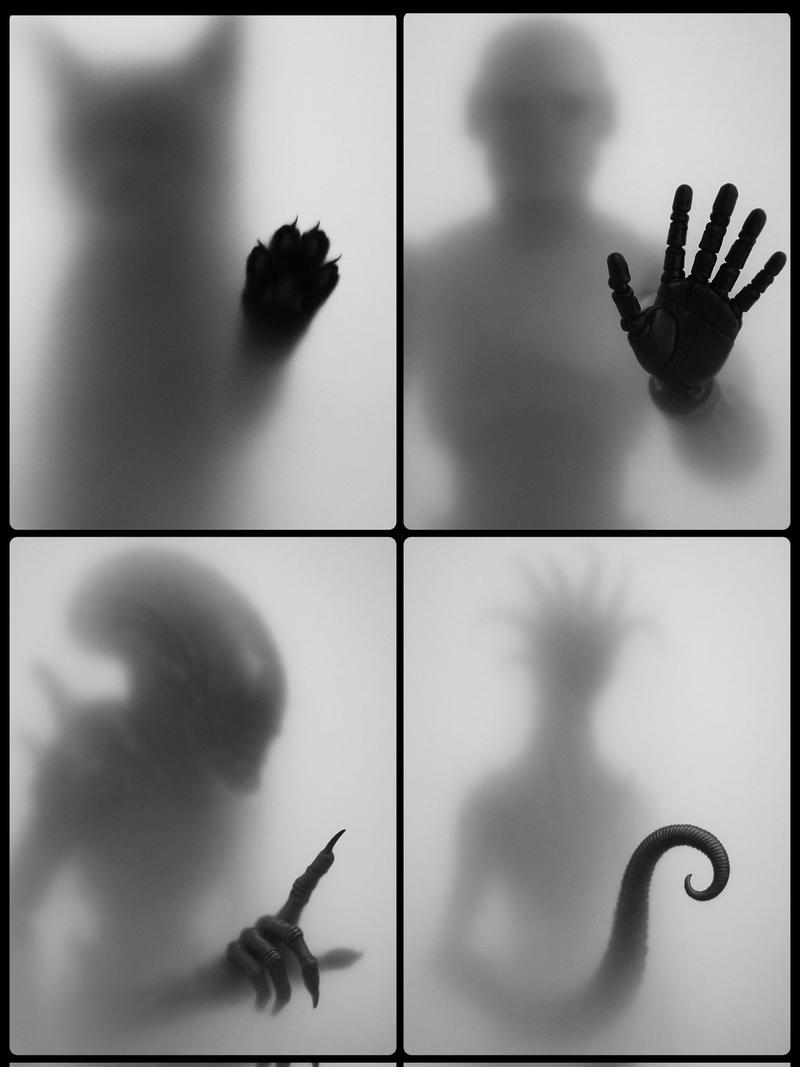
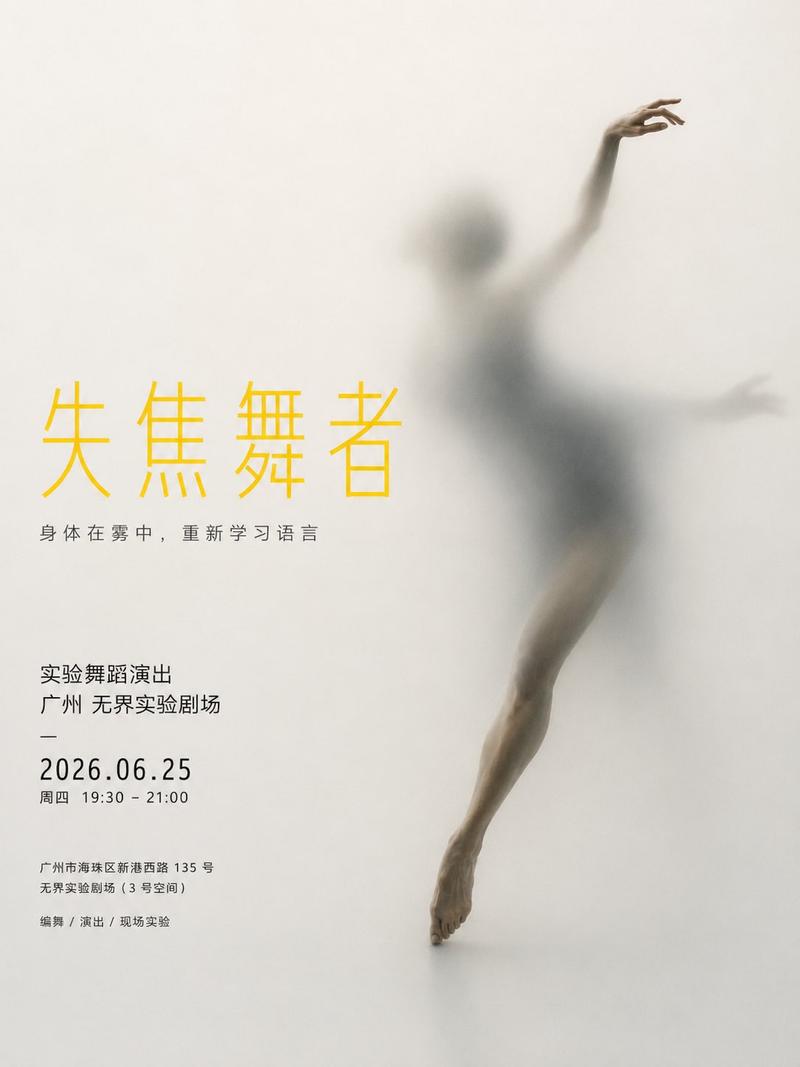
磨砂玻璃后的黑白剪影
Enlarge

磨砂玻璃后的黑白剪影

Prompt
Abstract fine art black and white photography of a human silhouette seen through frosted glass, translucent plastic, or diffused acrylic. She is fully obscured, on her knees, with no facial detail, only a soft shadowed outline. Hands are pressed against the surface, fingers slightly spread, creating subtle depth and emotional tension. Extreme soft focus, heavy diffusion, smooth gradients, and gentle falloff of light. High-key monochrome tones, low contrast, minimal texture. Clean minimalist composition with negative space. Ethereal, surreal, haunting mood. Studio lighting with soft backlight behind the subject, cinematic fine-art photography, conceptual and introspective. Sensual pose. Aspect ratio 4:5
Category
Architecture & Spaces
Model
Nano Banana Pro
Views418
Source ID
1909
Published
Jan 8, 2026

Guide

About "磨砂玻璃后的黑白剪影"

What is this prompt for?

"磨砂玻璃后的黑白剪影" AI image prompt for Nano Banana Pro (Architecture & Spaces). 抽象艺术黑白摄影,主体为透过毛玻璃、半透明塑料或磨砂亚克力呈现的人体轮廓。人物呈跪姿,完全模糊,无面部细节,仅存柔和阴影勾勒的轮廓。双手贴附于表面,手指微张,营造出微妙的…

The full copyable prompt and example visuals above are ready for AI image generation or one-click recreate in Picva.

How to use this prompt

  1. Step 1

    Open the prompt detail

    Review the example visuals, category, and full prompt text for "磨砂玻璃后的黑白剪影".

  2. Step 2

    Copy the prompt

    Copy the prompt body from this page, or load it directly in Studio.

  3. Step 3

    Pick a model (Nano Banana Pro)

    Prefer Nano Banana Pro. If you switch models, keep subject and composition and tweak style terms.

  4. Step 4

    Generate and export

    Recreate the look in Picva, or export into your workflow for editing and publishing.

FAQ

What is the "磨砂玻璃后的黑白剪影" prompt?
It is an AI image-generation prompt for Nano Banana Pro in the Architecture & Spaces category. This page includes the full prompt text, example visuals, and a one-click recreate path in Picva.
How do I use this prompt to generate an image?
Copy the prompt from this page, or use Generate / Studio. Paste it into a compatible image model, or recreate the look in Picva with optional reference images.
Which model is this prompt for?
This page lists Nano Banana Pro. Most descriptive prompts also transfer to nearby image models such as GPT Image, Flux, or Midjourney with light style tweaks.
Can I use the result commercially?
You can usually copy the prompt for creation, but commercial use of the final image depends on the model terms, reference-image rights, and the generated content. Follow the source author and platform rules.