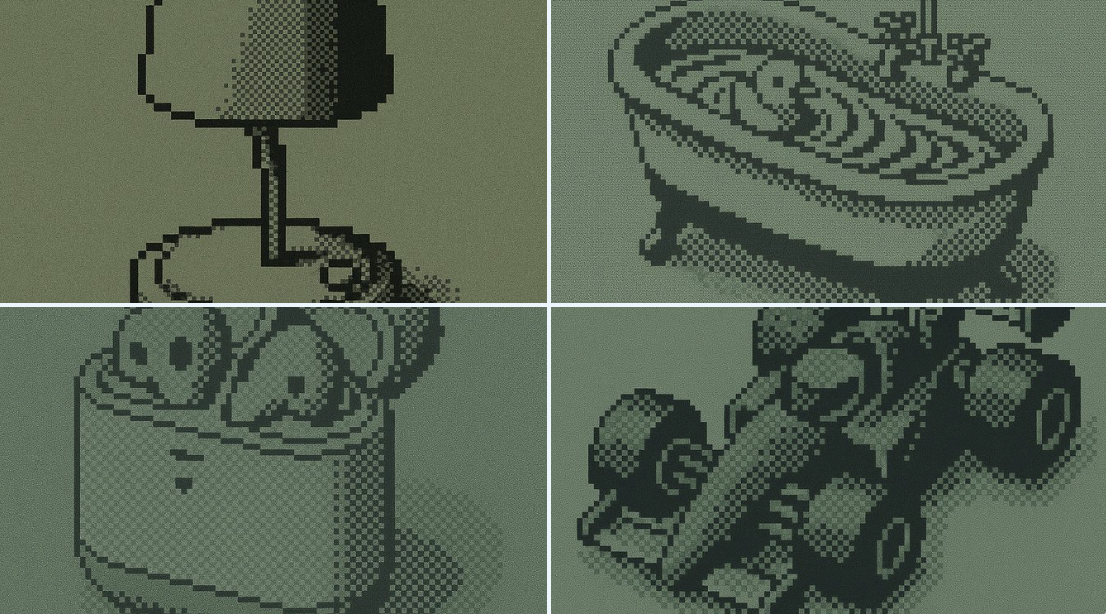
Monochrome LCD 效果
Prompt
{
  "styleAesthetic": {
    "title": "Monochrome Pixel Mosaic",
    "overallVibe": "Retro mobile-screen pixel art—clean, minimal, and slightly nostalgic",
    "renderingStyle": "1-bit square-pixel grid with optional dithering to suggest tone and depth",
    "viewAngle": "Orthographic front view (no perspective distortion)",
    "pixelation": {
      "pixelSize": 6,                     // width/height of each square in px (tweak per output res)
      "pixelShape": "perfect square",
      "gridAlignment": "uniform, no gaps",
      "ditheringPattern": "Floyd–Steinberg or ordered 2×2"
    },
    "colorPalette": {
      "pixelColor": "#000000",            // foreground pixels
      "backgroundColor": "#8CA17C",       // muted pastel green sample; replace to recolor
      "paletteType": "1-bit monochrome"
    },
    "lightingAndShadows": {
      "pixelDropShadow": {
        "enabled": true,
        "offsetX": 0,
        "offsetY": 1,
        "blur": 2,
        "opacity": 0.25
      },
    },
    "materialsAndTextures": [
      {
        "type": "Matte LCD surface",
        "description": "Flat display with very fine grain/noise to simulate old LCD texture",
        "noiseIntensity": 0.01
      }
    ],
    "typography": {
      "fontFamily": "monospaced bitmap",
      "weight": "bold",
      "capitalization": "uppercase",
      "letterSpacing": 0,
      "align": "center"
    },
    "postProcessing": {
      "edgeSmoothing": "none (hard pixel edges preserved)",
      "filmGrain": 0.01,
      "overallContrast": 1.0
    },
    "adaptabilityHints": {
      "applyToPhotographs": "posterize → 1-bit → downsample to pixel grid → apply dithering",
      "applyToVectorText": "render glyphs to bitmap grid using same pixel size and drop shadow",
      "safeResize": "always scale by whole-number multiples to keep squares crisp"
    }
  }
}- Category
- Posters & Typography
- Model
- GPT Image 2
- Creator
- @hckmstrrahul
- Source ID
- 884
- Published
- Jan 8, 2026
Views48