17

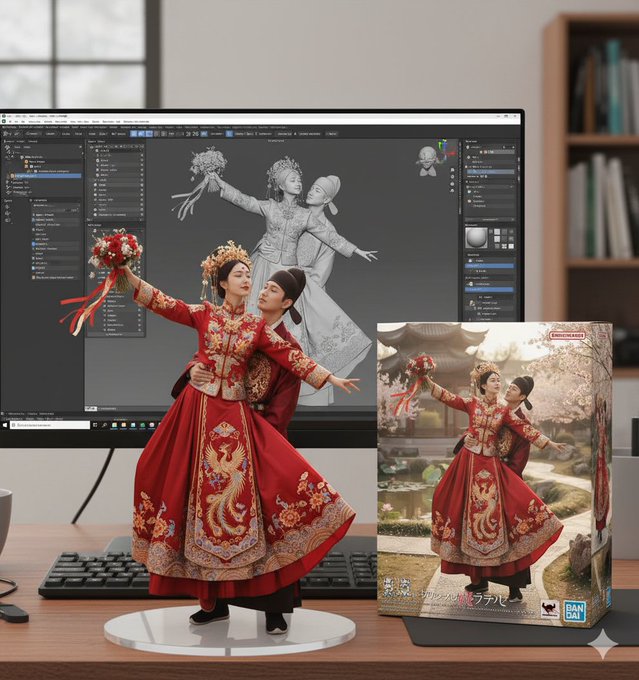
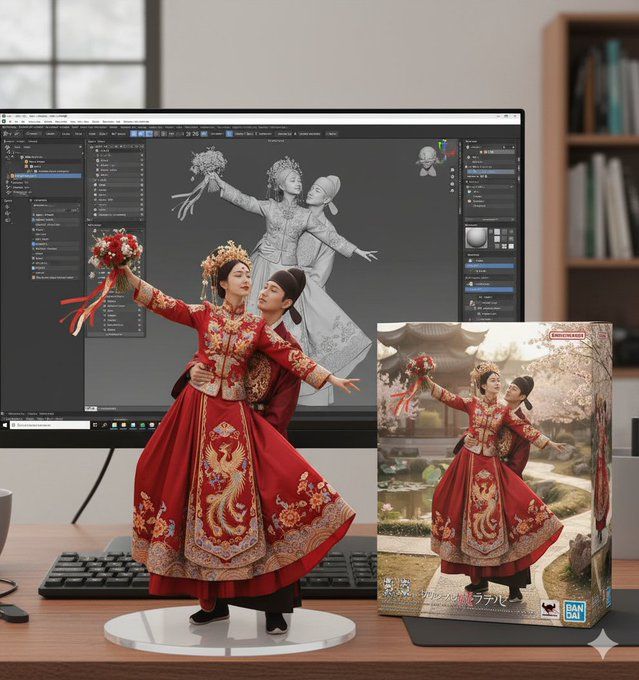
手办-ZBrush建模屏显与万代风格包装盒
Enlarge

手办-ZBrush建模屏显与万代风格包装盒

Prompt
create a 1/7 scale commercialized figure of thecharacter in the image, in a realistic styie and environment.
Place the figure on a computer desk, using a circular transparent acrylic base without any text.
On the computer screen, display the ZBrush modeling process of the figure.
Next to the computer screen, place a BANDAl-style toy packaging box printedwith the original artwork.
Category
Products & E-commerce
Model
GPT Image 2
Views105
Source ID
1068
Published
Jan 8, 2026

Guide

About "手办-ZBrush建模屏显与万代风格包装盒"

What is this prompt for?

"手办-ZBrush建模屏显与万代风格包装盒" AI image prompt for GPT Image 2 (Products & E-commerce). NanoBanana手办提示词: 在现实的风格和环境中,创建图像中角色的 1/7 比例商业化人物形象。 将图形放置在电脑桌上,使用没有任何文字的圆形透明丙烯…

The full copyable prompt and example visuals above are ready for AI image generation or one-click recreate in Picva.

How to use this prompt

  1. Step 1

    Open the prompt detail

    Review the example visuals, category, and full prompt text for "手办-ZBrush建模屏显与万代风格包装盒".

  2. Step 2

    Copy the prompt

    Copy the prompt body from this page, or load it directly in Studio.

  3. Step 3

    Pick a model (GPT Image 2)

    Prefer GPT Image 2. If you switch models, keep subject and composition and tweak style terms.

  4. Step 4

    Generate and export

    Recreate the look in Picva, or export into your workflow for editing and publishing.

FAQ

What is the "手办-ZBrush建模屏显与万代风格包装盒" prompt?
It is an AI image-generation prompt for GPT Image 2 in the Products & E-commerce category. This page includes the full prompt text, example visuals, and a one-click recreate path in Picva.
How do I use this prompt to generate an image?
Copy the prompt from this page, or use Generate / Studio. Paste it into a compatible image model, or recreate the look in Picva with optional reference images.
Which model is this prompt for?
This page lists GPT Image 2. Most descriptive prompts also transfer to nearby image models such as GPT Image, Flux, or Midjourney with light style tweaks.
Can I use the result commercially?
You can usually copy the prompt for creation, but commercial use of the final image depends on the model terms, reference-image rights, and the generated content. Follow the source author and platform rules.