16

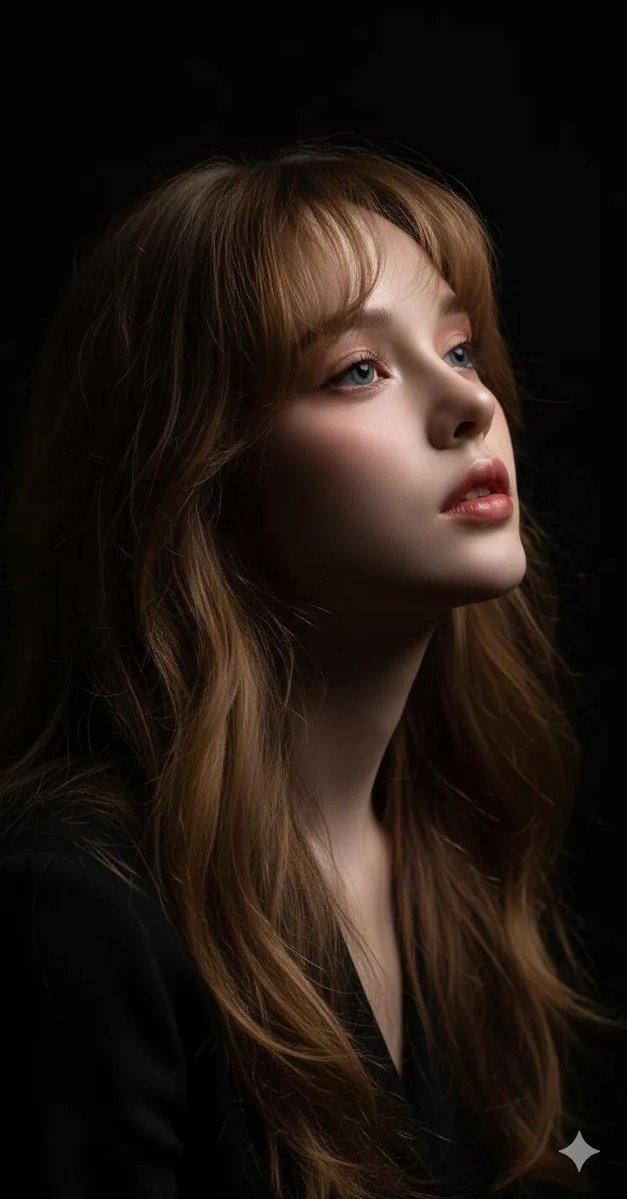
电影感的超现实主义肖像画
Enlarge

电影感的超现实主义肖像画

Prompt
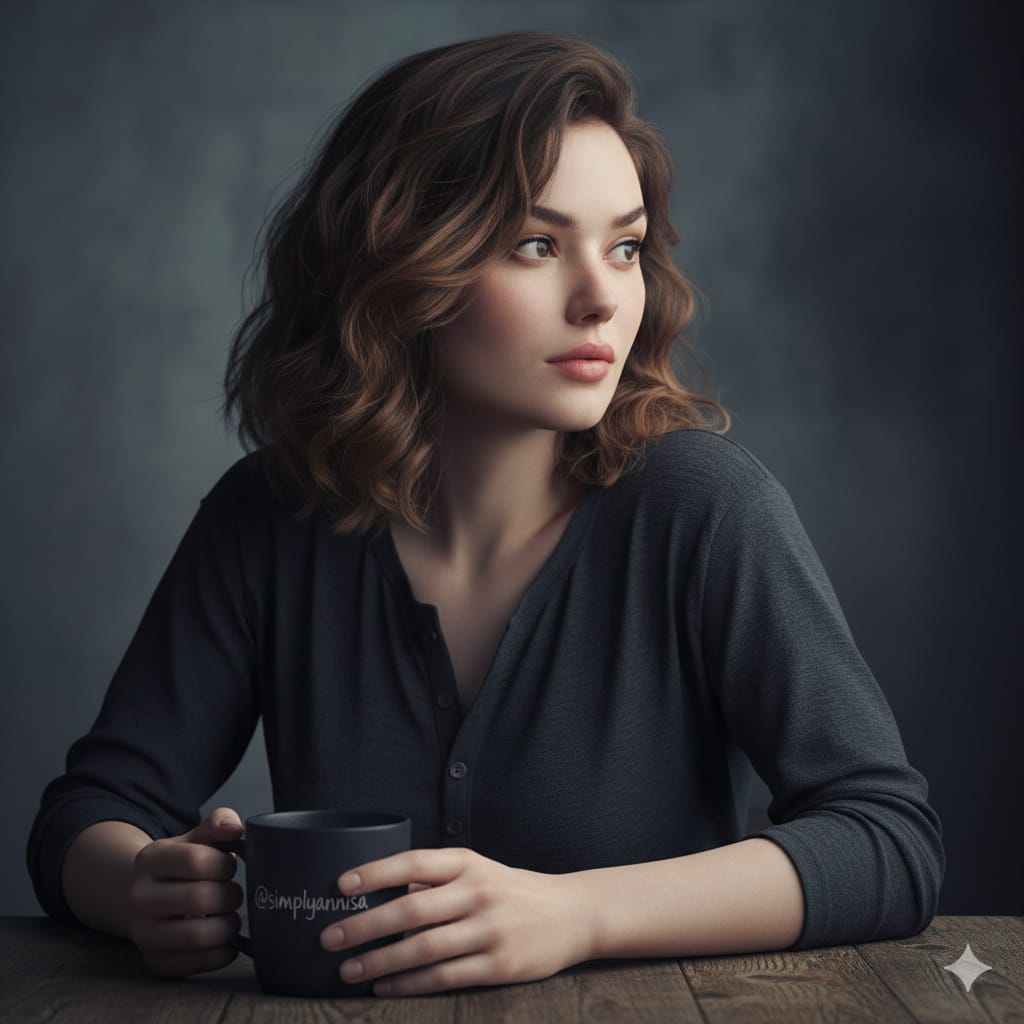
A cinematic, hyper-realistic portrait of 
@simplyannisa
, keeping her real facial features completely unchanged. The woman sits at a wooden table, leaning slightly forward, with her right forearm resting naturally on the surface. Her right hand gently holds a dark ceramic mug with the word “
@simplyannisa
” written on it. Her fingers are slender, relaxed, and slightly curved. Her left arm is bent at the elbow, resting casually on the table. She wears a dark gray, slightly loose long-sleeve Henley top with the top buttons undone, subtly revealing a delicate neckline. Her hair falls naturally around her shoulders, soft waves catching the light. Her gaze is directed to the side, away from the camera, carrying a thoughtful and mysterious expression. The lighting is soft and moody, emphasizing the texture of her hair and face while adding cinematic contrast and emotional depth. The portrait is shot at eye level with an 85mm lens effect and a shallow depth of field, keeping her face and upper body in sharp focus while the background softly blurs. The overall color grading is muted and cinematic, with cool tones, soft shadows, and a minimalist dark background.
Category
Photography & Realism
Model
GPT Image 2
Views62
Source ID
1123
Published
Jan 8, 2026

Guide

About "电影感的超现实主义肖像画"

What is this prompt for?

"电影感的超现实主义肖像画" AI image prompt for GPT Image 2 (Photography & Realism). 这幅充满电影感的超现实主义肖像画,保留了@simplyannisa的真实面部特征。画中女子坐在木桌旁,身形微微前倾,右臂自然地搭在桌面上。她的右手轻轻地捧着一个深色陶瓷杯,杯…

The full copyable prompt and example visuals above are ready for AI image generation or one-click recreate in Picva.

How to use this prompt

  1. Step 1

    Open the prompt detail

    Review the example visuals, category, and full prompt text for "电影感的超现实主义肖像画".

  2. Step 2

    Copy the prompt

    Copy the prompt body from this page, or load it directly in Studio.

  3. Step 3

    Pick a model (GPT Image 2)

    Prefer GPT Image 2. If you switch models, keep subject and composition and tweak style terms.

  4. Step 4

    Generate and export

    Recreate the look in Picva, or export into your workflow for editing and publishing.

FAQ

What is the "电影感的超现实主义肖像画" prompt?
It is an AI image-generation prompt for GPT Image 2 in the Photography & Realism category. This page includes the full prompt text, example visuals, and a one-click recreate path in Picva.
How do I use this prompt to generate an image?
Copy the prompt from this page, or use Generate / Studio. Paste it into a compatible image model, or recreate the look in Picva with optional reference images.
Which model is this prompt for?
This page lists GPT Image 2. Most descriptive prompts also transfer to nearby image models such as GPT Image, Flux, or Midjourney with light style tweaks.
Can I use the result commercially?
You can usually copy the prompt for creation, but commercial use of the final image depends on the model terms, reference-image rights, and the generated content. Follow the source author and platform rules.