美妆检测器
Prompt
Use the provided portrait photo <YOUR PHOTO> as the base.
Do NOT change the person’s face, expression, age, skin tone or gender. Just overlay a clean, minimal infographic on top.
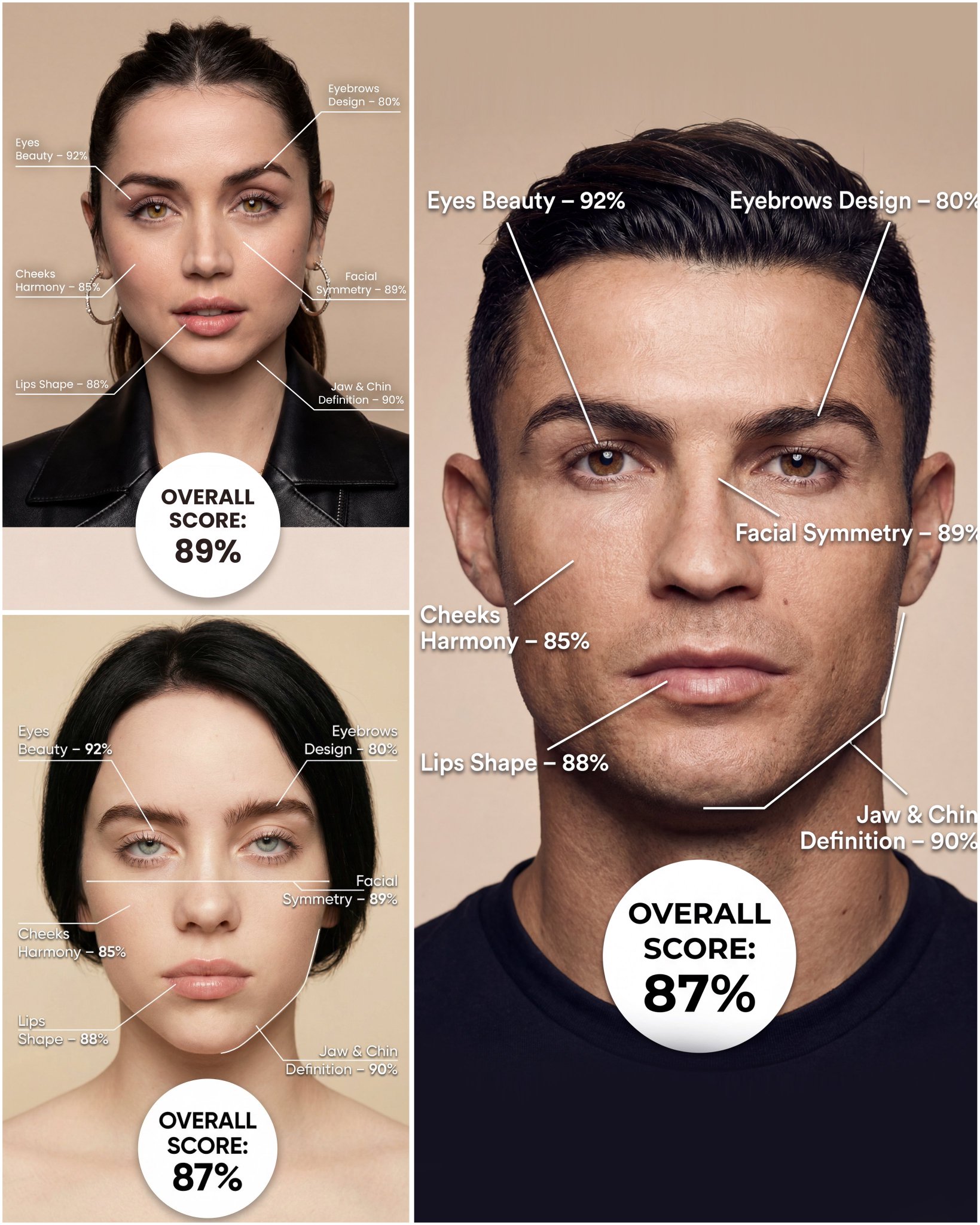
Create a high-resolution vertical “FACIAL AESTHETIC REPORT” poster, studio lighting, soft beige background, premium beauty clinic style.
The subject can be MALE or FEMALE – keep them exactly as in the original photo.
Add thin white lines and labels pointing to each area of the REAL face, with percentage scores based on global aesthetic ratios, symmetry and proportions (not changing the face):
1. Eyes:
   Label near the eyes with a line pointing to them:
   “Eyes Beauty – 0–100%”
   Example: “Eyes Beauty – 92%”
2. Cheeks:
   Label near the cheekbones:
   “Cheeks Harmony – 0–100%”
   Example: “Cheeks Harmony – 85%”
3. Lips:
   Label close to the mouth:
   “Lips Shape – 0–100%”
   Example: “Lips Shape – 88%”
4. Eyebrows:
   Label above or beside the brows:
   “Eyebrows Design – 0–100%”
   Example: “Eyebrows Design – 80%”
5. Jaw & Chin:
   Label near the jawline and chin:
   “Jaw & Chin Definition – 0–100%”
   Example: “Jaw & Chin Definition – 90%”
6. Overall Facial Symmetry:
   Label near the center of the face:
   “Facial Symmetry – 0–100%”
   Example: “Facial Symmetry – 89%”
At the bottom center of the poster, add a BIG, bold number inside a circle or rectangle:
   “OVERALL SCORE: XX%”
This is the total facial aesthetic score from 1–100%.
Design style:
– clean, medical-grade, aesthetic-clinic infographic
– modern thin sans-serif typography
– white text and lines, subtle drop shadows
– no logos, no extra graphics, no text other than the labels and scores above.
- Category
- Charts & Infographics
- Model
- Nano Banana Pro
- Creator
- @Samann_ai
- Source ID
- 1210
- Published
- Jan 8, 2026
Views52