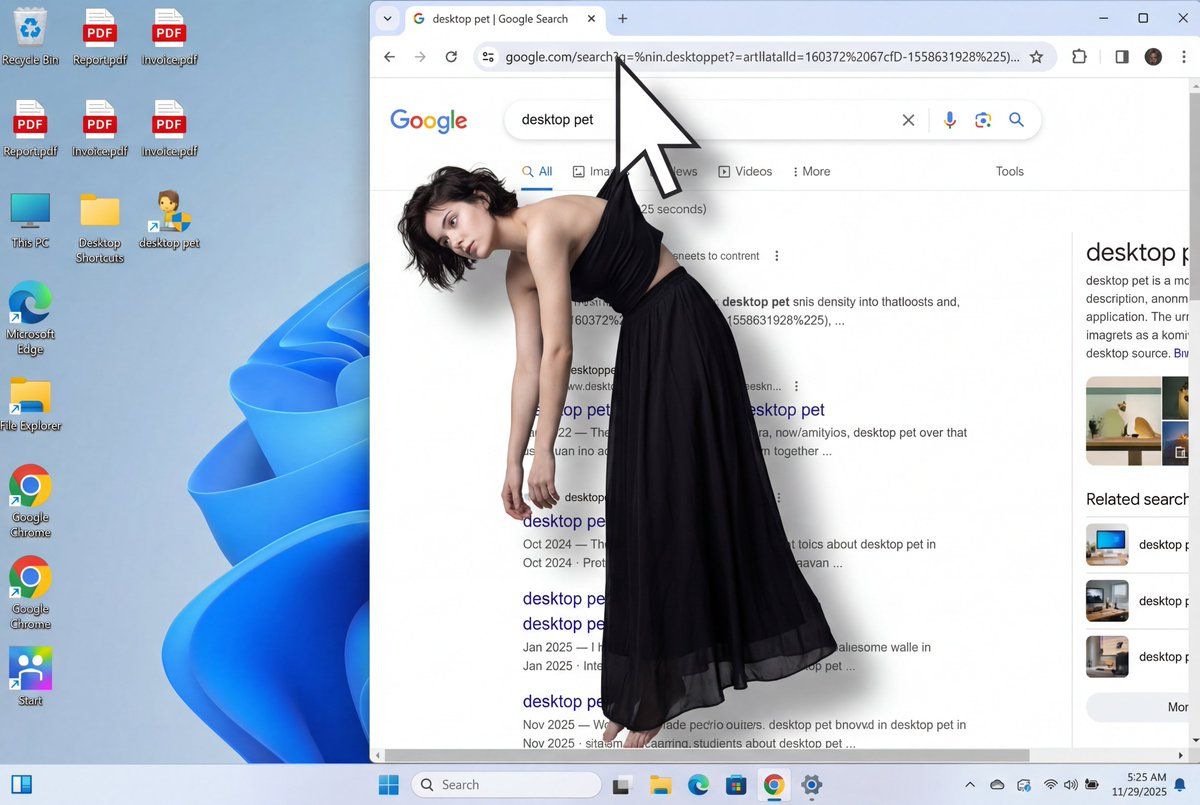
超现实的数字艺术吊死鬼
Prompt
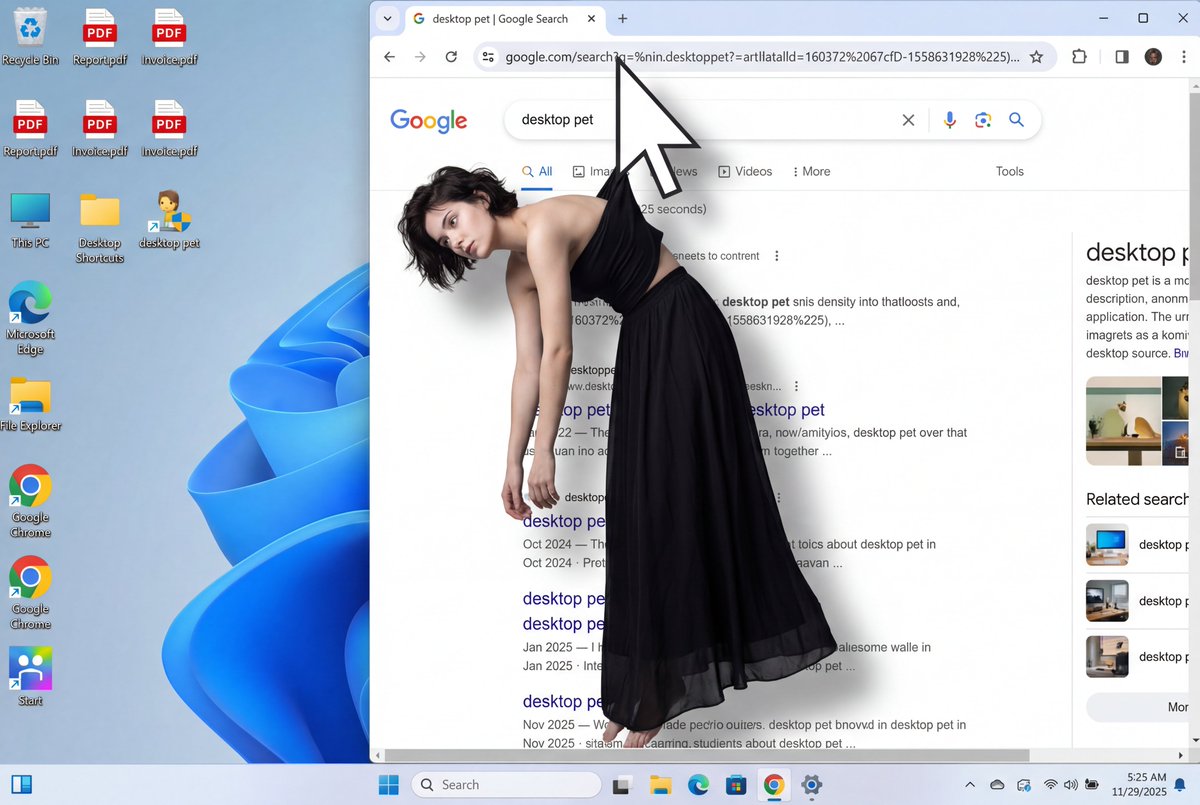
A surreal digital art composition showing a young woman with dark short hair wearing a black strapless top and long flowing black skirt, viewed from a front-facing angle. The white arrow-shaped computer mouse cursor grips a small portion of fabric at the back of her strapless top, between her shoulder blades, suspending her from behind. Her body displays clear physics of being hung from the back: her torso leans slightly forward, shoulders pulled back and upward from the suspension point behind her, creating visible tension in her posture. Her chest and upper body are pushed forward slightly due to the back suspension. Her bare arms hang completely limp and loose at her sides, dangling naturally downward. Her head tilts to her left shoulder with a contemplative, resigned expression. The black skirt flows down naturally. The overall posture clearly shows she is being lifted and suspended by a grip point on her back, with her body weight pulling downward while being held from behind.

She is seamlessly integrated into a photorealistic Windows 11 desktop screenshot. The scene shows a Google Chrome browser window occupying the right two-thirds of the screen, partially overlapping desktop icons on the left. The mouse cursor is positioned in the Chrome address bar, with the woman's suspended body hanging downward into the Google search results area below.

Desktop left side shows multiple icons including: Recycle Bin, PDF files, This PC, Desktop Shortcuts, desktop pet, Microsoft Edge, File Explorer, Google Chrome shortcuts, and various other application icons against a vibrant blue and purple flowing abstract background.

Chrome browser displays: tab labeled "desktop pet | Google Search", address bar with "http://google.com/search?q=%in.desktoppet?=artlatalld=160372%2067cfD-1558631928%225)...", search bar with "desktop pet" text, navigation options (All, Image, News, Videos, More, Tools). Search results show fragmented text about desktop pets with URLs and dates. Right sidebar shows "desktop pet" heading with descriptive text and related information.

Windows 11 taskbar at bottom features: Search, Task View, File Explorer, Microsoft Edge, Store, Photos, Google Chrome, Calendar icons, plus Wi-Fi, Speaker, Battery system tray icons, and time showing "5:25 AM 11/29/2025".

Flat perspective as if viewing screen directly, even diffused lighting from screen casting subtle shadow of woman and cursor onto search results. Emphasis on the hanging, suspended posture from back grip point. Clean, bright, neutral color grading with modern OS aesthetic. Photorealistic digital elements with surreal human integration.
- Category
- UI & Interfaces
- Model
- Nano Banana Pro
- Creator
- @servasyy
- Source ID
- 1505
- Published
- Jan 8, 2026
Views60