16

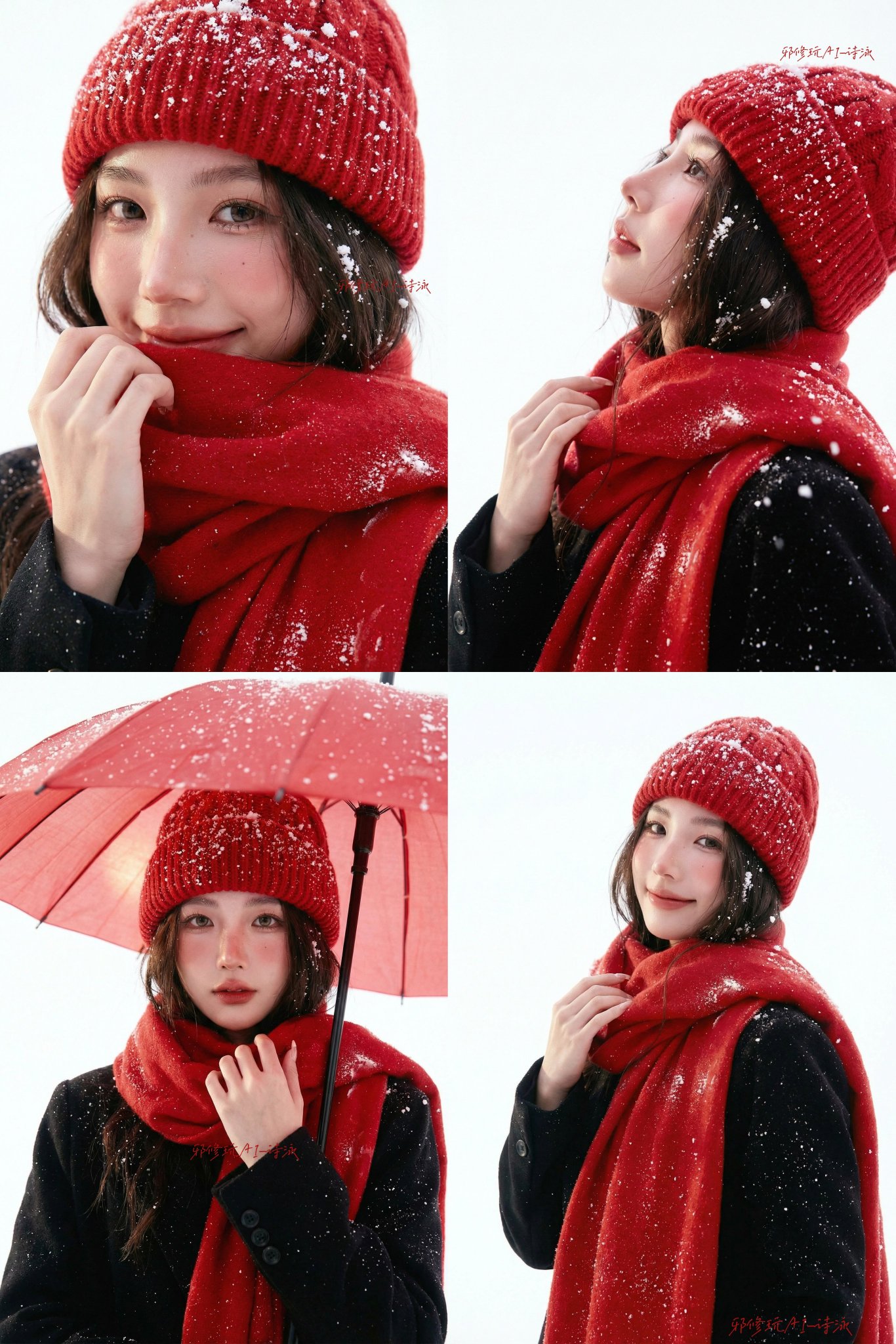
专业影棚人像摄影圣诞冬季主题
Enlarge

专业影棚人像摄影圣诞冬季主题

Prompt
Professional studio portrait photography, Christmas winter theme, white studio background.  Young Asian woman, age 20-23, beautiful delicate features: - Large expressive eyes with double eyelids - Elegant facial features, high cheekbones - Natural makeup: soft pink blush, natural lip color - Shoulder-length dark brown hair - Fair porcelain skin with realistic texture (visible pores)  Outfit: - Bright red cable knit beanie - Bright red chunky wool scarf - Black wool coat  Studio setup: Pure white seamless background, professional soft lighting, snowflakes falling on hair/beanie/scarf  Technical: 85mm lens, f/1.8-2.8, natural soft studio lighting, realistic skin texture, high-end fashion portrait quality  Mood: Natural, warm, gentle expression, serene and contemplative
Category
Photography & Realism
Model
Nano Banana Pro
Views87
Source ID
1619
Published
Jan 8, 2026

Guide

About "专业影棚人像摄影圣诞冬季主题"

What is this prompt for?

"专业影棚人像摄影圣诞冬季主题" AI image prompt for Nano Banana Pro (Photography & Realism). 专业影棚人像摄影,圣诞冬季主题,白色背景。年轻亚裔女性,20-23岁,拥有精致美丽的五官: - 双眼皮,大而有神的眼睛 - 精致的五官,高颧骨 - 自然妆容:淡粉…

The full copyable prompt and example visuals above are ready for AI image generation or one-click recreate in Picva.

How to use this prompt

  1. Step 1

    Open the prompt detail

    Review the example visuals, category, and full prompt text for "专业影棚人像摄影圣诞冬季主题".

  2. Step 2

    Copy the prompt

    Copy the prompt body from this page, or load it directly in Studio.

  3. Step 3

    Pick a model (Nano Banana Pro)

    Prefer Nano Banana Pro. If you switch models, keep subject and composition and tweak style terms.

  4. Step 4

    Generate and export

    Recreate the look in Picva, or export into your workflow for editing and publishing.

FAQ

What is the "专业影棚人像摄影圣诞冬季主题" prompt?
It is an AI image-generation prompt for Nano Banana Pro in the Photography & Realism category. This page includes the full prompt text, example visuals, and a one-click recreate path in Picva.
How do I use this prompt to generate an image?
Copy the prompt from this page, or use Generate / Studio. Paste it into a compatible image model, or recreate the look in Picva with optional reference images.
Which model is this prompt for?
This page lists Nano Banana Pro. Most descriptive prompts also transfer to nearby image models such as GPT Image, Flux, or Midjourney with light style tweaks.
Can I use the result commercially?
You can usually copy the prompt for creation, but commercial use of the final image depends on the model terms, reference-image rights, and the generated content. Follow the source author and platform rules.