18

最终幻想琉克超写实电影感角色肖像
Enlarge

最终幻想琉克超写实电影感角色肖像

Prompt
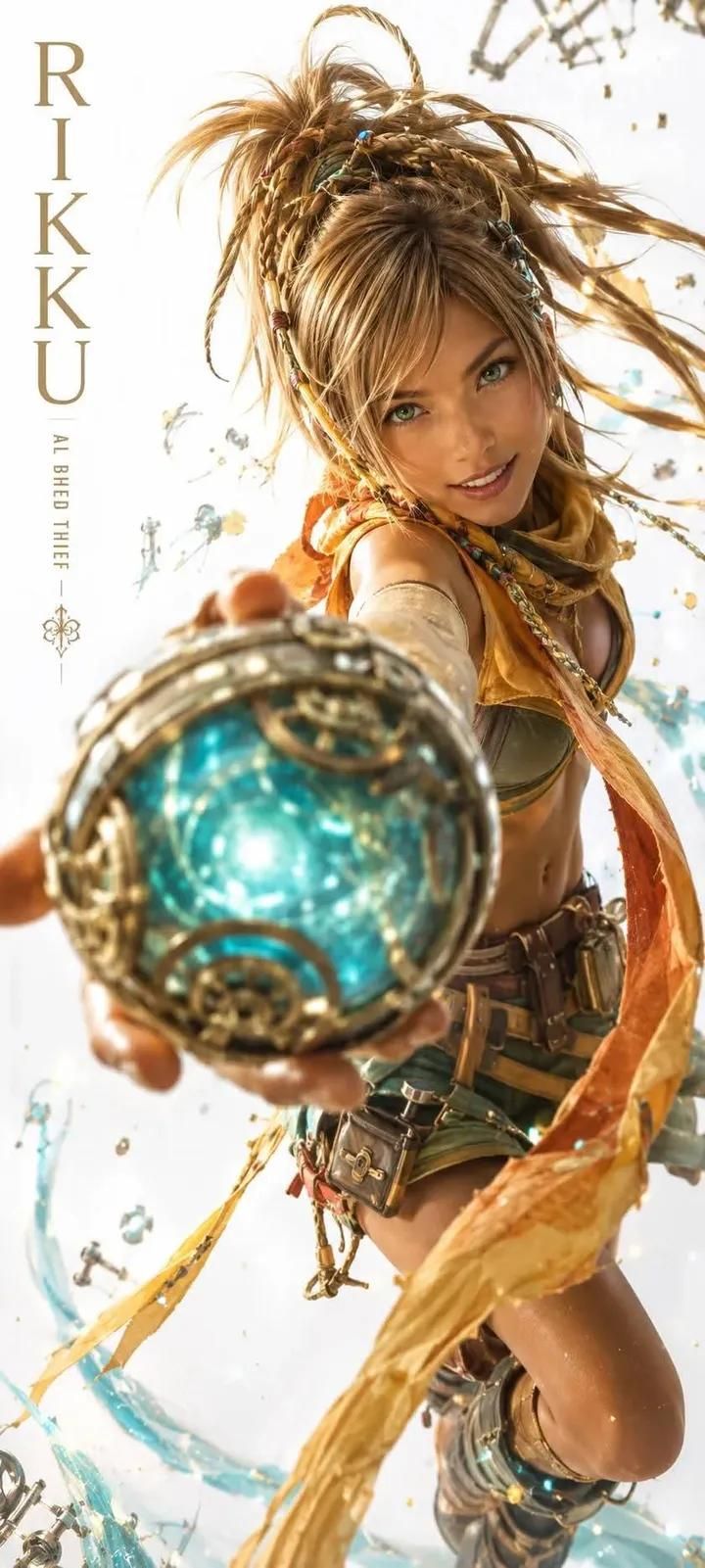
A hyper-realistic, high-fidelity cinematic character portrait of Rikku from Final Fantasy X-2. A young blonde woman with dynamic, messy, braided hair flying mid-air, wearing a yellow scarf and green leather thief attire. She has a confident smile and is thrusting a glowing, intricate steampunk orb directly toward the camera lens. Extreme forced perspective with a shallow depth of field, sharp focus on her face, while the large glowing blue and gold mechanical orb in the foreground is slightly out of focus. High-end editorial character design, Unreal Engine 5 render style, PBR material textures, intense studio lighting, clean white background with floating water splashes and mechanical debris, 85mm lens look, photorealistic skin pores, 8k resolution, commercial advertising aesthetic.
Category
Posters & Typography
Model
ChatGPT
Creator
@Zyrellix
Views3
Source ID
15396
Published
Jun 6, 2026

Guide

About "最终幻想琉克超写实电影感角色肖像"

What is this prompt for?

"最终幻想琉克超写实电影感角色肖像" AI image prompt for ChatGPT (Posters & Typography). 一张来自《最终幻想 X-2》中琉克(Rikku)的超写实、高保真电影感角色肖像。一位年轻的金色头发女性,拥有在半空中飞舞的动感、凌乱的辫子发型,戴着黄色围巾,穿着绿色皮革盗贼服…

The full copyable prompt and example visuals above are ready for AI image generation or one-click recreate in Picva.

How to use this prompt

  1. Step 1

    Open the prompt detail

    Review the example visuals, category, and full prompt text for "最终幻想琉克超写实电影感角色肖像".

  2. Step 2

    Copy the prompt

    Copy the prompt body from this page, or load it directly in Studio.

  3. Step 3

    Pick a model (ChatGPT)

    Prefer ChatGPT. If you switch models, keep subject and composition and tweak style terms.

  4. Step 4

    Generate and export

    Recreate the look in Picva, or export into your workflow for editing and publishing.

FAQ

What is the "最终幻想琉克超写实电影感角色肖像" prompt?
It is an AI image-generation prompt for ChatGPT in the Posters & Typography category. This page includes the full prompt text, example visuals, and a one-click recreate path in Picva.
How do I use this prompt to generate an image?
Copy the prompt from this page, or use Generate / Studio. Paste it into a compatible image model, or recreate the look in Picva with optional reference images.
Which model is this prompt for?
This page lists ChatGPT. Most descriptive prompts also transfer to nearby image models such as GPT Image, Flux, or Midjourney with light style tweaks.
Can I use the result commercially?
You can usually copy the prompt for creation, but commercial use of the final image depends on the model terms, reference-image rights, and the generated content. Follow the source author and platform rules.