17

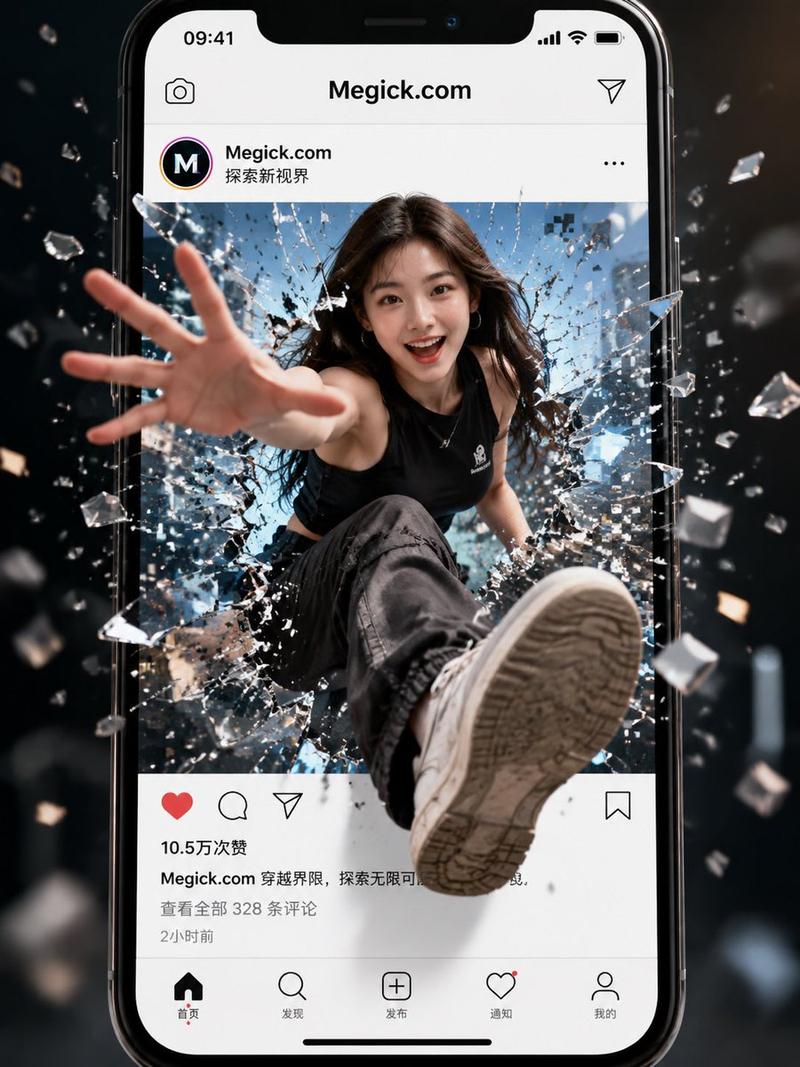
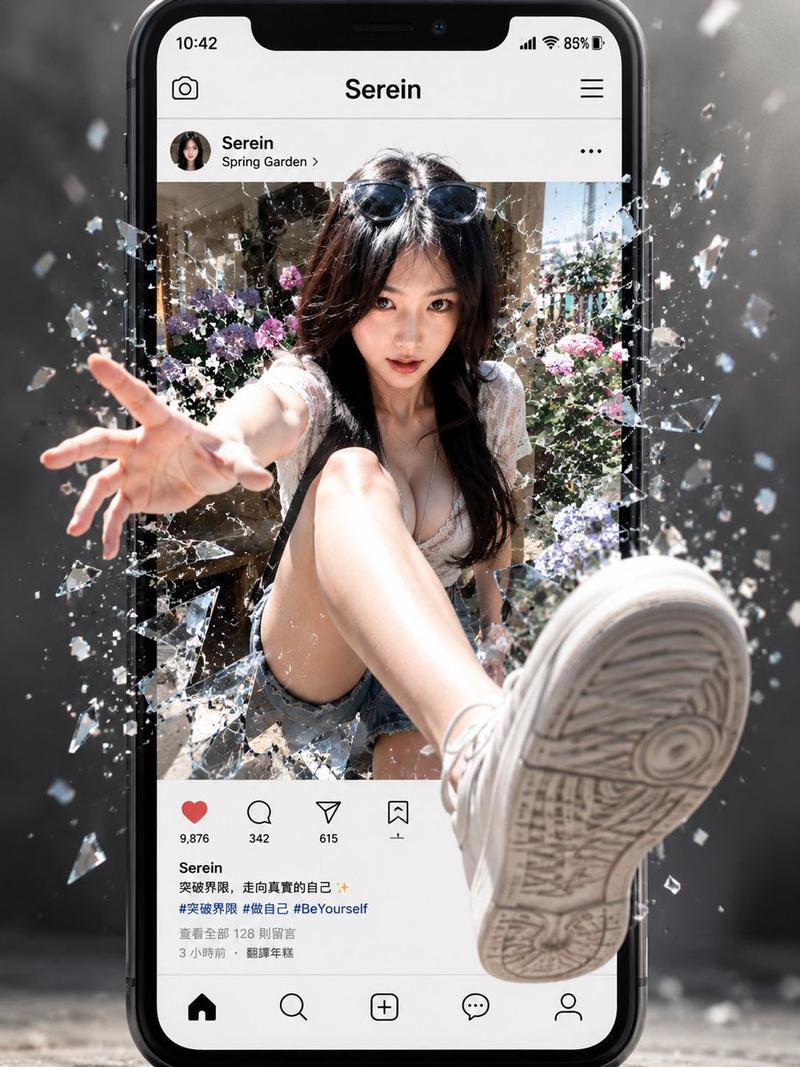
破屏而出超现实大片
Enlarge

破屏而出超现实大片

Prompt
Create a hyper-realistic cinematic scene emerging from my own Instagram post. He wears a white black printed sweatshirt and blue denim hoodie with bagay denim pant, he has messy wet hairs and calm, and playful expression.
Recreate it to closely resemble the real app page, including the Instagram interface, my username (Xaroonx), profile photo, post layout, and interaction icons,.Place me inside the post image area and reposition my body so it looks like I’m stepping out of the phone. One leg should extend fully toward the viewer with a strong 3D perspective. Add shattered glass where I break through the screen, along with pixel fragments.
Ultra-realistic lighting, natural skin texture, cinematic depth of field.
Category
UI & Interfaces
Model
Nano Banana Pro
Creator
@Xaroonx
Views100
Source ID
2225
Published
Jan 26, 2026

Guide

About "破屏而出超现实大片"

What is this prompt for?

"破屏而出超现实大片" AI image prompt for Nano Banana Pro (UI & Interfaces). 创建一个超现实电影级场景,从我自己的 Instagram 帖子中跃出。他身穿白色黑色印花卫衣和蓝色牛仔连帽衫,搭配宽松牛仔长裤,头发凌乱湿润,神情平静且带着俏皮。将其高度还原为真实应用…

The full copyable prompt and example visuals above are ready for AI image generation or one-click recreate in Picva.

How to use this prompt

  1. Step 1

    Open the prompt detail

    Review the example visuals, category, and full prompt text for "破屏而出超现实大片".

  2. Step 2

    Copy the prompt

    Copy the prompt body from this page, or load it directly in Studio.

  3. Step 3

    Pick a model (Nano Banana Pro)

    Prefer Nano Banana Pro. If you switch models, keep subject and composition and tweak style terms.

  4. Step 4

    Generate and export

    Recreate the look in Picva, or export into your workflow for editing and publishing.

FAQ

What is the "破屏而出超现实大片" prompt?
It is an AI image-generation prompt for Nano Banana Pro in the UI & Interfaces category. This page includes the full prompt text, example visuals, and a one-click recreate path in Picva.
How do I use this prompt to generate an image?
Copy the prompt from this page, or use Generate / Studio. Paste it into a compatible image model, or recreate the look in Picva with optional reference images.
Which model is this prompt for?
This page lists Nano Banana Pro. Most descriptive prompts also transfer to nearby image models such as GPT Image, Flux, or Midjourney with light style tweaks.
Can I use the result commercially?
You can usually copy the prompt for creation, but commercial use of the final image depends on the model terms, reference-image rights, and the generated content. Follow the source author and platform rules.