12

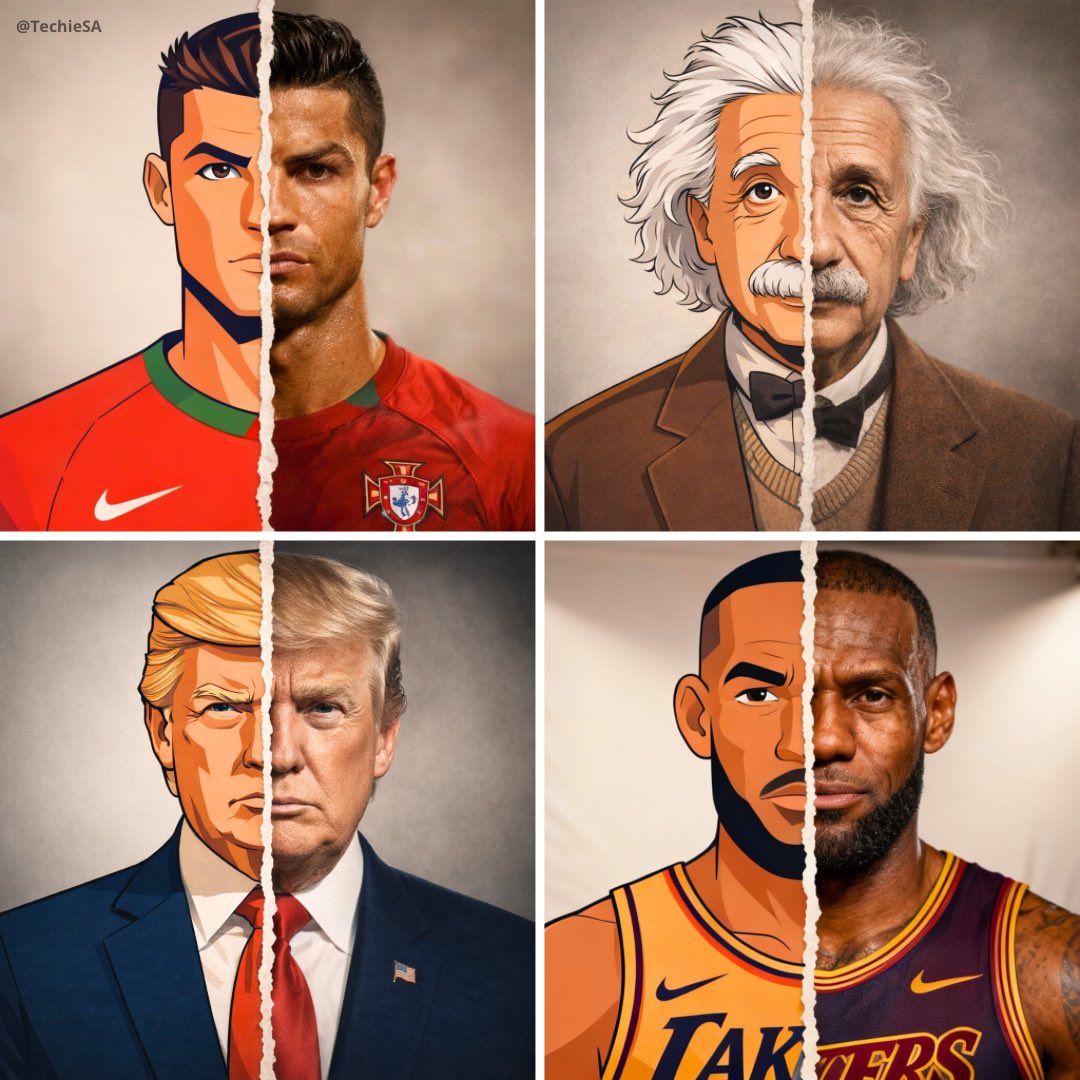
虚实交织的撕裂边缘分裂肖像
Enlarge

虚实交织的撕裂边缘分裂肖像

Prompt
Create a split portrait using the uploaded reference image. The composition should focus primarily on the face and upper shoulders, just enough to subtly show part of the outfit. The left half of the face is rendered in a stylized 2D cartoon or comic illustration style with clean linework, flat colors, and simplified shading. The right half is rendered as a hyper-realistic cinematic portrait with detailed skin texture, natural lighting, and high dynamic range.

The two halves align perfectly down the center of the face and are separated by a torn comic paper edge, symbolizing the transition from illustration to reality. Maintain accurate facial likeness from the uploaded image. Use a soft neutral studio background, dramatic yet balanced lighting, symmetrical centered composition, 1080x1080 square format.
Category
Photography & Realism
Model
Nano Banana 2
Views165
Source ID
2805
Published
Mar 1, 2026

Guide

About "虚实交织的撕裂边缘分裂肖像"

What is this prompt for?

"虚实交织的撕裂边缘分裂肖像" AI image prompt for Nano Banana 2 (Photography & Realism). 使用上传的参考图片创建一个分裂肖像。构图应主要聚焦于面部和肩部上部,仅足以微妙地展示部分服装。左半脸以风格化的2D卡通或漫画插画风格渲染,具有清晰的线条、平涂的色彩和简…

The full copyable prompt and example visuals above are ready for AI image generation or one-click recreate in Picva.

How to use this prompt

  1. Step 1

    Open the prompt detail

    Review the example visuals, category, and full prompt text for "虚实交织的撕裂边缘分裂肖像".

  2. Step 2

    Copy the prompt

    Copy the prompt body from this page, or load it directly in Studio.

  3. Step 3

    Pick a model (Nano Banana 2)

    Prefer Nano Banana 2. If you switch models, keep subject and composition and tweak style terms.

  4. Step 4

    Generate and export

    Recreate the look in Picva, or export into your workflow for editing and publishing.

FAQ

What is the "虚实交织的撕裂边缘分裂肖像" prompt?
It is an AI image-generation prompt for Nano Banana 2 in the Photography & Realism category. This page includes the full prompt text, example visuals, and a one-click recreate path in Picva.
How do I use this prompt to generate an image?
Copy the prompt from this page, or use Generate / Studio. Paste it into a compatible image model, or recreate the look in Picva with optional reference images.
Which model is this prompt for?
This page lists Nano Banana 2. Most descriptive prompts also transfer to nearby image models such as GPT Image, Flux, or Midjourney with light style tweaks.
Can I use the result commercially?
You can usually copy the prompt for creation, but commercial use of the final image depends on the model terms, reference-image rights, and the generated content. Follow the source author and platform rules.