17

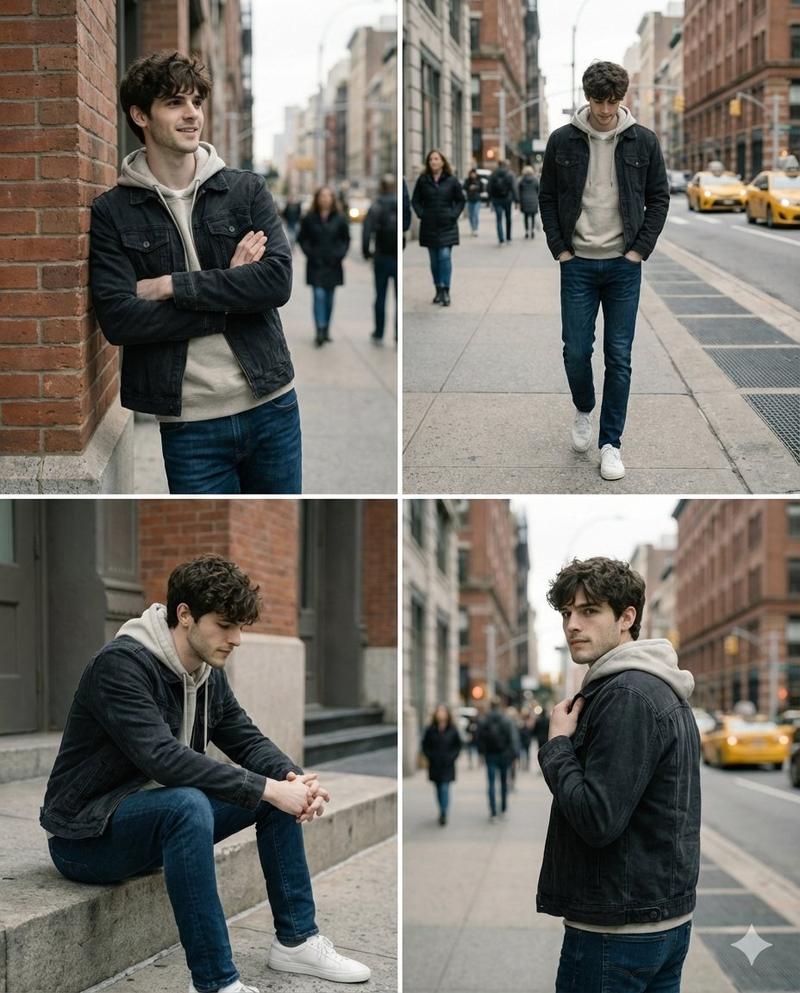
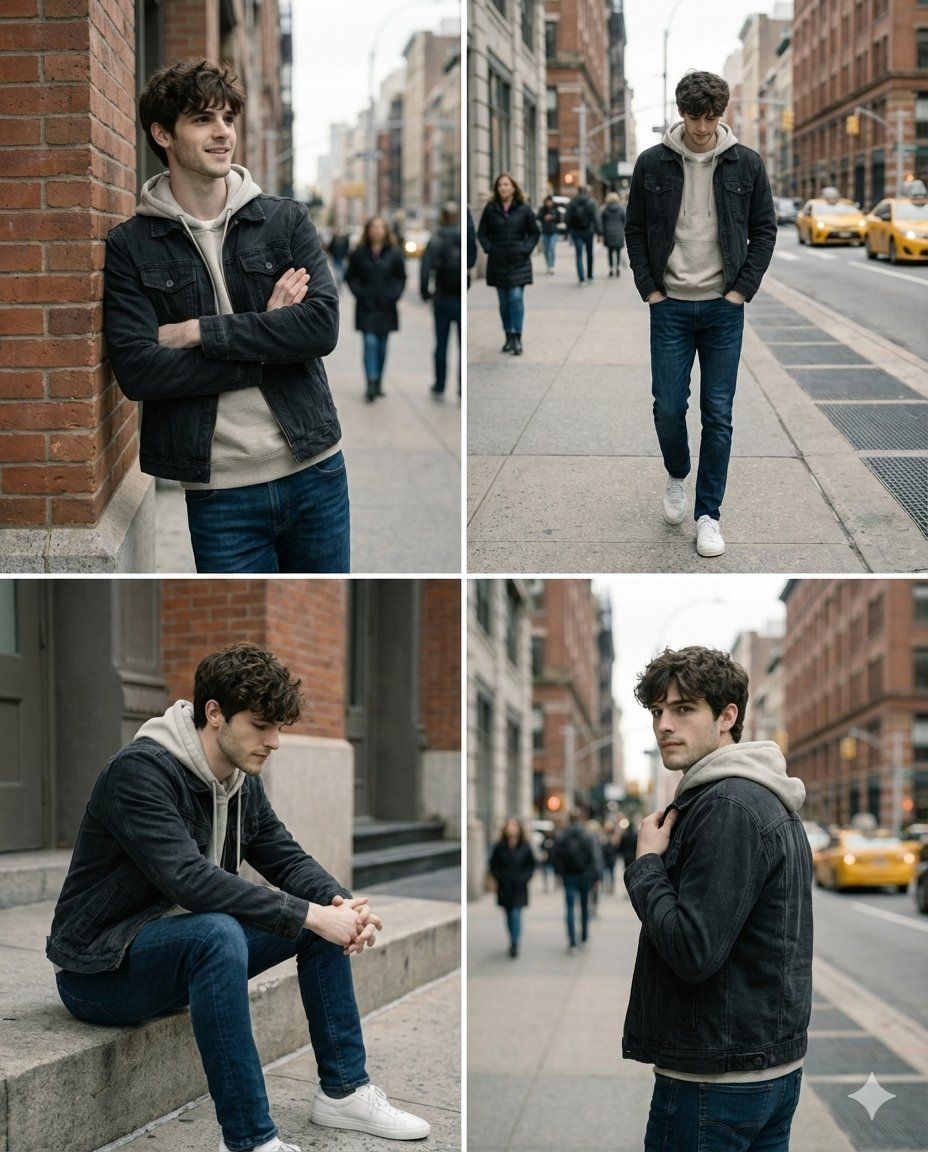
街头光影下的自然质感男生肖像
Enlarge

街头光影下的自然质感男生肖像

Prompt
Ultra realistic portrait of a young man around early 20s, natural face proportions, authentic skin texture with visible pores and slight imperfections, short modern hairstyle, calm confident expression, standing in a real outdoor urban environment, soft natural daylight, cinematic depth of field, background softly blurred with realistic city details, wearing simple modern streetwear like a neutral hoodie layered with a light jacket and denim jeans, natural body posture, candid lifestyle photography feel. Shot on full frame camera, 50mm prime lens, f/1.8 aperture, ISO 100, realistic color science, balanced highlights and shadows, no over sharpening, no plastic skin, true to life tones, editorial fashion photography style, subtle film grain, clean composition, professional framing, photorealistic lighting, looks like taken by a real photographer not AI, ultra high resolution, 8k quality.
Category
Posters & Typography
Model
Nano Banana Pro
Creator
@harboriis
Views102
Source ID
12778
Published
Apr 8, 2026

Guide

About "街头光影下的自然质感男生肖像"

What is this prompt for?

"街头光影下的自然质感男生肖像" AI image prompt for Nano Banana Pro (Posters & Typography). 一位 20 岁出头年轻男子的超写实肖像,面部比例自然,皮肤纹理真实,毛孔和轻微瑕疵清晰可见,短款现代发型,表情平静自信,置身于真实的户外城市环境中,柔和的自然日光,…

The full copyable prompt and example visuals above are ready for AI image generation or one-click recreate in Picva.

How to use this prompt

  1. Step 1

    Open the prompt detail

    Review the example visuals, category, and full prompt text for "街头光影下的自然质感男生肖像".

  2. Step 2

    Copy the prompt

    Copy the prompt body from this page, or load it directly in Studio.

  3. Step 3

    Pick a model (Nano Banana Pro)

    Prefer Nano Banana Pro. If you switch models, keep subject and composition and tweak style terms.

  4. Step 4

    Generate and export

    Recreate the look in Picva, or export into your workflow for editing and publishing.

FAQ

What is the "街头光影下的自然质感男生肖像" prompt?
It is an AI image-generation prompt for Nano Banana Pro in the Posters & Typography category. This page includes the full prompt text, example visuals, and a one-click recreate path in Picva.
How do I use this prompt to generate an image?
Copy the prompt from this page, or use Generate / Studio. Paste it into a compatible image model, or recreate the look in Picva with optional reference images.
Which model is this prompt for?
This page lists Nano Banana Pro. Most descriptive prompts also transfer to nearby image models such as GPT Image, Flux, or Midjourney with light style tweaks.
Can I use the result commercially?
You can usually copy the prompt for creation, but commercial use of the final image depends on the model terms, reference-image rights, and the generated content. Follow the source author and platform rules.