20

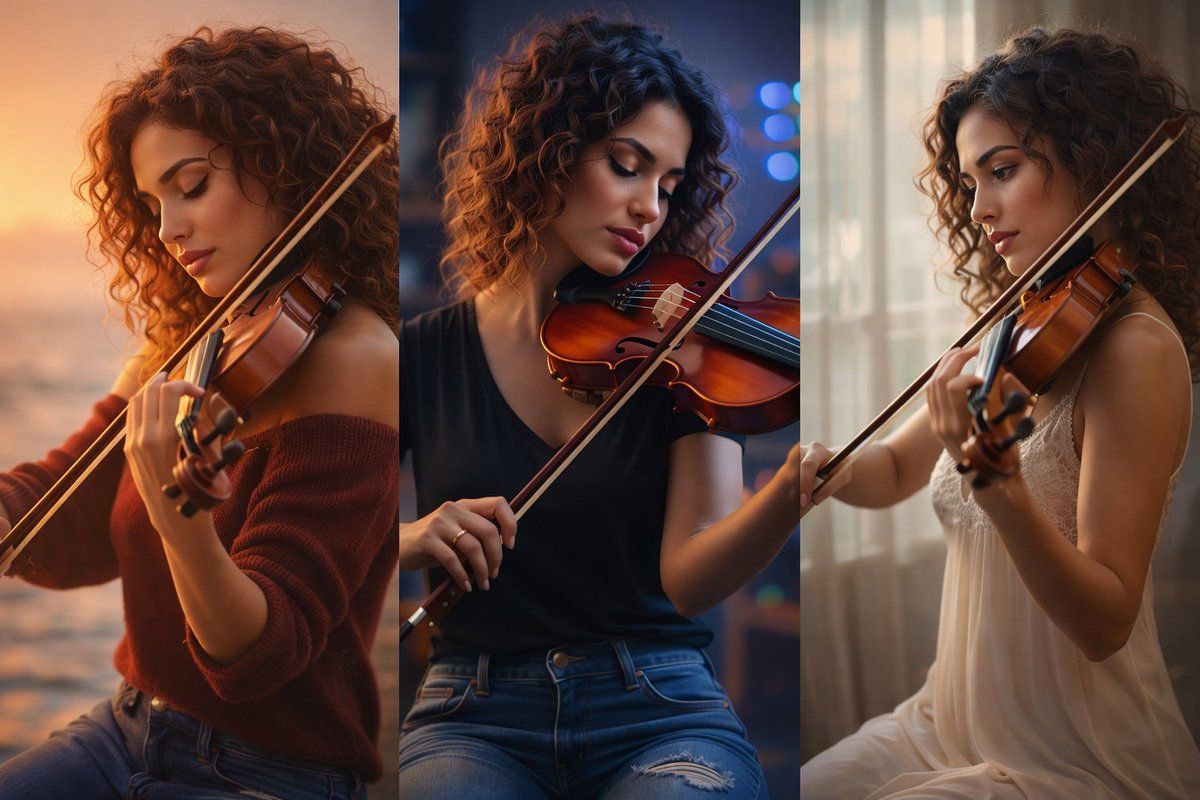
暖光工作室拉琴写真
Enlarge

暖光工作室拉琴写真

Prompt
Ultra-realistic portrait of a young woman playing a violin, seated on a rustic wooden block. She has naturally curly medium-length brown hair with soft volume, warm skin tones, and subtle professional makeup with defined eyes and natural lips. She wears a slightly unbuttoned white button-up shirt with rolled sleeves and fitted ripped blue jeans, creating a casual yet elegant look.

The violin is a rich polished amber-brown wood, held correctly under her chin, with the bow drawn gently across the strings. Her posture is relaxed and confident, eyes lowered in deep focus and emotion as she plays. Hands and fingers are anatomically accurate, positioned naturally on the fingerboard and bow.

Background features a textured painterly wall with soft pastel tones of beige, teal, and muted orange, resembling a fine-art studio backdrop. Lighting is soft, cinematic studio lighting from the upper left, creating gentle highlights on her face, violin, and fabric folds, with smooth shadows and depth.

Color palette blends warm browns, creamy whites, denim blues, and muted earth tones. Shallow depth of field with sharp focus on the subject and violin, subtle background blur.

Style: fine-art photography, cinematic realism, editorial portrait, ultra-detailed, natural textures, photorealistic, 8K quality, professional studio composition.
Category
Photography & Realism
Model
Nano Banana Pro
Views51
Source ID
2339
Published
Jan 31, 2026

Guide

About "暖光工作室拉琴写真"

What is this prompt for?

"暖光工作室拉琴写真" AI image prompt for Nano Banana Pro (Photography & Realism). 超写实肖像:一位年轻女子拉小提琴,坐在粗糙的木块上。她有一头自然卷曲的中长棕发,蓬松柔软,肤色温暖,妆容精致专业,眼睛轮廓分明,嘴唇自然。她穿着微敞领口、袖口卷起的白色衬衫…

The full copyable prompt and example visuals above are ready for AI image generation or one-click recreate in Picva.

How to use this prompt

  1. Step 1

    Open the prompt detail

    Review the example visuals, category, and full prompt text for "暖光工作室拉琴写真".

  2. Step 2

    Copy the prompt

    Copy the prompt body from this page, or load it directly in Studio.

  3. Step 3

    Pick a model (Nano Banana Pro)

    Prefer Nano Banana Pro. If you switch models, keep subject and composition and tweak style terms.

  4. Step 4

    Generate and export

    Recreate the look in Picva, or export into your workflow for editing and publishing.

FAQ

What is the "暖光工作室拉琴写真" prompt?
It is an AI image-generation prompt for Nano Banana Pro in the Photography & Realism category. This page includes the full prompt text, example visuals, and a one-click recreate path in Picva.
How do I use this prompt to generate an image?
Copy the prompt from this page, or use Generate / Studio. Paste it into a compatible image model, or recreate the look in Picva with optional reference images.
Which model is this prompt for?
This page lists Nano Banana Pro. Most descriptive prompts also transfer to nearby image models such as GPT Image, Flux, or Midjourney with light style tweaks.
Can I use the result commercially?
You can usually copy the prompt for creation, but commercial use of the final image depends on the model terms, reference-image rights, and the generated content. Follow the source author and platform rules.