20

超写实风格的时尚男肖像
Enlarge

超写实风格的时尚男肖像

Prompt
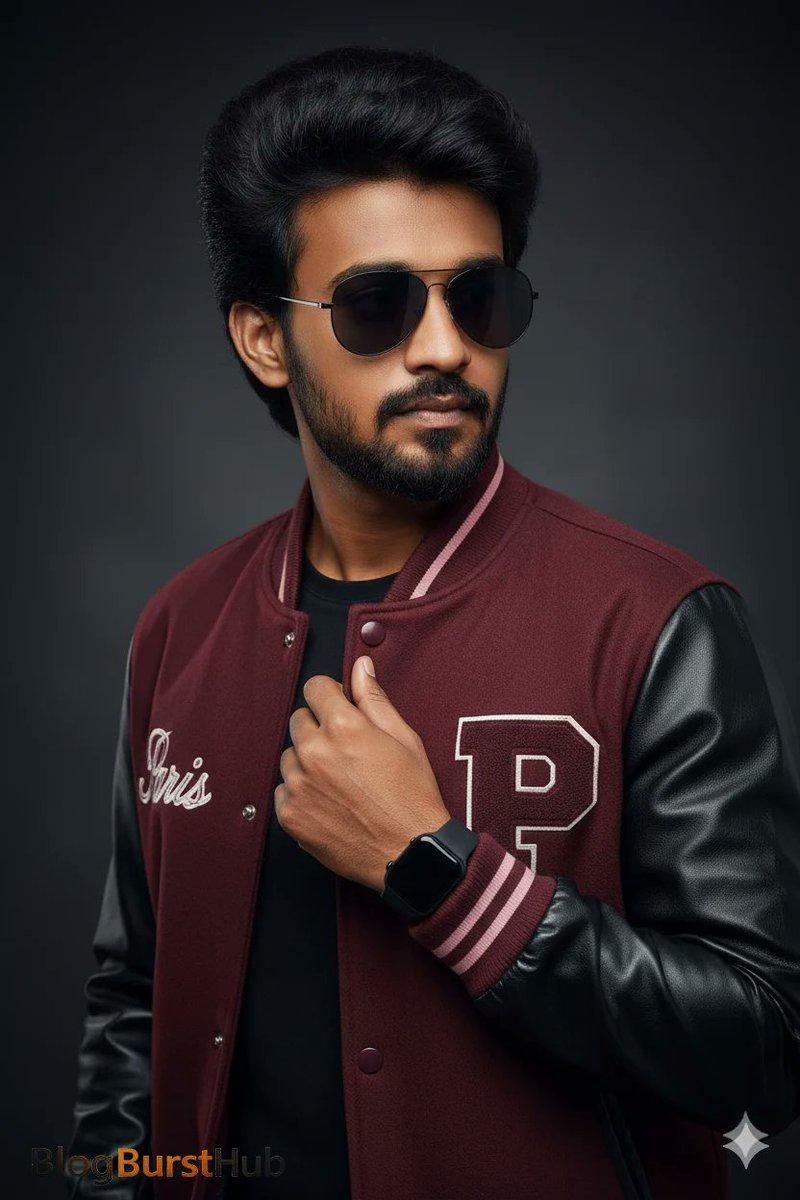
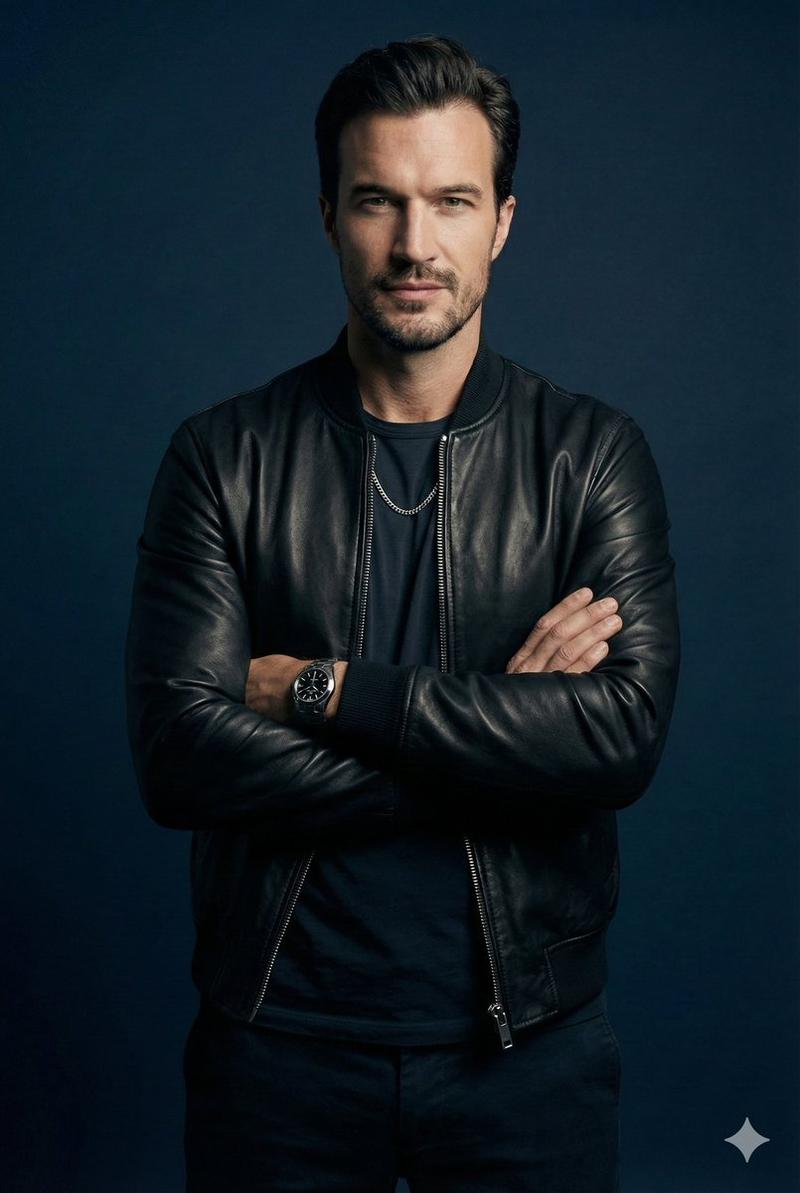
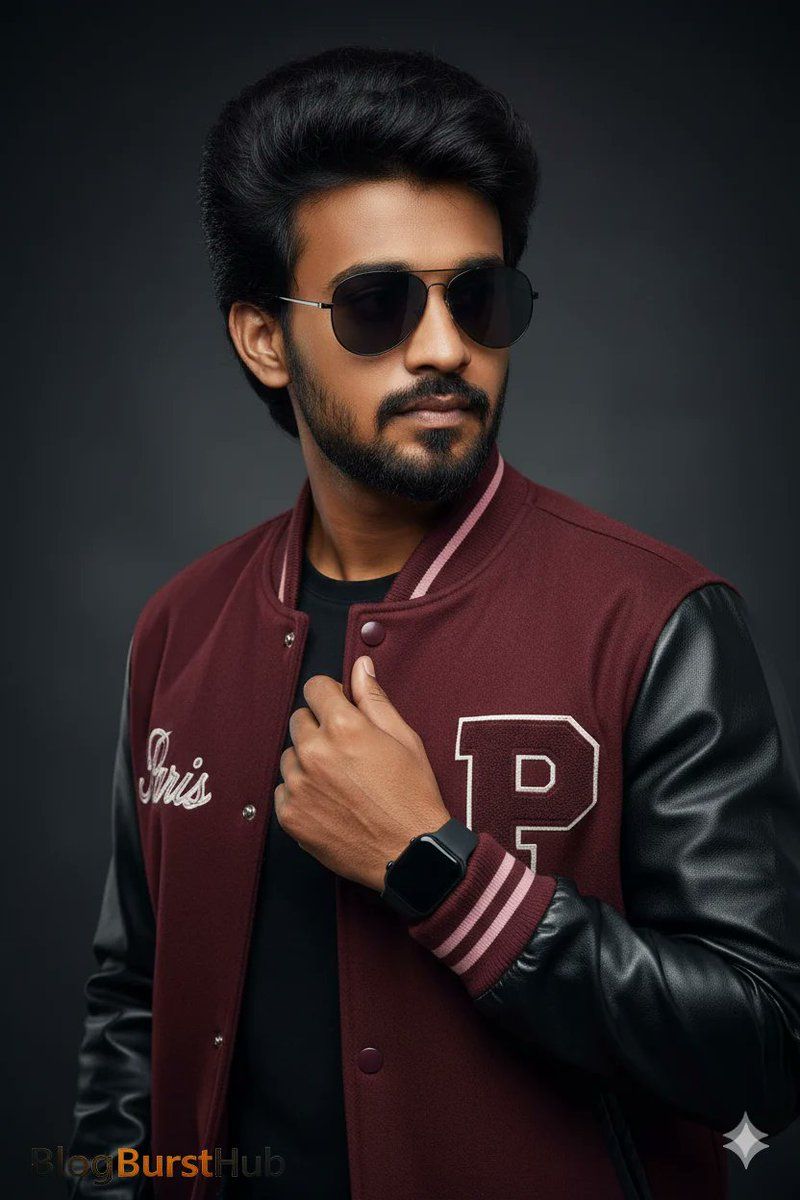
Transform this man into a photorealistic studio portrait of a stylish young man from the chest up, turned slightly to the side, looking off-camera with a confident, serious expression. He has thick, voluminous dark hair styled with texture, a well-groomed full beard, and smooth, realistic skin.
He is wearing matte black aviator type sunglasses. His outfit is a burgundy varsity jacket with black leather sleeves and ribbed cuffs with pink accents. The jacket features embroidered text reading “Paris” on the chest and a large letter patch. Underneath, he wears a black shirt.
His left hand is raised near his chest, lightly holding the jacket collar. On his wrist, he wears a modern black smartwatch with a rectangular face.
The background is a dark, clean studio backdrop with soft gradients. Lighting is controlled and cinematic, with soft key light shaping the face and subtle shadows for depth.
Ultra-realistic photography, sharp focus on subject, shallow depth of field, smooth skin texture,
Category
Posters & Typography
Model
Nano Banana Pro
Views76
Source ID
6834
Published
Mar 21, 2026

Guide

About "超写实风格的时尚男肖像"

What is this prompt for?

"超写实风格的时尚男肖像" AI image prompt for Nano Banana Pro (Posters & Typography). 将这名男子转化为一张**照片级写实的棚拍肖像**,画面为年轻时尚男性的胸部以上特写,身体微微侧转,目光望向镜头之外,神情自信且沉稳。他拥有浓密蓬松的深色发型,发丝富有层次…

The full copyable prompt and example visuals above are ready for AI image generation or one-click recreate in Picva.

How to use this prompt

  1. Step 1

    Open the prompt detail

    Review the example visuals, category, and full prompt text for "超写实风格的时尚男肖像".

  2. Step 2

    Copy the prompt

    Copy the prompt body from this page, or load it directly in Studio.

  3. Step 3

    Pick a model (Nano Banana Pro)

    Prefer Nano Banana Pro. If you switch models, keep subject and composition and tweak style terms.

  4. Step 4

    Generate and export

    Recreate the look in Picva, or export into your workflow for editing and publishing.

FAQ

What is the "超写实风格的时尚男肖像" prompt?
It is an AI image-generation prompt for Nano Banana Pro in the Posters & Typography category. This page includes the full prompt text, example visuals, and a one-click recreate path in Picva.
How do I use this prompt to generate an image?
Copy the prompt from this page, or use Generate / Studio. Paste it into a compatible image model, or recreate the look in Picva with optional reference images.
Which model is this prompt for?
This page lists Nano Banana Pro. Most descriptive prompts also transfer to nearby image models such as GPT Image, Flux, or Midjourney with light style tweaks.
Can I use the result commercially?
You can usually copy the prompt for creation, but commercial use of the final image depends on the model terms, reference-image rights, and the generated content. Follow the source author and platform rules.