20

悬浮果实内的微观农耕文明
Enlarge

悬浮果实内的微观农耕文明

Prompt
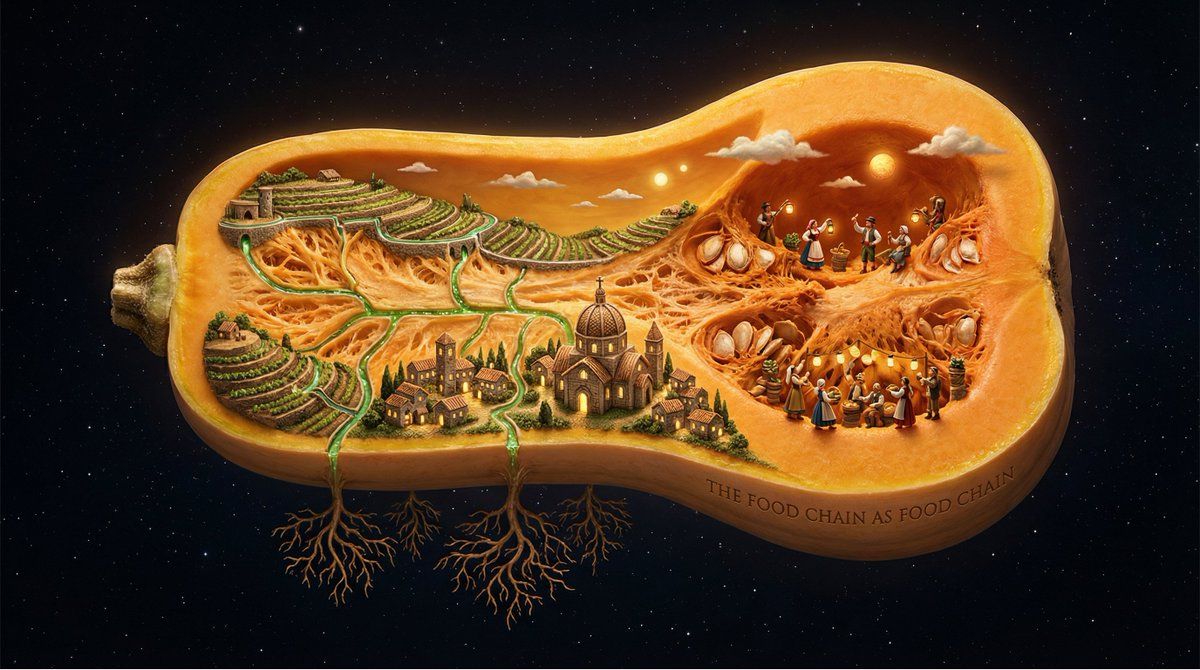
A single [FRUIT/VEGETABLE] suspended in space, sliced open to reveal it contains an entire agricultural civilization. Inside the fruit's flesh: terraced farms follow the curve of the rind, irrigation channels trace the paths of juice vessels, tiny farmers tend crops that are the fruit's own seeds, villages cluster near the core, harvest festivals celebrate in the chambers. The fruit's skin becomes their sky. Seasons pass in different sections simultaneously. Root structures below mirror branch structures of family trees. Everything edible is also everything lived. The interdependence of human and harvest made literal. Dramatic rimlight, agricultural amber and chlorophyll green, botanical illustration precision meets Bosch-like populated interior, 8K, the food chain as food chain. Check ALTs for ideas @AdobeFirefly
Category
Products & E-commerce
Model
Nano Banana Pro
Views27
Source ID
11731
Published
Apr 24, 2026

Guide

About "悬浮果实内的微观农耕文明"

What is this prompt for?

"悬浮果实内的微观农耕文明" AI image prompt for Nano Banana Pro (Products & E-commerce). 一个单独的 [FRUIT/VEGETABLE] 悬浮在太空中,被切开后,展现出它内部包含着一个完整的农业文明。在果肉内部:梯田沿着果皮的曲线延伸,灌溉渠沿着汁液脉络的…

The full copyable prompt and example visuals above are ready for AI image generation or one-click recreate in Picva.

How to use this prompt

  1. Step 1

    Open the prompt detail

    Review the example visuals, category, and full prompt text for "悬浮果实内的微观农耕文明".

  2. Step 2

    Copy the prompt

    Copy the prompt body from this page, or load it directly in Studio.

  3. Step 3

    Pick a model (Nano Banana Pro)

    Prefer Nano Banana Pro. If you switch models, keep subject and composition and tweak style terms.

  4. Step 4

    Generate and export

    Recreate the look in Picva, or export into your workflow for editing and publishing.

FAQ

What is the "悬浮果实内的微观农耕文明" prompt?
It is an AI image-generation prompt for Nano Banana Pro in the Products & E-commerce category. This page includes the full prompt text, example visuals, and a one-click recreate path in Picva.
How do I use this prompt to generate an image?
Copy the prompt from this page, or use Generate / Studio. Paste it into a compatible image model, or recreate the look in Picva with optional reference images.
Which model is this prompt for?
This page lists Nano Banana Pro. Most descriptive prompts also transfer to nearby image models such as GPT Image, Flux, or Midjourney with light style tweaks.
Can I use the result commercially?
You can usually copy the prompt for creation, but commercial use of the final image depends on the model terms, reference-image rights, and the generated content. Follow the source author and platform rules.