20

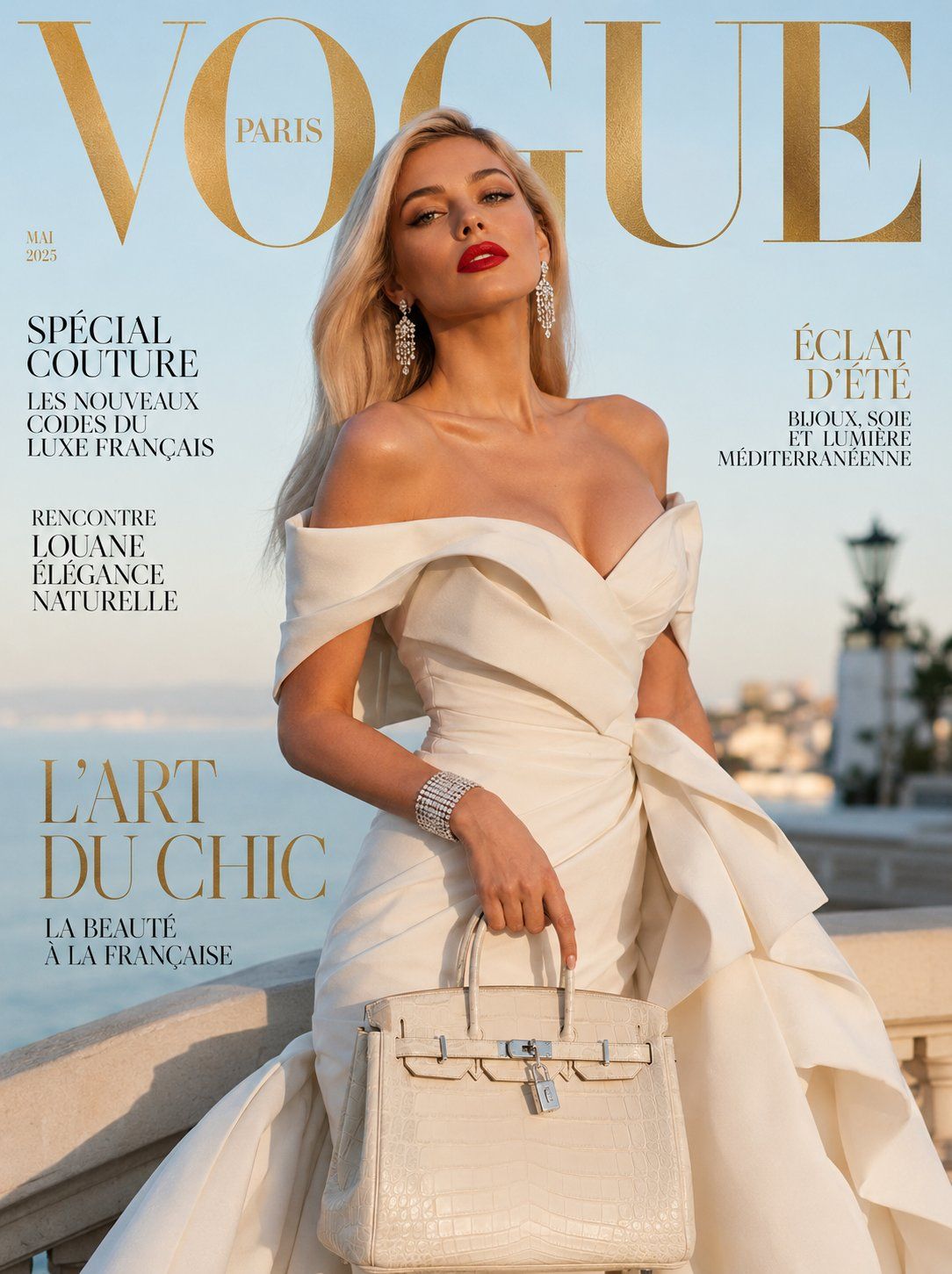
超写实奢华杂志封面优雅法国女性象牙白礼服
Enlarge

超写实奢华杂志封面优雅法国女性象牙白礼服

Prompt
Ultra-realistic luxury fashion magazine cover featuring an elegant French woman with sharp bone structure, posing confidently in a ivory structured off-shoulder gown with sculptural ruffles and a dramatic floor-length train. Long sleek platinum blonde hair swept to one side, flawless dewy skin, bold red lip, smoky cat-eye makeup. Diamond chandelier earrings, white gold cuff bracelet, and a Birkin-style ivory handbag. Soft golden hour Mediterranean light, pastel blue sky background with subtle bokeh. Large "VOGUE" serif typography at the top in gold foil effect, editorial sub-headlines in French. Cinematic 85mm lens, 8K photorealistic, high-fashion Vogue Paris aesthetic, sharp fabric textures, premium couture mood. Negative: cartoon, blurry, distorted anatomy, watermark, oversaturated, low resolution. 1744x2336
Category
Posters & Typography
Model
ChatGPT
Views62
Source ID
15007
Published
May 25, 2026

Guide

About "超写实奢华杂志封面优雅法国女性象牙白礼服"

What is this prompt for?

"超写实奢华杂志封面优雅法国女性象牙白礼服" AI image prompt for ChatGPT (Posters & Typography). 超写实奢华时尚杂志封面,特征是一位拥有分明骨相的优雅法国女性,自信地穿着一件带有雕塑感荷叶边和戏剧性落地拖尾的象牙白结构化露肩礼服。长而光滑的铂金色头发扫向一侧,无瑕的…

The full copyable prompt and example visuals above are ready for AI image generation or one-click recreate in Picva.

How to use this prompt

  1. Step 1

    Open the prompt detail

    Review the example visuals, category, and full prompt text for "超写实奢华杂志封面优雅法国女性象牙白礼服".

  2. Step 2

    Copy the prompt

    Copy the prompt body from this page, or load it directly in Studio.

  3. Step 3

    Pick a model (ChatGPT)

    Prefer ChatGPT. If you switch models, keep subject and composition and tweak style terms.

  4. Step 4

    Generate and export

    Recreate the look in Picva, or export into your workflow for editing and publishing.

FAQ

What is the "超写实奢华杂志封面优雅法国女性象牙白礼服" prompt?
It is an AI image-generation prompt for ChatGPT in the Posters & Typography category. This page includes the full prompt text, example visuals, and a one-click recreate path in Picva.
How do I use this prompt to generate an image?
Copy the prompt from this page, or use Generate / Studio. Paste it into a compatible image model, or recreate the look in Picva with optional reference images.
Which model is this prompt for?
This page lists ChatGPT. Most descriptive prompts also transfer to nearby image models such as GPT Image, Flux, or Midjourney with light style tweaks.
Can I use the result commercially?
You can usually copy the prompt for creation, but commercial use of the final image depends on the model terms, reference-image rights, and the generated content. Follow the source author and platform rules.