20

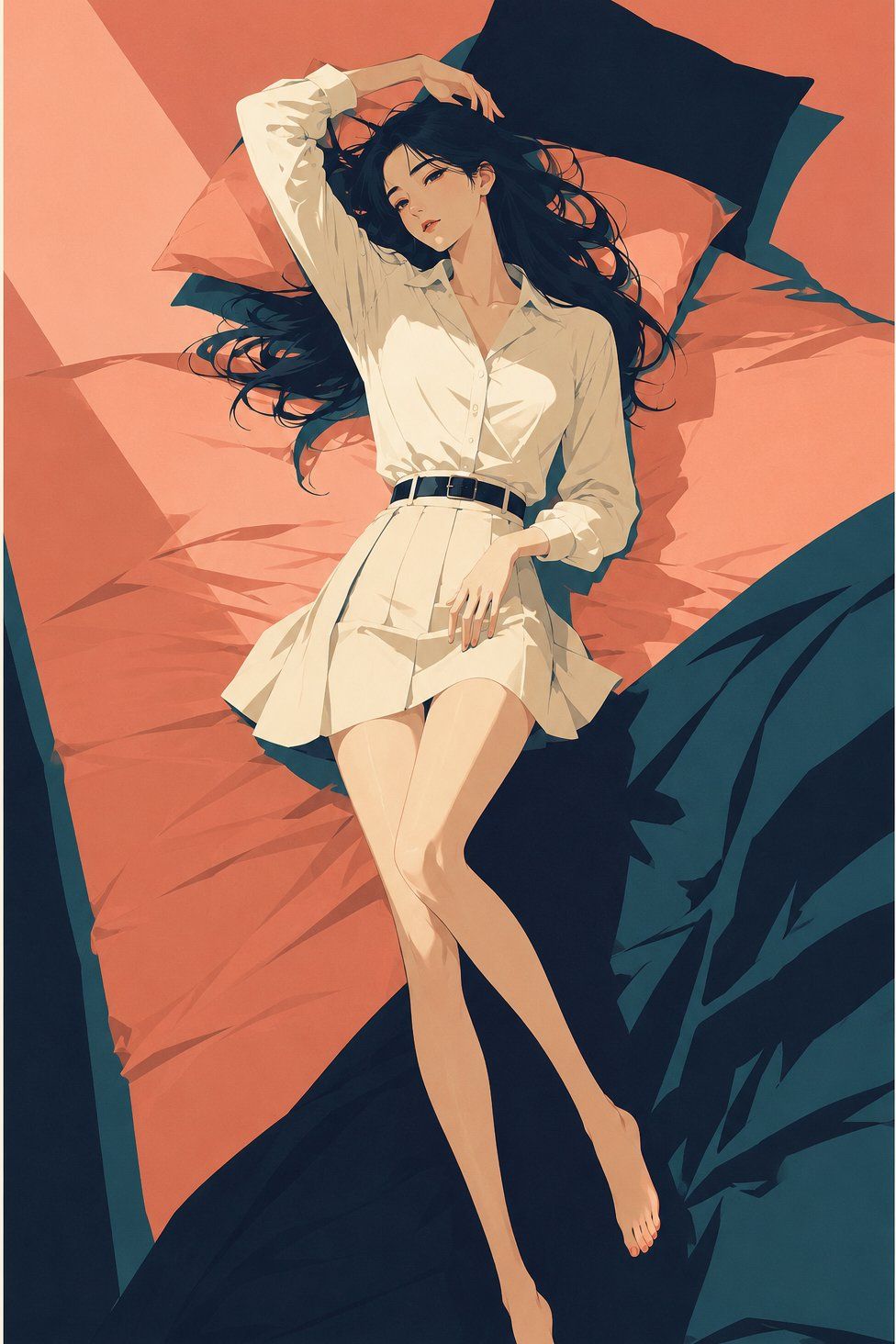
复古旅行海报风精致日系插画
Enlarge

Example images

复古旅行海报风精致日系插画

Prompt
Vintage travel poster style exquisite Japanese illustration, the main subject is [xxx]. The subject is in a high-end Japanese fashion illustration style, with elegant contours, slender proportions, cold and restrained expressions, and exquisite details that are not overly realistic. Exquisite Cel shading, large areas of flat color blocks for shaping. The color palette is dominated by coral pink sky, deep navy blue shadows, deep cyan-green midtones, and ivory white highlights, with restrained yet vivid colors. The overall atmosphere is quiet, lonely, nostalgic, clear, and fashionable, like a combination of high-end magazine covers and mid-20th century travel posters. No text, no watermarks, no logos, no photographic sense, no 3D, no complex backgrounds, no impasto, no juvenile cartoons.
Category
Charts & Infographics
Model
ChatGPT
Creator
@yyyole
Views0
Source ID
17444
Published
Jul 6, 2026

Guide

About "复古旅行海报风精致日系插画"

What is this prompt for?

"复古旅行海报风精致日系插画" AI image prompt for ChatGPT (Charts & Infographics). 复古旅行海报风格精致日系插画,主体为【xxx】。主体为高级日系时装插画风格,轮廓优雅,比例修长,表情清冷克制,细节精致但不过度写实。精致赛璐璐上色,大面积扁平色块塑形。配色以珊瑚粉…

The full copyable prompt and example visuals above are ready for AI image generation or one-click recreate in Picva.

How to use this prompt

  1. Step 1

    Open the prompt detail

    Review the example visuals, category, and full prompt text for "复古旅行海报风精致日系插画".

  2. Step 2

    Copy the prompt

    Copy the prompt body from this page, or load it directly in Studio.

  3. Step 3

    Pick a model (ChatGPT)

    Prefer ChatGPT. If you switch models, keep subject and composition and tweak style terms.

  4. Step 4

    Generate and export

    Recreate the look in Picva, or export into your workflow for editing and publishing.

FAQ

What is the "复古旅行海报风精致日系插画" prompt?
It is an AI image-generation prompt for ChatGPT in the Charts & Infographics category. This page includes the full prompt text, example visuals, and a one-click recreate path in Picva.
How do I use this prompt to generate an image?
Copy the prompt from this page, or use Generate / Studio. Paste it into a compatible image model, or recreate the look in Picva with optional reference images.
Which model is this prompt for?
This page lists ChatGPT. Most descriptive prompts also transfer to nearby image models such as GPT Image, Flux, or Midjourney with light style tweaks.
Can I use the result commercially?
You can usually copy the prompt for creation, but commercial use of the final image depends on the model terms, reference-image rights, and the generated content. Follow the source author and platform rules.