20

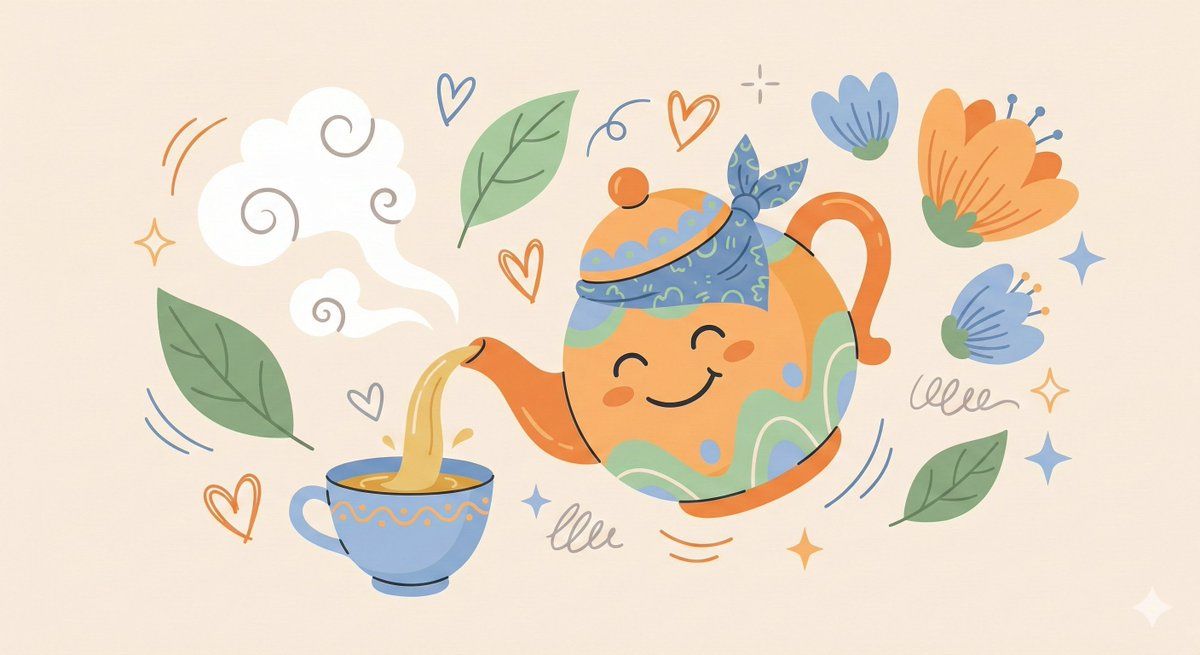
奇趣扁平风插画角色设计
Enlarge

奇趣扁平风插画角色设计

Prompt
“Create a whimsical, playful illustration featuring [CHARACTER / SUBJECT] as the central focus. The character is drawn with simplified features, a small rounded head, and minimal facial detail, wearing [HEADWEAR / CLOTHING DESCRIPTION]. They are positioned among oversized abstract shapes and organic elements such as [FLORAL / SYMBOLIC OBJECTS], creating a sense of imaginative scale. The character is interacting with [OBJECT / ACTION], adding narrative interest. Decorative graphic elements like [SYMBOLS: exclamation points, speech bubbles, scribbles, notes, etc.] float around the subject to enhance expression and energy. Use clean, simple linework and a limited color palette of [PRIMARY COLORS], keeping the illustration bold and cohesive. The background is a soft neutral tone such as beige or off-white. The overall style is modern, flat, and illustrative, with a lively, creative, and slightly abstract atmosphere.”
Category
Characters & People
Model
Nano Banana Pro
Views23
Source ID
11513
Published
Apr 24, 2026

Guide

About "奇趣扁平风插画角色设计"

What is this prompt for?

"奇趣扁平风插画角色设计" AI image prompt for Nano Banana Pro (Characters & People). “创作一幅异想天开、充满趣味的插画,以 [角色 / 主题] 为中心。 角色特征简化,头部小巧圆润,面部细节极少,身着 [头饰 / 服装描述]。 角色置身于超大抽象形状和有机…

The full copyable prompt and example visuals above are ready for AI image generation or one-click recreate in Picva.

How to use this prompt

  1. Step 1

    Open the prompt detail

    Review the example visuals, category, and full prompt text for "奇趣扁平风插画角色设计".

  2. Step 2

    Copy the prompt

    Copy the prompt body from this page, or load it directly in Studio.

  3. Step 3

    Pick a model (Nano Banana Pro)

    Prefer Nano Banana Pro. If you switch models, keep subject and composition and tweak style terms.

  4. Step 4

    Generate and export

    Recreate the look in Picva, or export into your workflow for editing and publishing.

FAQ

What is the "奇趣扁平风插画角色设计" prompt?
It is an AI image-generation prompt for Nano Banana Pro in the Characters & People category. This page includes the full prompt text, example visuals, and a one-click recreate path in Picva.
How do I use this prompt to generate an image?
Copy the prompt from this page, or use Generate / Studio. Paste it into a compatible image model, or recreate the look in Picva with optional reference images.
Which model is this prompt for?
This page lists Nano Banana Pro. Most descriptive prompts also transfer to nearby image models such as GPT Image, Flux, or Midjourney with light style tweaks.
Can I use the result commercially?
You can usually copy the prompt for creation, but commercial use of the final image depends on the model terms, reference-image rights, and the generated content. Follow the source author and platform rules.