使用 ControlNet 约束的详细镜面自拍提示
Prompt
{
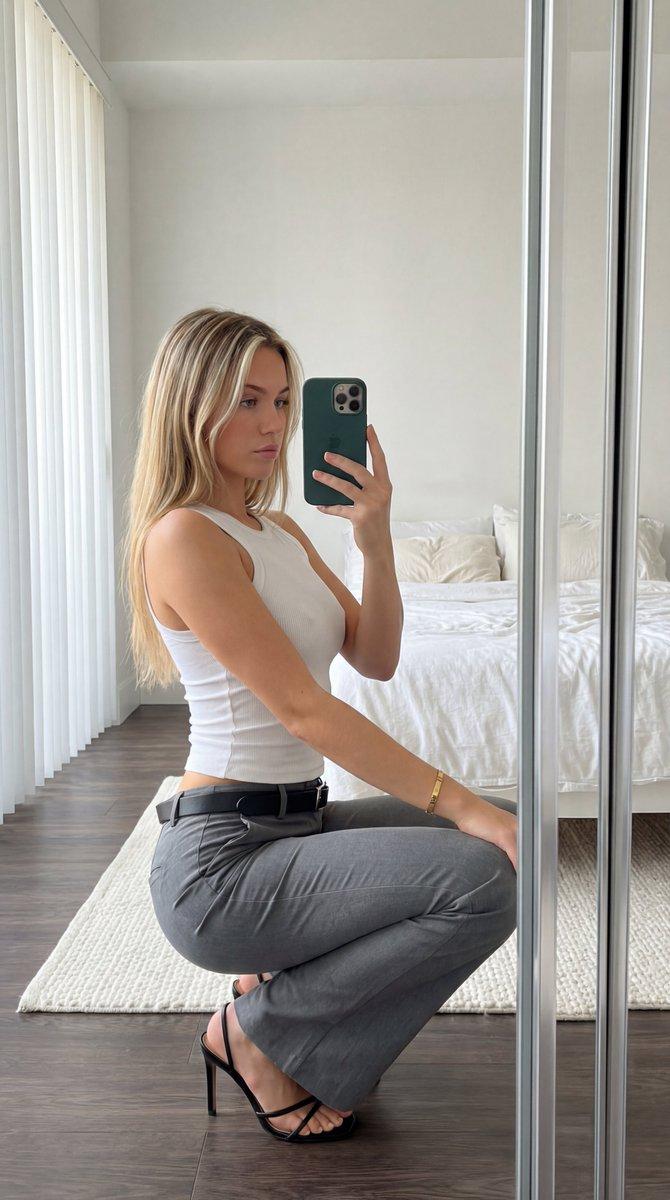
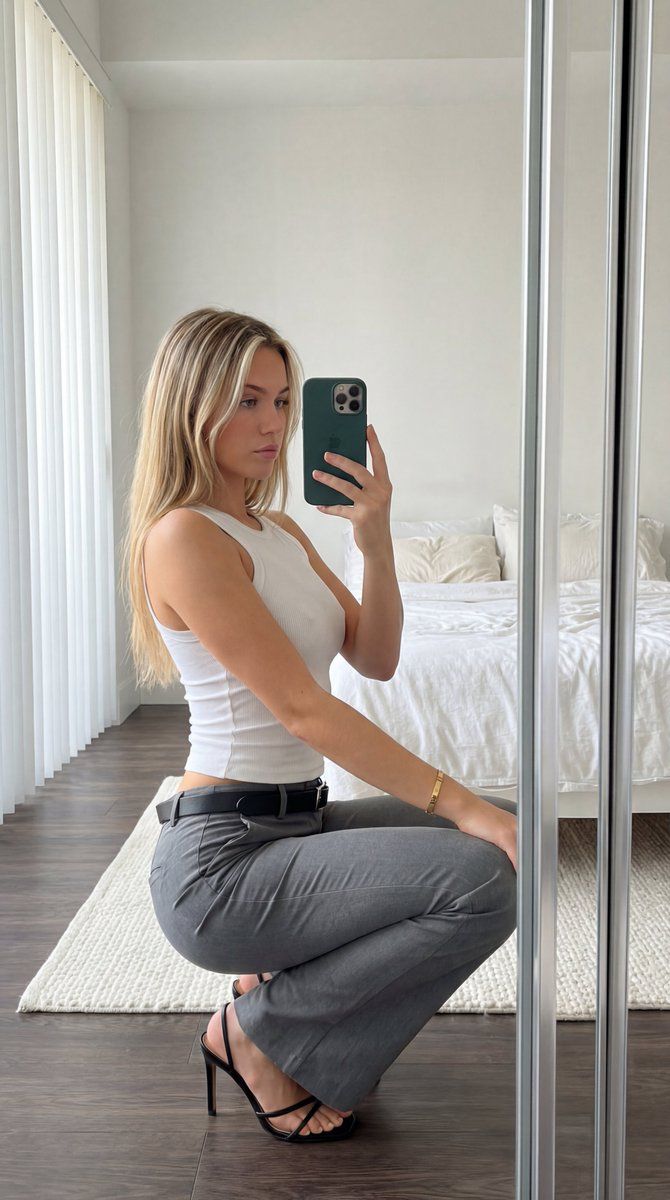
"subject": "Young woman, long blonde hair with face-framing highlights. Wearing tight white tank top showing distinct chest volume and fabric tension, grey flared trousers, black belt with silver buckle, and black strappy high heels. Gold bracelet on left wrist. Holding a dark green smartphone with three lenses.",
"pose": "Crouching sideways, back arched. Torso twisted towards camera mirror. Right hand holds phone at face level. Left arm rests lightly on left thigh. Full body weight distributed on toes and heels.",
"environment": "Bedroom interior. White unmade bed with pillows behind subject. White textured rug on dark wood floor. White walls. Vertical window blinds visible on the left.",
"camera": "Mirror selfie perspective. Standard smartphone wide lens. Eye-level framing capturing full crouching figure.",
"lighting": "Soft natural daylight from left window. Natural soft shadows cast to the right. High-key overall illumination.",
"mood_and_expression": "Neutral expression, relaxed demeanor, direct gaze into phone mirror.",
"style_and_realism": "Candid mirror selfie photograph. High physical realism, unmodified amateur style.",
"colors_and_tone": "Neutral high-key palette. Dominant whites, greys, and blacks. Natural skin tones and blonde hair. Dark green accent from phone.",
"quality_and_technical_details": "Sharp focus smartphone image. Visible natural textures on bed sheets, ribbed tank top, and rug.",
"aspect_ratio_and_output": "3:4",
"controlnet": {
"pose_control": {
"model_type": "openpose_full",
"purpose": "Strictly lock skeletal alignment, anatomical proportions, torso orientation, and prevent structural or volumetric alteration",
"constraints": "No limb length adjustment, no torso compression, no chest volume reduction, no posture change, no symmetry correction, no ribcage narrowing",
"recommended_weight": 1.2
},
"depth_control": {
"model_type": "depth_midas",
"purpose": "Enforce exact volumetric projection, silhouette area equivalence, curvature depth integrity, and spatial layering",
"constraints": "No depth flattening, no volumetric shrinkage, no perspective reinterpretation, no shadow softening, no foreground-background collapse, no artificial depth of field",
"recommended_weight": 1.25
}
},
"negative_prompt": "stylization, cinematic look, cinematic lighting, cinematic color grading, film look, film simulation, dramatic lighting, HDR effect, tonal remapping, teal and orange grading, DSLR simulation, portrait mode effect, bokeh, background blur, depth of field, lens blur, gaussian blur, soft focus, motion blur, atmospheric haze, volumetric light beams, glow effect, bloom, post-processing effects, AI enhancement, detail enhancement filters, artificial sharpening, oversharpening, skin smoothing, retouching, face enhancement, aesthetic correction, body normalization, shape refinement, geometric reinterpretation, anatomical distortion, breast reduction, volume compression, torso slimming, ribcage narrowing, sym"- Category
- 创意图片
- Model
- Nano Banana Pro
- Creator
- Lore
- Source ID
- 8ee668cc-1918-4d8b-9192-894a5bf3d238
- Published
- Mar 8, 2026
Views0