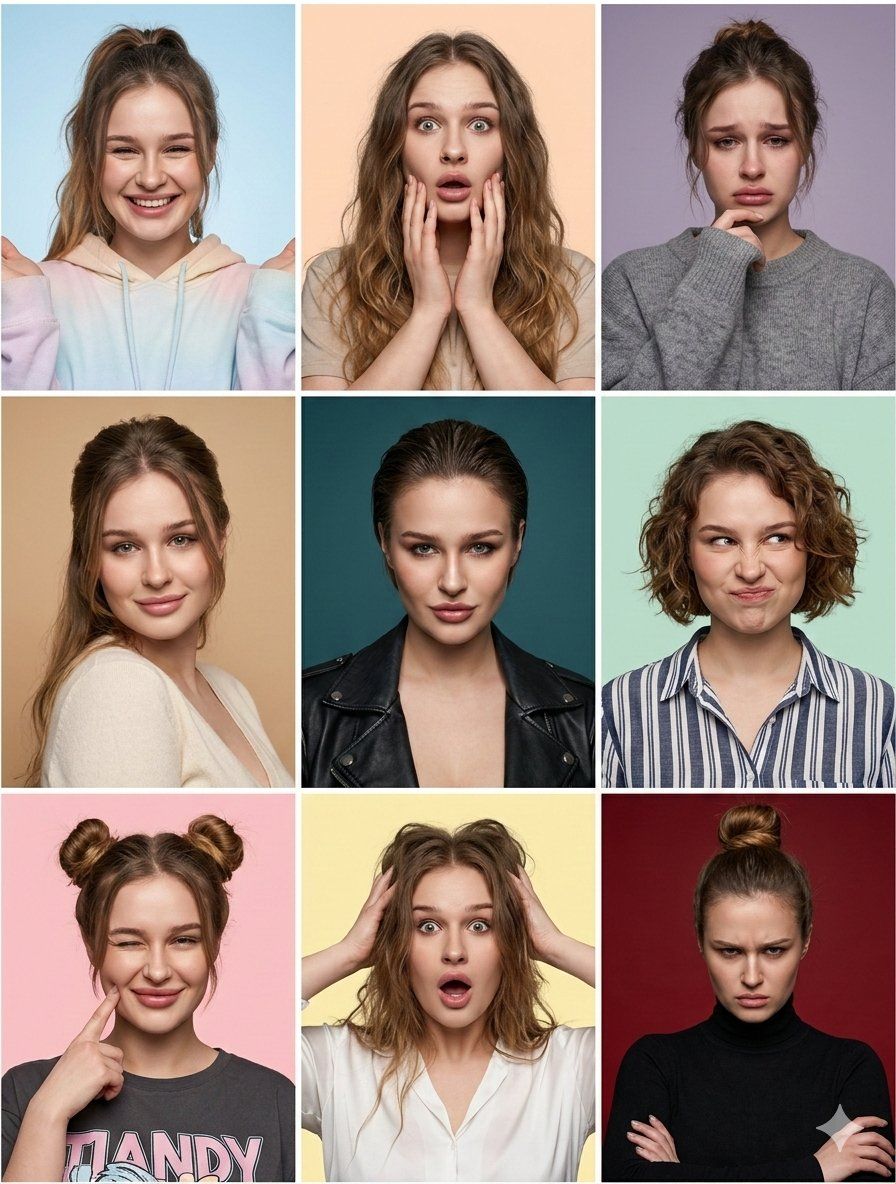
九宫格情绪肖像与身份锁
Prompt
{
  "image_prompt": {
    "critical_instruction": "Maintain identical facial structure across all panels. The identity must be unmistakable in every single shot.",
    "format": "3x3 grid collage",
    "subject": {
      "face_identity_lock": "fixed identity, consistent facial features",
      "style": "hyper-realistic portrait photography, 8k resolution, raw photo aesthetic",
      "skin": "highly detailed natural skin texture, visible pores, realistic complexion",
      "camera_settings": "shot on 85mm portrait lens, sharp focus on eyes, shallow depth of field, studio photography"
    },
    "panels": [
      {
        "position": "top_left",
        "expression": "joyful",
        "pose": "bright smile, hands slightly raised framing the face",
        "hairstyle": "high ponytail with loose front strands",
        "outfit": "pastel tie-dye hoodie",
        "background": "light blue studio backdrop"
      },
      {
        "position": "top_middle",
        "expression": "surprised",
        "pose": "mouth open, hands touching cheeks",
        "hairstyle": "long loose wavy hair",
        "outfit": "beige t-shirt",
        "background": "peach studio backdrop"
      },
      {
        "position": "top_right",
        "expression": "sad",
        "pose": "looking down slightly, hand resting on chin",
        "hairstyle": "messy updo",
        "outfit": "grey knit sweater",
        "background": "muted lavender studio backdrop"
      },
      {
        "position": "middle_left",
        "expression": "tender",
        "pose": "gentle smile, looking directly at camera",
        "hairstyle": "elegant half-up half-down hairstyle",
        "outfit": "cream v-neck top",
        "background": "tan studio backdrop"
      },
      {
        "position": "center",
        "expression": "daring",
        "pose": "confident stare, chin slightly lowered",
        "hairstyle": "slicked-back wet-look hair",
        "outfit": "black leather moto jacket",
        "background": "deep teal studio backdrop"
      },
      {
        "position": "middle_right",
        "expression": "playful",
        "pose": "scrunched nose, quirky smirk",
        "hairstyle": "short curly bob",
        "outfit": "blue and white striped button-down shirt",
        "background": "mint green studio backdrop"
      },
      {
        "position": "bottom_left",
        "expression": "charming",
        "pose": "winking, finger poking right cheek",
        "hairstyle": "double space buns",
        "outfit": "dark grey graphic tee",
        "background": "light pink studio backdrop"
      },
      {
        "position": "bottom_middle",
        "expression": "shocked",
        "pose": "mouth open in disbelief, hands gripping hair",
        "hairstyle": "messy voluminous loose hair",
        "outfit": "white button-down blouse",
        "background": "pale yellow studio"
      }
    ]
  }
}- Category
- 创意图片
- Model
- Nano Banana Pro
- Creator
- Shreya♡
- Source ID
- 747b8577-ff89-4e14-89f0-31ddf26fa59c
- Published
- Mar 8, 2026
Views3












