19

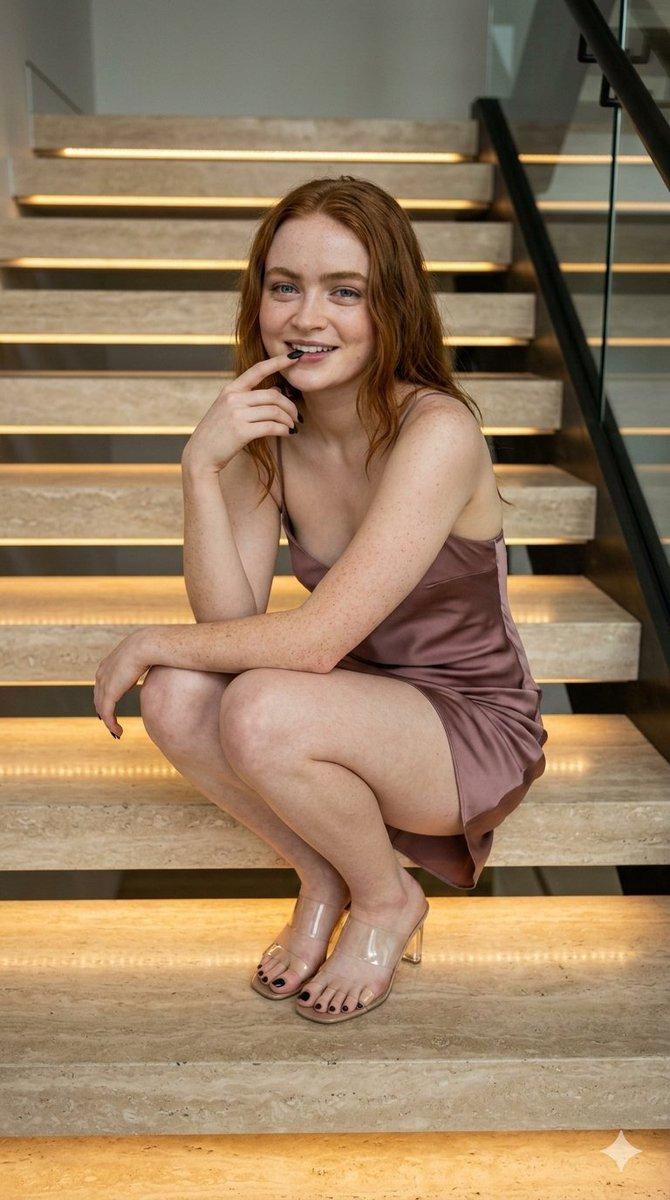
Sadie Sink 现代楼梯肖像
Enlarge

Sadie Sink 现代楼梯肖像

Prompt
(
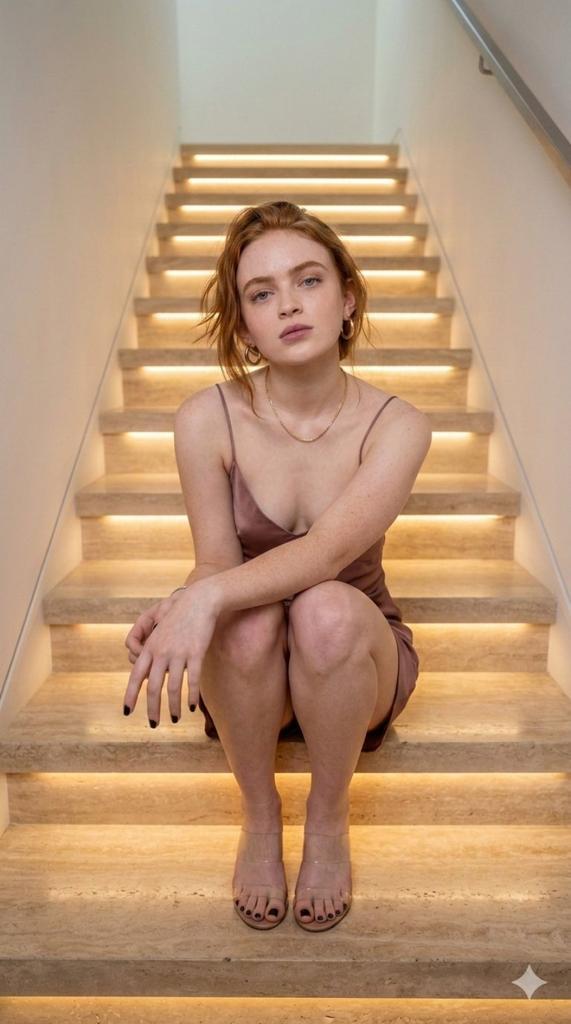
description": "A young woman with red hair and freckles is crouching on illuminated marble stairs in a modern indoor setting. She is wearing a silky brown satin dress and transparent high-heeled sandals. The staircase has warm LED lighting under each step and a glass railing on the side. She is smiling gently with one hand near her lips, creating a relaxed and confident pose.",
  "location": "Indoor modern staircase",
  "lighting": "Warm LED step lighting with soft ambient indoor light",
  "pose": "Crouching on the stairs with one hand near her lips",
  "clothing": {
    "dress": "Brown satin mini dress",
    "shoes": "Transparent high-heeled sandals"
  },
  "appearance": {
    "hair_color": "Red",
    "hair_style": "Long wavy hair",
    "skin": "Fair with freckles"
  },
  "mood": "Relaxed, confident, stylish",
  "style": "Modern lifestyle portrait photography"
}
Category
创意图片
Model
Nano Banana Pro
Views24
Source ID
b16ff1d4-5842-42c4-bcf0-946b09e21ed1
Published
Mar 8, 2026

Guide

About "Sadie Sink 现代楼梯肖像"

What is this prompt for?

"Sadie Sink 现代楼梯肖像" AI image prompt for Nano Banana Pro (创意图片). 一个为 Nano Banana Pro 模型设计的详细 JSON 提示词,描述了女演员 Sadie Sink 蹲坐在发光的现代大理石楼梯上,身穿棕色缎面连衣裙的超写实肖像,强调暖色调灯光和时…

The full copyable prompt and example visuals above are ready for AI image generation or one-click recreate in Picva.

How to use this prompt

  1. Step 1

    Open the prompt detail

    Review the example visuals, category, and full prompt text for "Sadie Sink 现代楼梯肖像".

  2. Step 2

    Copy the prompt

    Copy the prompt body from this page, or load it directly in Studio.

  3. Step 3

    Pick a model (Nano Banana Pro)

    Prefer Nano Banana Pro. If you switch models, keep subject and composition and tweak style terms.

  4. Step 4

    Generate and export

    Recreate the look in Picva, or export into your workflow for editing and publishing.

FAQ

What is the "Sadie Sink 现代楼梯肖像" prompt?
It is an AI image-generation prompt for Nano Banana Pro in the 创意图片 category. This page includes the full prompt text, example visuals, and a one-click recreate path in Picva.
How do I use this prompt to generate an image?
Copy the prompt from this page, or use Generate / Studio. Paste it into a compatible image model, or recreate the look in Picva with optional reference images.
Which model is this prompt for?
This page lists Nano Banana Pro. Most descriptive prompts also transfer to nearby image models such as GPT Image, Flux, or Midjourney with light style tweaks.
Can I use the result commercially?
You can usually copy the prompt for creation, but commercial use of the final image depends on the model terms, reference-image rights, and the generated content. Follow the source author and platform rules.