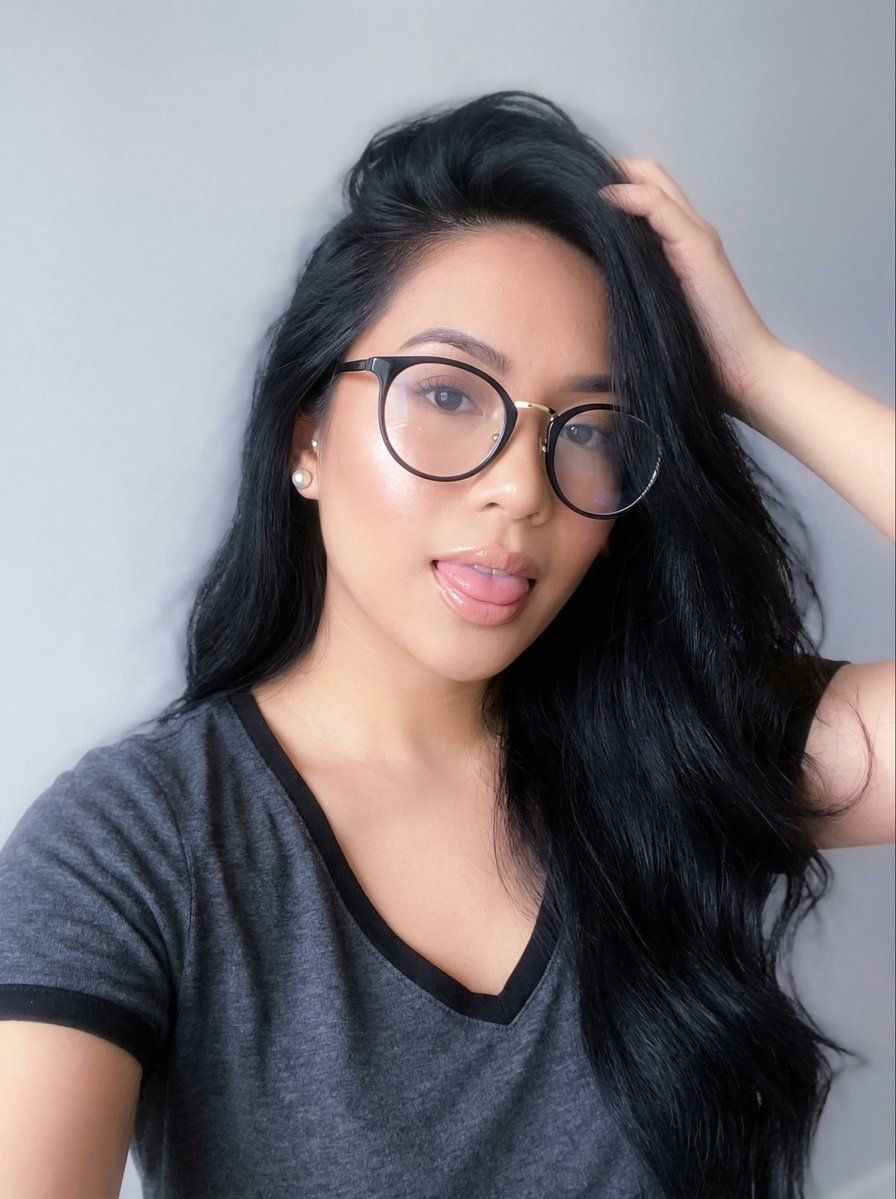
戴眼镜的梦幻空灵自拍肖像
Prompt
{
“image_type”: “portrait_selfie”,
“composition”: {
“framing”: “tight head-and-shoulders crop”,
“orientation”: “square”,
“camera_angle”: “slightly above eye level”,
“subject_position”: “centered with slight right offset”,
“pose”: “one arm raised with hand placed in hair, head slightly tilted, tongue playfully sticking out”,
“crop”: “top of hair slightly cropped, chest partially visible”
},
“subject”: {
“gender_presentation”: “female”,
“age_appearance”: “young adult”,
“facial_expression”: “playful and flirtatious”,
“gaze_direction”: “towards camera”,
“skin_tone”: “light-medium warm tan with luminous glow”,
“facial_features”: {
“eyebrows”: “thick, dark, well-defined arches”,
“eyes”: “large dark eyes behind glasses with soft reflective highlights”,
“nose”: “small narrow bridge”,
“lips”: “full lips with glossy nude lipstick”,
“jawline”: “soft oval face shape”
}
},
“hair”: {
“color”: “deep black”,
“length”: “long”,
“style”: “voluminous loose hair swept over one side of face”,
“texture”: “soft silky with natural wave”,
“movement”: “light airy strands creating dreamy motion”
},
“accessories”: {
“glasses”: {
“type”: “round oversized eyeglasses”,
“frame_color”: “{argument name="frame color" default="black with thin gold metal bridge and arms"}”,
“lens”: “clear reflective lenses with soft glow reflections”
},
“earrings”: {
“type": “pearl stud earrings”,
“material”: “white pearl with metallic base”
},
“bracelet”: {
“type”: “thin metallic bracelet”,
“color”: “gold”
}
},
“clothing”: {
“top”: {
“type”: “casual v-neck t-shirt”,
“color”: “dark grey”,
“trim”: “black neckline trim”,
“fit”: “soft relaxed fit”
}
},
“lighting”: {
“type”: “soft diffused ethereal lighting”,
“direction”: “front soft light with ambient wrap”,
“contrast”: “very low contrast”,
“shadows”: “soft faded shadows”,
“highlights”: “gentle glowing highlights on cheeks, lips, and glasses”,
“bloom_effect”: “subtle light bloom around bright areas”
},
“color_palette”: {
“dominant_colors”: [
“soft charcoal grey”,
“deep black”,
“warm luminous skin tones”
],
“accent_colors”: [
“muted gold”,
“pearl white”,
“soft pastel glow”
],
“background_color”: “misty pale grey”
},
“background”: {
“type”: “minimal soft gradient wall”,
“color”: “misty pale grey”,
“detail_level”: “smooth and slightly hazy”,
“atmosphere”: “dreamy ethereal haze”
},
“camera_details”: {
“device_type”: “smartphone front camera”,
“focal_length_equivalent”: “approximately 24-28mm”,
“depth_of_field”: “moderately shallow with soft falloff”,
“sharpness”: “medium-soft focus for dreamy look”,
“noise_level”: “low”
},
“editing_style”: {
“filter_style”: “ethereal beauty filter”,
“skin_smoothing”: “high but natural”,
“color_grading”: “soft pastel tones with gentle desaturation”,
“clarity”: “reduced clarity for dreamlike softness”,
“glow_effect”: “subtle halo glow around subject”,
“bloom”: “light bloom on highlights”,
“vignette”: “very soft vignette”,
“vibe”: “dreamy playful confident”
},
“artistic_elements”: {
“mood”: “dreamy playful confident”,- Category
- 创意图片
- Model
- Nano Banana Pro
- Creator
- Precurix
- Source ID
- 527bd9d5-793b-4e3b-bdb0-363c253102bd
- Published
- Mar 8, 2026
Views0