18

{ "prompt": "Cinematic film still, **extreme top-down MEDIUM shot**
Enlarge

{ "prompt": "Cinematic film still, **extreme top-down MEDIUM shot**

Prompt
{
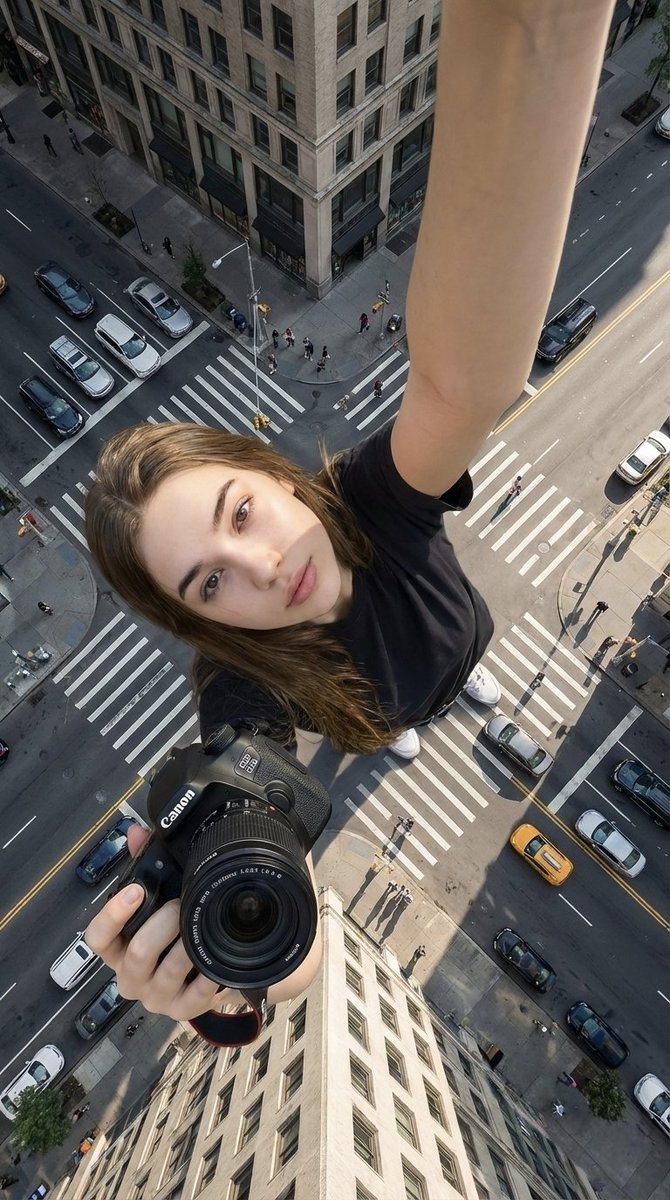
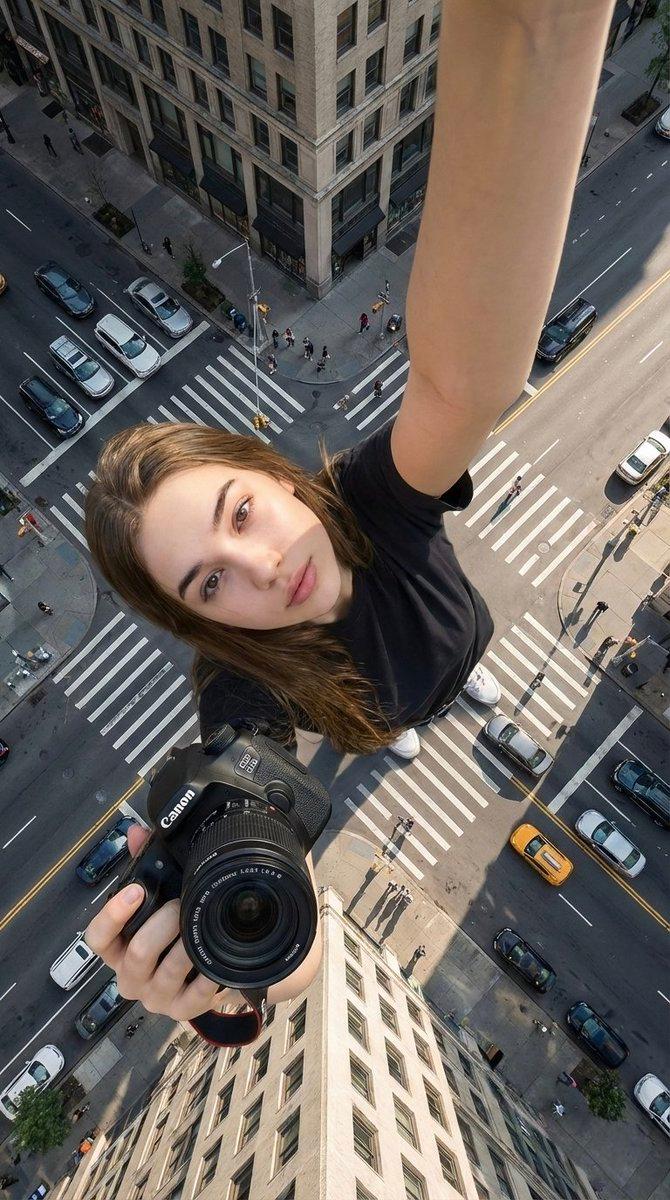
 "prompt": "Cinematic film still, **extreme top-down MEDIUM shot**. The woman is positioned at the center of the frame, **looking directly up into the camera lens with intense eye contact**. Her figure is prominent and fills a significant portion of the frame. **Replicate the exact hairstyle, clothing, and accessories from the reference image faithfully.** She is sitting on the edge of the tallest skyscraper. The rooftop environment features rough concrete textures and chaotic steel structures. Far below, the blurred city buildings create a dizzying urban vertigo mood. **Dramatic warm natural daylight, high contrast, with sunlight reflecting in her eyes.** Muted industrial tones with visible film grain, Kodak Portra 800 aesthetic. Ultra-detailed, sharp focus on her face and eyes, 8K realism. --ar 3:4",
 "negative_prompt": "looking away, eyes closed, looking down, wide shot, tiny subject, person too small, changing hairstyle, different clothing, low quality, distorted face",
 "style": "high-fashion editorial, cinematic film still, analog film aesthetic",
 "camera": "Top-down medium shot, looking directly up at camera",
 "aspect_ratio": "3:4",
 "lighting": "natural daylight, high contrast, catchlights in eyes"
}
Category
Architecture & Spaces
Model
Nano Banana 2
Views152
Source ID
21053
Published
Jun 14, 2026

Guide

About "{ "prompt": "Cinematic film still, **extreme top-down MEDIUM shot**"

What is this prompt for?

"{ "prompt": "Cinematic film still, **extreme top-down MEDIUM shot**" AI image prompt for Nano Banana 2 (Architecture & Spaces). { "prompt": "Cinematic film st…

The full copyable prompt and example visuals above are ready for AI image generation or one-click recreate in Picva.

How to use this prompt

  1. Step 1

    Open the prompt detail

    Review the example visuals, category, and full prompt text for "{ "prompt": "Cinematic film still, **extreme top-down MEDIUM shot**".

  2. Step 2

    Copy the prompt

    Copy the prompt body from this page, or load it directly in Studio.

  3. Step 3

    Pick a model (Nano Banana 2)

    Prefer Nano Banana 2. If you switch models, keep subject and composition and tweak style terms.

  4. Step 4

    Generate and export

    Recreate the look in Picva, or export into your workflow for editing and publishing.

FAQ

What is the "{ "prompt": "Cinematic film still, **extreme top-down MEDIUM shot**" prompt?
It is an AI image-generation prompt for Nano Banana 2 in the Architecture & Spaces category. This page includes the full prompt text, example visuals, and a one-click recreate path in Picva.
How do I use this prompt to generate an image?
Copy the prompt from this page, or use Generate / Studio. Paste it into a compatible image model, or recreate the look in Picva with optional reference images.
Which model is this prompt for?
This page lists Nano Banana 2. Most descriptive prompts also transfer to nearby image models such as GPT Image, Flux, or Midjourney with light style tweaks.
Can I use the result commercially?
You can usually copy the prompt for creation, but commercial use of the final image depends on the model terms, reference-image rights, and the generated content. Follow the source author and platform rules.