18

Based on { TOPIC }, create a high-quality vertical “encyclopedia-style education
Enlarge

Based on { TOPIC }, create a high-quality vertical “encyclopedia-style education

Prompt
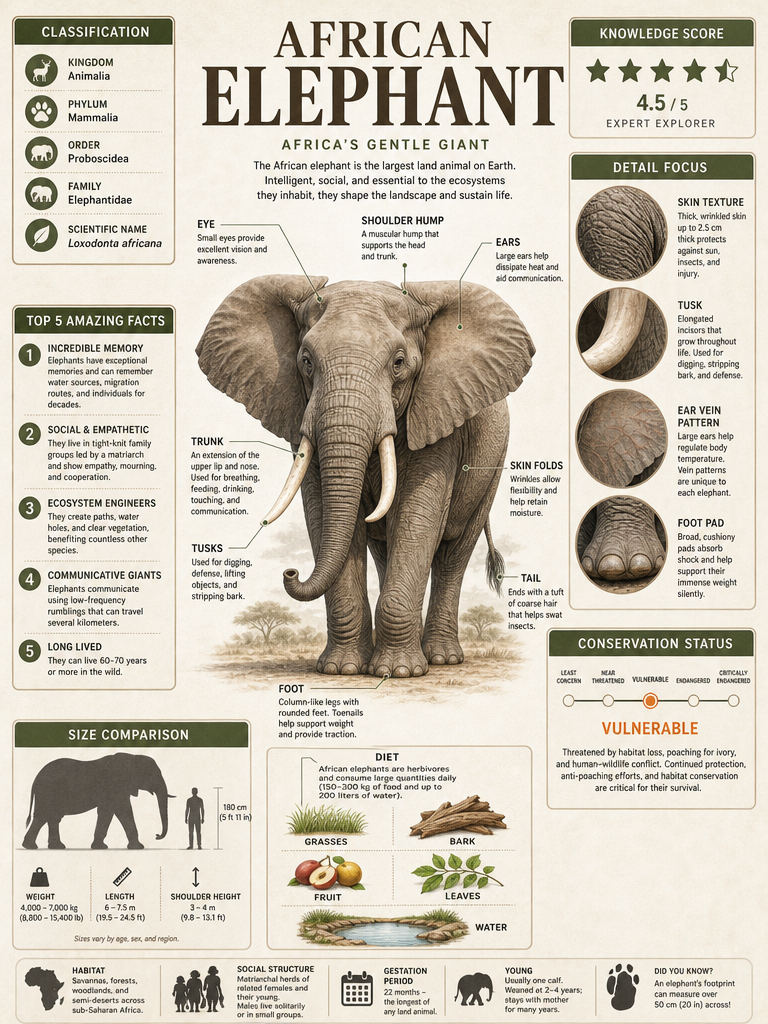
Based on { TOPIC }, create a high-quality vertical “encyclopedia-style educational infographic image.”
The Master Prompt:

​A high-quality, professional educational infographic about [Animal Name]. The layout is highly organized with a clean, modern aesthetic using a [Color Palette] theme. The center features a detailed anatomical illustration of the animal with thin line callouts labeling its body parts. Surrounding the center are various data modules including: a 'Classification' box with icons, a 'Top 5 Amazing Facts' numbered list, a 'Size Comparison' silhouette against a 180cm human, a 'Diet' section with small illustrations of food sources, and a 'Detail Focus' sidebar with four circular close-up macro images of specific features. The background is a soft, off-white parchment texture. Include a 'Conservation Status' meter and a 'Knowledge Score' spider chart or star rating in the top corner. The typography is clean, using a mix of bold serif titles and sans-serif body text.
Category
Charts & Infographics
Model
GPT Image 2
Views141
Source ID
2905
Published
May 9, 2026

Guide

About "Based on { TOPIC }, create a high-quality vertical “encyclopedia-style education"

What is this prompt for?

"Based on { TOPIC }, create a high-quality vertical “encyclopedia-style education" AI image prompt for GPT Image 2 (Charts & Infographics). Based on { TOPIC },…

The full copyable prompt and example visuals above are ready for AI image generation or one-click recreate in Picva.

How to use this prompt

  1. Step 1

    Open the prompt detail

    Review the example visuals, category, and full prompt text for "Based on { TOPIC }, create a high-quality vertical “encyclopedia-style education".

  2. Step 2

    Copy the prompt

    Copy the prompt body from this page, or load it directly in Studio.

  3. Step 3

    Pick a model (GPT Image 2)

    Prefer GPT Image 2. If you switch models, keep subject and composition and tweak style terms.

  4. Step 4

    Generate and export

    Recreate the look in Picva, or export into your workflow for editing and publishing.

FAQ

What is the "Based on { TOPIC }, create a high-quality vertical “encyclopedia-style education" prompt?
It is an AI image-generation prompt for GPT Image 2 in the Charts & Infographics category. This page includes the full prompt text, example visuals, and a one-click recreate path in Picva.
How do I use this prompt to generate an image?
Copy the prompt from this page, or use Generate / Studio. Paste it into a compatible image model, or recreate the look in Picva with optional reference images.
Which model is this prompt for?
This page lists GPT Image 2. Most descriptive prompts also transfer to nearby image models such as GPT Image, Flux, or Midjourney with light style tweaks.
Can I use the result commercially?
You can usually copy the prompt for creation, but commercial use of the final image depends on the model terms, reference-image rights, and the generated content. Follow the source author and platform rules.