19

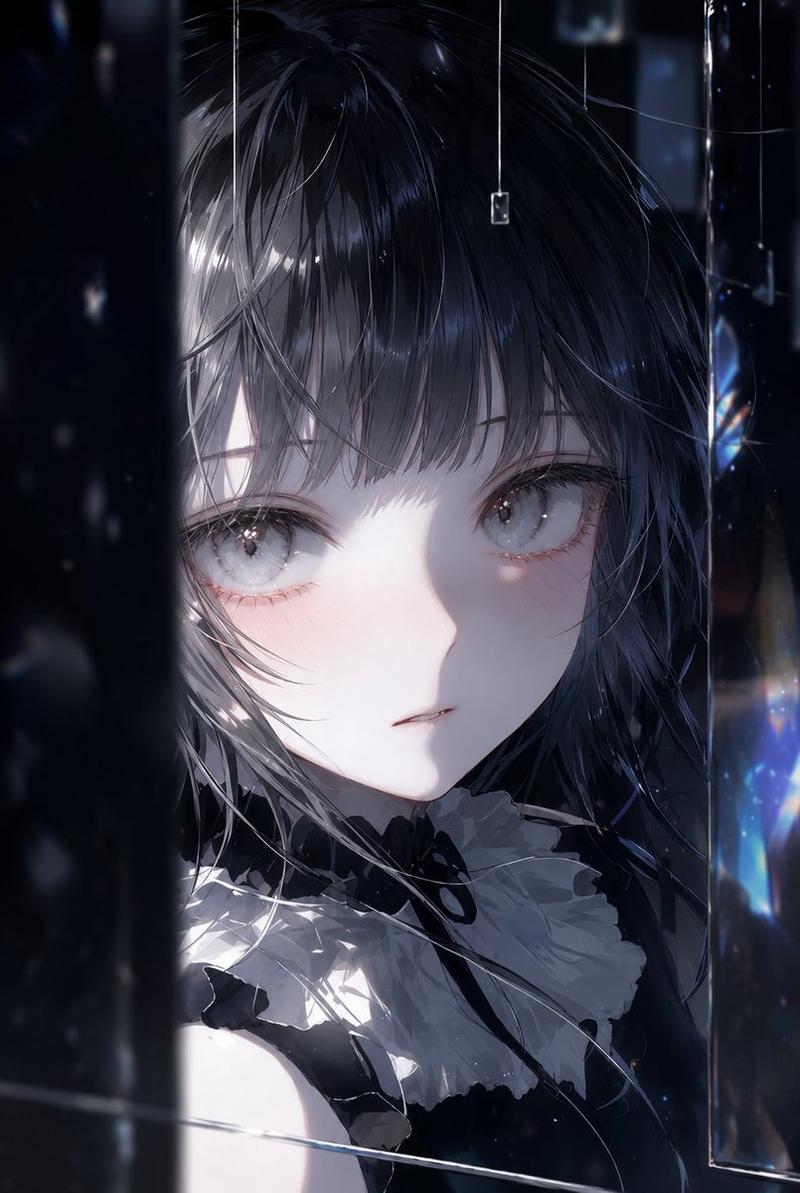
very detailed and mesmerizing glowing eyes with swirling galaxy patterns inside,
Enlarge

very detailed and mesmerizing glowing eyes with swirling galaxy patterns inside,

Prompt
very detailed and mesmerizing glowing eyes with swirling galaxy patterns inside, pale skin, wearing a dark gothic-style outfit, slow cinematic camera rotation around her face, subtle head movement, looking towards the viewer, mystical and magical atmosphere, falling glowing particles, high quality, soft ethereal lighting, artistic anime style. --ar 16:9 --sref 3296907275 1575793053 249338242 2921350250 2649061077 842428108 2325960160 71062418 1620866056 4157159402 --profile tna2m32 pnihg69 5wgk364 tniza2c --stylize 750 --niji 7
Category
Photography & Realism
Model
Midjourney
Views18
Source ID
39026
Published
Jun 30, 2026

Guide

About "very detailed and mesmerizing glowing eyes with swirling galaxy patterns inside,"

What is this prompt for?

"very detailed and mesmerizing glowing eyes with swirling galaxy patterns inside," AI image prompt for Midjourney (Photography & Realism). very detailed and me…

The full copyable prompt and example visuals above are ready for AI image generation or one-click recreate in Picva.

How to use this prompt

  1. Step 1

    Open the prompt detail

    Review the example visuals, category, and full prompt text for "very detailed and mesmerizing glowing eyes with swirling galaxy patterns inside,".

  2. Step 2

    Copy the prompt

    Copy the prompt body from this page, or load it directly in Studio.

  3. Step 3

    Pick a model (Midjourney)

    Prefer Midjourney. If you switch models, keep subject and composition and tweak style terms.

  4. Step 4

    Generate and export

    Recreate the look in Picva, or export into your workflow for editing and publishing.

FAQ

What is the "very detailed and mesmerizing glowing eyes with swirling galaxy patterns inside," prompt?
It is an AI image-generation prompt for Midjourney in the Photography & Realism category. This page includes the full prompt text, example visuals, and a one-click recreate path in Picva.
How do I use this prompt to generate an image?
Copy the prompt from this page, or use Generate / Studio. Paste it into a compatible image model, or recreate the look in Picva with optional reference images.
Which model is this prompt for?
This page lists Midjourney. Most descriptive prompts also transfer to nearby image models such as GPT Image, Flux, or Midjourney with light style tweaks.
Can I use the result commercially?
You can usually copy the prompt for creation, but commercial use of the final image depends on the model terms, reference-image rights, and the generated content. Follow the source author and platform rules.