17

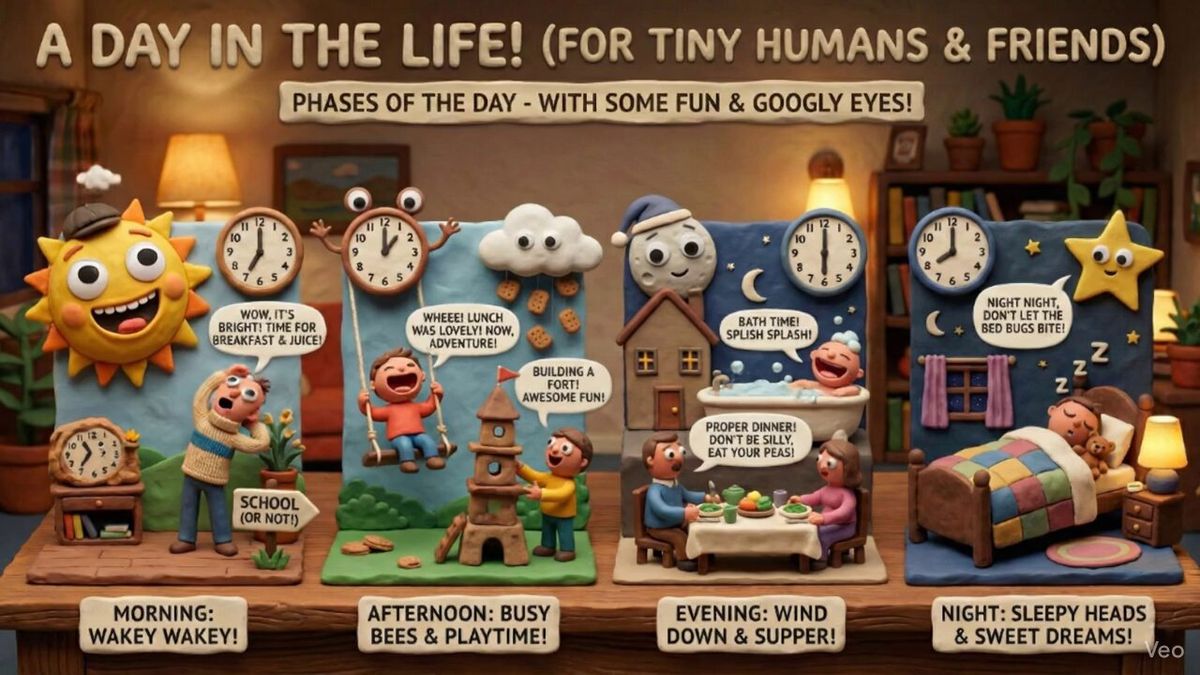
动画信息图:孩子视角的日夜更替
Enlarge

动画信息图:孩子视角的日夜更替

Prompt
This is too good not to share! 🤯🍌 (sound ON 🔊)
If you thought infographics were great…wait until you see an animated infographic.
Workflow: @GeminiApp → Nano Banana Pro for the infographic → Veo to animate it.
Nano Banana 2 prompt:
"Create an infographic that explains the phases of the day perfect for a 6 year old, and in the style of: Distinctive claymation with wide expressive mouths, googly eyes, and charming humor. Matte clay textures, handcrafted props, and warm, practical set lighting define the look."
Veo prompt:
"Bring this image to life. Animate each little scene."
Category
Charts & Infographics
Model
Nano Banana Pro
Creator
jacalulu
Views0
Source ID
animated-infographic-childs-perspective-phases-of-the-day

Guide

About "动画信息图:孩子视角的日夜更替"

What is this prompt for?

"动画信息图:孩子视角的日夜更替" AI image prompt for Nano Banana Pro (Charts & Infographics). This is too good not to share! 🤯🍌 (sound ON 🔊) If you thought infographics we…

The full copyable prompt and example visuals above are ready for AI image generation or one-click recreate in Picva.

How to use this prompt

  1. Step 1

    Open the prompt detail

    Review the example visuals, category, and full prompt text for "动画信息图:孩子视角的日夜更替".

  2. Step 2

    Copy the prompt

    Copy the prompt body from this page, or load it directly in Studio.

  3. Step 3

    Pick a model (Nano Banana Pro)

    Prefer Nano Banana Pro. If you switch models, keep subject and composition and tweak style terms.

  4. Step 4

    Generate and export

    Recreate the look in Picva, or export into your workflow for editing and publishing.

FAQ

What is the "动画信息图:孩子视角的日夜更替" prompt?
It is an AI image-generation prompt for Nano Banana Pro in the Charts & Infographics category. This page includes the full prompt text, example visuals, and a one-click recreate path in Picva.
How do I use this prompt to generate an image?
Copy the prompt from this page, or use Generate / Studio. Paste it into a compatible image model, or recreate the look in Picva with optional reference images.
Which model is this prompt for?
This page lists Nano Banana Pro. Most descriptive prompts also transfer to nearby image models such as GPT Image, Flux, or Midjourney with light style tweaks.
Can I use the result commercially?
You can usually copy the prompt for creation, but commercial use of the final image depends on the model terms, reference-image rights, and the generated content. Follow the source author and platform rules.