11

宝玉老师启发:通用3D微缩场景生成器
Enlarge

宝玉老师启发:通用3D微缩场景生成器

Prompt
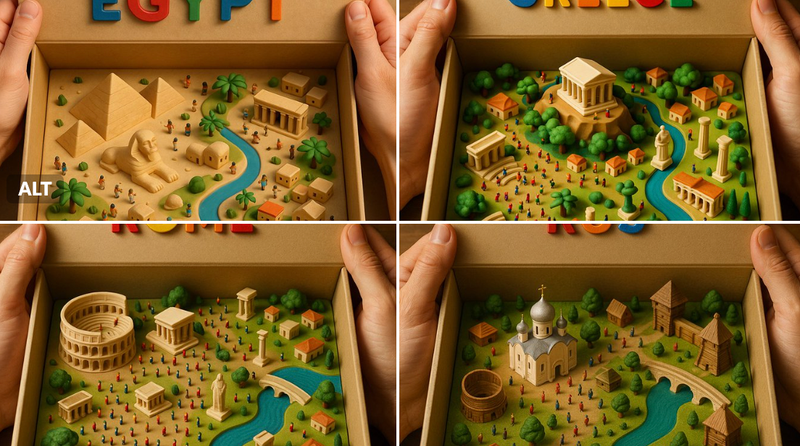
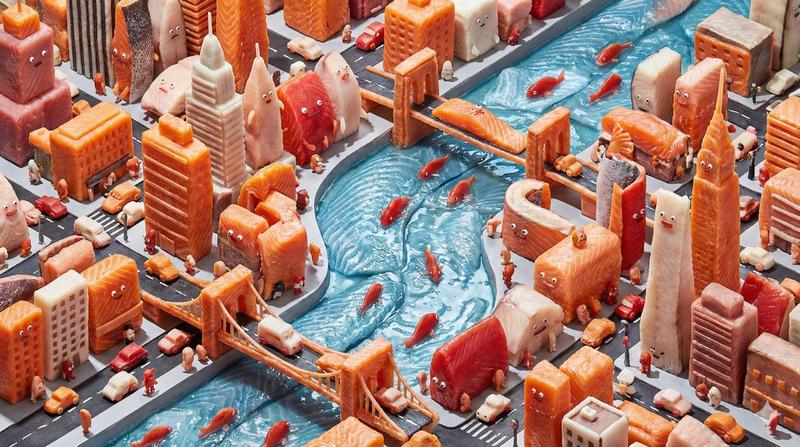
Present an exquisite, miniature 3D cartoon-style scene of the user-specified subject, clearly viewed from a 45° top-down perspective.
Place the subject's most iconic representation, character, or landmark prominently at the center, complemented by proportionally-sized icons of key elements, symbolic items, charming figures, props, and other details illustrating the subject's core theme or narrative. The scene should be detailed, finely crafted, and playful.
Rendered with Cinema 4D, the modeling should be refined, smoothly rounded, and rich in texture, accurately capturing realistic PBR materials. Gentle, lifelike lighting and soft shadows should create a warm, comfortable ambiance.
Maintain a clean, minimalist layout and a solid-color background to highlight the primary content.
At the top-center of the scene, prominently display the subject name in a large font size.
All texts should be displayed in the language specified or entered by the user, without any background, and may subtly overlap with the scene elements to enhance overall design integration.
Parameters:
Aspect ratio: {User input, default 1:1}
Subject Name / Topic: {User input}
——
Subject Name / Topic: Squid Game
Category
Illustration & Art
Model
Unknown
Creator
ian
Views0
Source ID
bao-yu-teacher-inspiration-universal-3d-miniature-scene-generator

Guide

About "宝玉老师启发:通用3D微缩场景生成器"

What is this prompt for?

"宝玉老师启发:通用3D微缩场景生成器" AI image prompt for Unknown (Illustration & Art). Present an exquisite, miniature 3D cartoon-style scene of the user-specified subject, cl…

The full copyable prompt and example visuals above are ready for AI image generation or one-click recreate in Picva.

How to use this prompt

  1. Step 1

    Open the prompt detail

    Review the example visuals, category, and full prompt text for "宝玉老师启发:通用3D微缩场景生成器".

  2. Step 2

    Copy the prompt

    Copy the prompt body from this page, or load it directly in Studio.

  3. Step 3

    Pick a model (Unknown)

    Prefer Unknown. If you switch models, keep subject and composition and tweak style terms.

  4. Step 4

    Generate and export

    Recreate the look in Picva, or export into your workflow for editing and publishing.

FAQ

What is the "宝玉老师启发:通用3D微缩场景生成器" prompt?
It is an AI image-generation prompt for Unknown in the Illustration & Art category. This page includes the full prompt text, example visuals, and a one-click recreate path in Picva.
How do I use this prompt to generate an image?
Copy the prompt from this page, or use Generate / Studio. Paste it into a compatible image model, or recreate the look in Picva with optional reference images.
Which model is this prompt for?
This page lists Unknown. Most descriptive prompts also transfer to nearby image models such as GPT Image, Flux, or Midjourney with light style tweaks.
Can I use the result commercially?
You can usually copy the prompt for creation, but commercial use of the final image depends on the model terms, reference-image rights, and the generated content. Follow the source author and platform rules.