15

创建超现实不可能的图像
Enlarge

创建超现实不可能的图像

Prompt
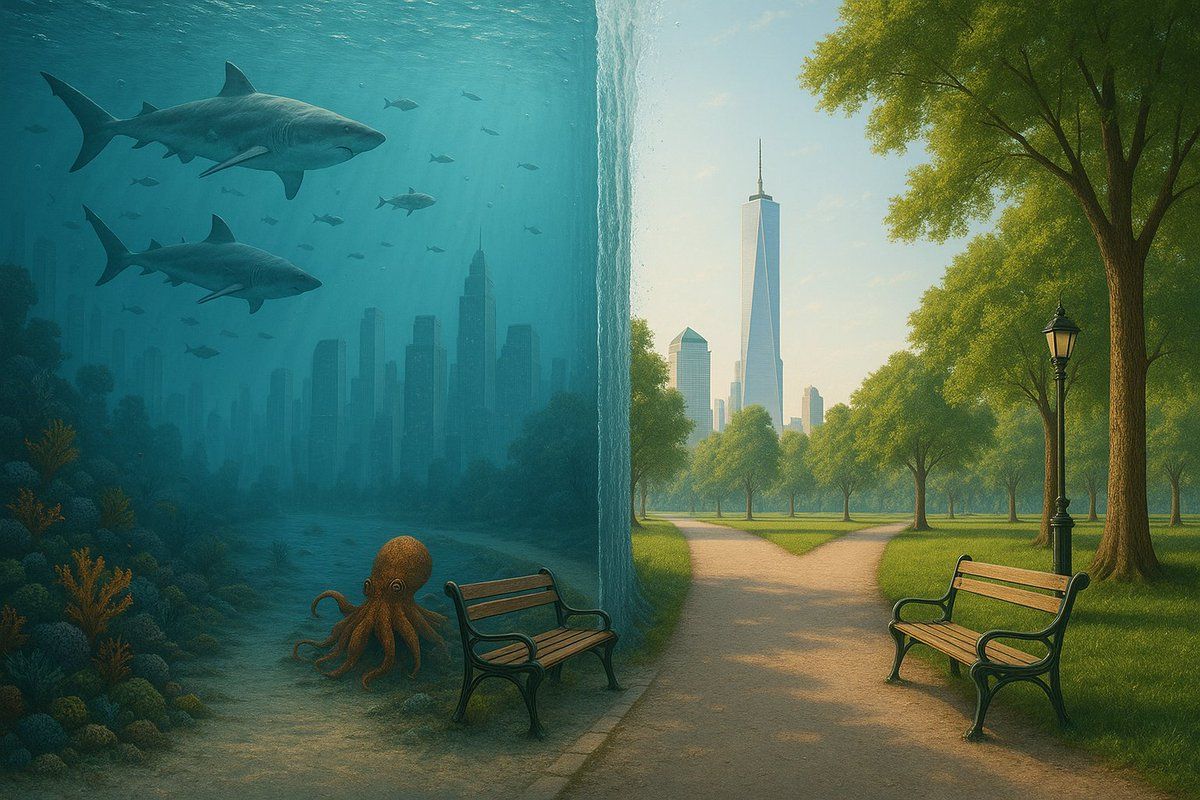
Create a surreal split-scene where the left half is an underwater version of a [SCENE], filled with marine life (fish, sharks, octopus, coral, bubbles), and the right half is the regular dry version of the same [SCENE] continuing naturally. Separate the two halves with a vertical wall of water held by a magical force, as if the ocean is cut in half. The scene should align across both sides, maintaining realism while showcasing the impossible scenario. Emphasize lighting and reflection differences between water and air environments.
创建一个超现实的分割场景,其中左半部分是 [SCENE] 的水下版本,充满了海洋生物(鱼、鲨鱼、章鱼、珊瑚、气泡),右半部分是同一 [SCENE] 的常规干燥版本自然延续。用一道由神奇力量支撑的垂直水墙将两半分开,仿佛海洋被切成两半。场景应在两侧对齐,在展示不可能的场景的同时保持真实感。强调水和空气环境之间的光照和反射差异。
Category
UI & Interfaces
Model
Unknown
Creator
Umesh
Views7
Source ID
create-surreal-impossible-images

Guide

About "创建超现实不可能的图像"

What is this prompt for?

"创建超现实不可能的图像" AI image prompt for Unknown (UI & Interfaces). Create a surreal split-scene where the left half is an underwater version of a [SCENE], filled wit…

The full copyable prompt and example visuals above are ready for AI image generation or one-click recreate in Picva.

How to use this prompt

  1. Step 1

    Open the prompt detail

    Review the example visuals, category, and full prompt text for "创建超现实不可能的图像".

  2. Step 2

    Copy the prompt

    Copy the prompt body from this page, or load it directly in Studio.

  3. Step 3

    Pick a model (Unknown)

    Prefer Unknown. If you switch models, keep subject and composition and tweak style terms.

  4. Step 4

    Generate and export

    Recreate the look in Picva, or export into your workflow for editing and publishing.

FAQ

What is the "创建超现实不可能的图像" prompt?
It is an AI image-generation prompt for Unknown in the UI & Interfaces category. This page includes the full prompt text, example visuals, and a one-click recreate path in Picva.
How do I use this prompt to generate an image?
Copy the prompt from this page, or use Generate / Studio. Paste it into a compatible image model, or recreate the look in Picva with optional reference images.
Which model is this prompt for?
This page lists Unknown. Most descriptive prompts also transfer to nearby image models such as GPT Image, Flux, or Midjourney with light style tweaks.
Can I use the result commercially?
You can usually copy the prompt for creation, but commercial use of the final image depends on the model terms, reference-image rights, and the generated content. Follow the source author and platform rules.