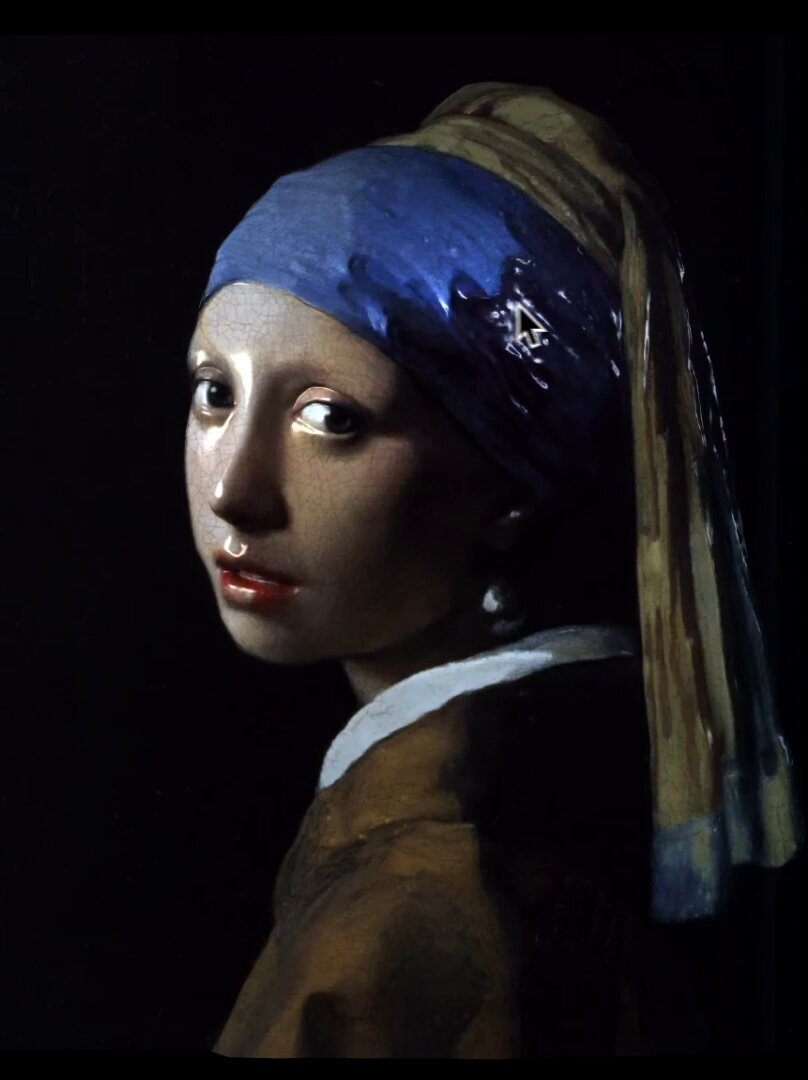
极简扁平风格Q版贴纸
Prompt
改了一版扁平小贴纸:
把这张照片设计成一个极简扁平插画风格的Q版贴纸,厚白边,保留人物特征,风格要可爱一些,人物要超出圆形区域边框,圆形区域要为纯色不要3d感,透明背景 https://t.co/RgH33FUiOS
- Category
- Illustration & Art
- Model
- Unknown
- Creator
- -Zho-
- Source ID
- minimalist-flat-q-version-sticker
Views0
19

改了一版扁平小贴纸: 把这张照片设计成一个极简扁平插画风格的Q版贴纸,厚白边,保留人物特征,风格要可爱一些,人物要超出圆形区域边框,圆形区域要为纯色不要3d感,透明背景 https://t.co/RgH33FUiOS
Guide
"极简扁平风格Q版贴纸" AI image prompt for Unknown (Illustration & Art). 改了一版扁平小贴纸: 把这张照片设计成一个极简扁平插画风格的Q版贴纸,厚白边,保留人物特征,风格要可爱一些,人物要超出圆形区域边框,圆形区域要为纯色不要3d感,透明背景 https://t.c…
The full copyable prompt and example visuals above are ready for AI image generation or one-click recreate in Picva.
Step 1
Review the example visuals, category, and full prompt text for "极简扁平风格Q版贴纸".
Step 2
Copy the prompt body from this page, or load it directly in Studio.
Step 3
Prefer Unknown. If you switch models, keep subject and composition and tweak style terms.
Step 4
Recreate the look in Picva, or export into your workflow for editing and publishing.