13

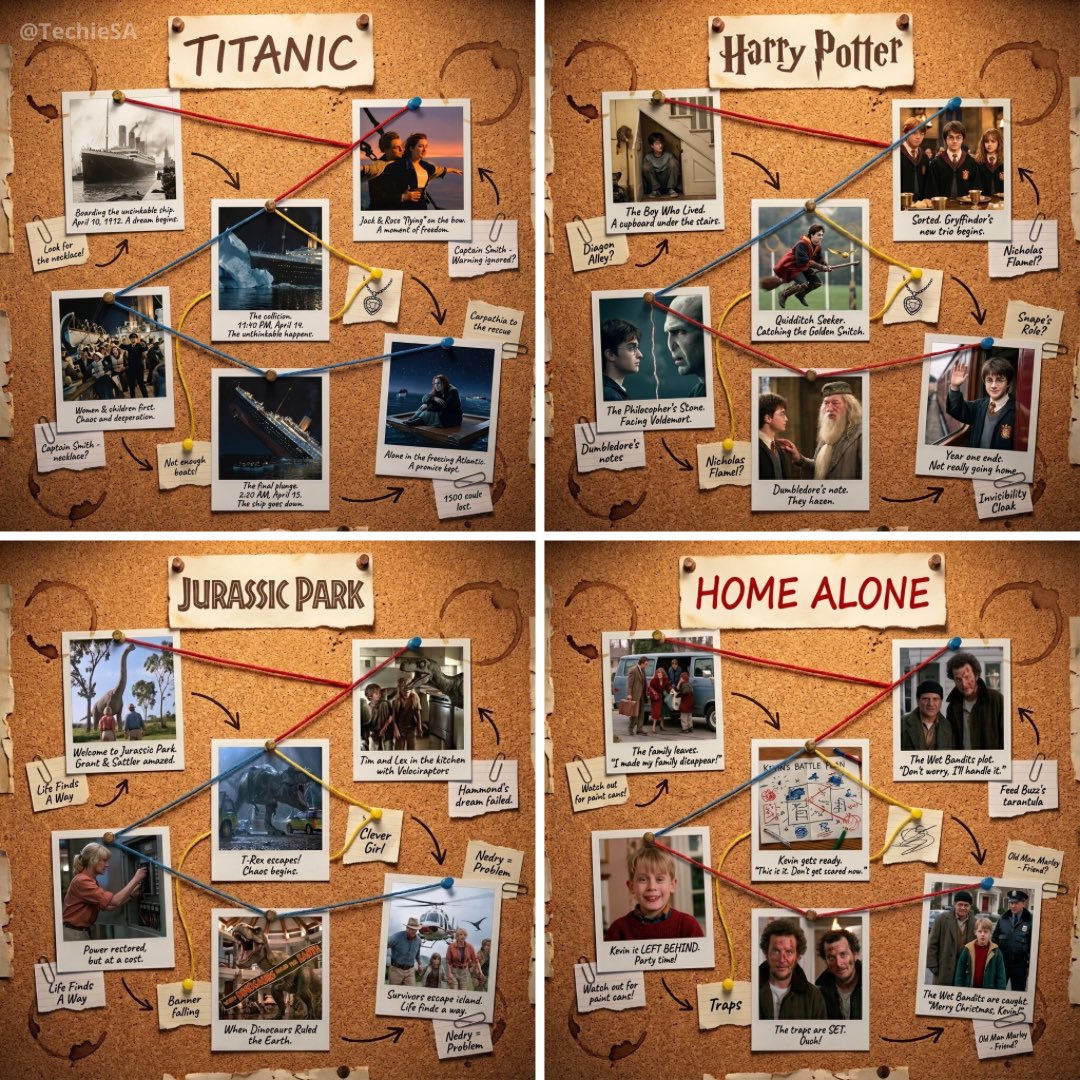
宝丽来照片讲述故事
Enlarge

宝丽来照片讲述故事

Prompt
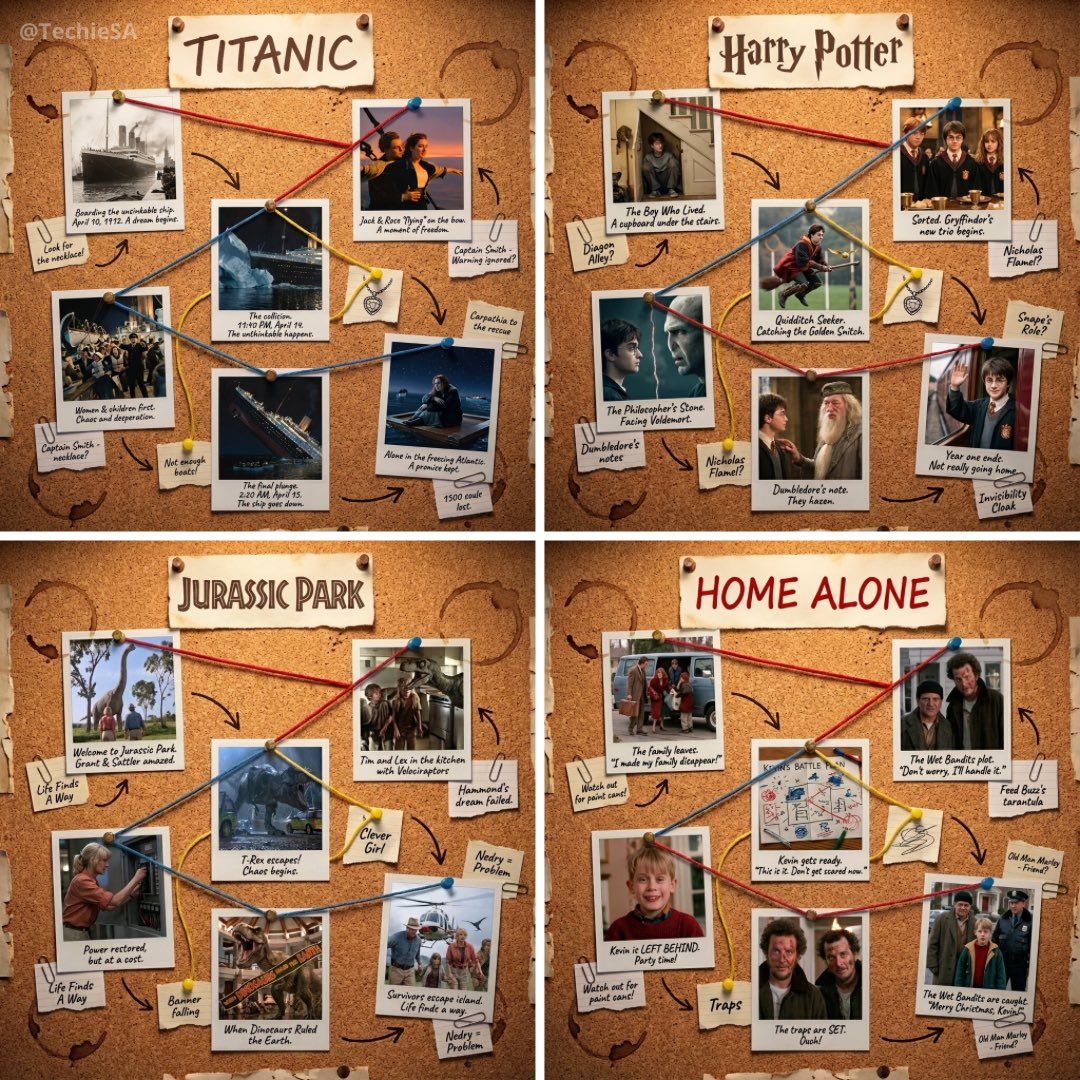
1080x1080 cork-board layout telling the story of [MOVIE]. At the very top of the board, include a pinned paper label with the movie title: [MOVIE] in large handwritten letters. Below it, arrange 5–6 Polaroid photos pinned across the board in a loose chronological path. Each Polaroid shows a key moment from the story with a short handwritten caption beneath it. Connect characters and events with colored strings (red, blue, yellow). Warm nostalgic lighting, soft shadows. Include realistic details: coffee cup rings, paper clips, torn notes, arrows, scribbled hints, and thumbtacks. Vintage, textured, cozy detective-board aesthetic. Highly readable, high contrast, everything framed clearly for 1080x1080
1080x1080像素的软木板布局,讲述电影[MOVIE]的故事。在木板最上方,钉上一张纸质标签,上面用大号手写字体写着电影标题:[MOVIE]。标签下方,以大致的时间顺序排列5-6张宝丽来照片。每张照片都展现了故事中的一个关键时刻,并在下方附上简短的手写说明。用彩色细线(红、蓝、黄)连接人物和事件。营造温暖怀旧的灯光和柔和的阴影。添加一些逼真的细节:咖啡杯印、回形针、撕碎的纸条、箭头、潦草的提示和图钉。打造复古、质感十足、温馨舒适的侦探板风格。清晰易读,高对比度,所有内容都以1080x1080像素的分辨率清晰呈现。
Category
Photography & Realism
Model
Unknown
Creator
TechieSA
Views5
Source ID
polaroid-photo-telling-story

Guide

About "宝丽来照片讲述故事"

What is this prompt for?

"宝丽来照片讲述故事" AI image prompt for Unknown (Photography & Realism). 1080x1080 cork-board layout telling the story of [MOVIE]. At the very top of the board, includ…

The full copyable prompt and example visuals above are ready for AI image generation or one-click recreate in Picva.

How to use this prompt

  1. Step 1

    Open the prompt detail

    Review the example visuals, category, and full prompt text for "宝丽来照片讲述故事".

  2. Step 2

    Copy the prompt

    Copy the prompt body from this page, or load it directly in Studio.

  3. Step 3

    Pick a model (Unknown)

    Prefer Unknown. If you switch models, keep subject and composition and tweak style terms.

  4. Step 4

    Generate and export

    Recreate the look in Picva, or export into your workflow for editing and publishing.

FAQ

What is the "宝丽来照片讲述故事" prompt?
It is an AI image-generation prompt for Unknown in the Photography & Realism category. This page includes the full prompt text, example visuals, and a one-click recreate path in Picva.
How do I use this prompt to generate an image?
Copy the prompt from this page, or use Generate / Studio. Paste it into a compatible image model, or recreate the look in Picva with optional reference images.
Which model is this prompt for?
This page lists Unknown. Most descriptive prompts also transfer to nearby image models such as GPT Image, Flux, or Midjourney with light style tweaks.
Can I use the result commercially?
You can usually copy the prompt for creation, but commercial use of the final image depends on the model terms, reference-image rights, and the generated content. Follow the source author and platform rules.