14

符号冲突
Enlarge

符号冲突

Prompt
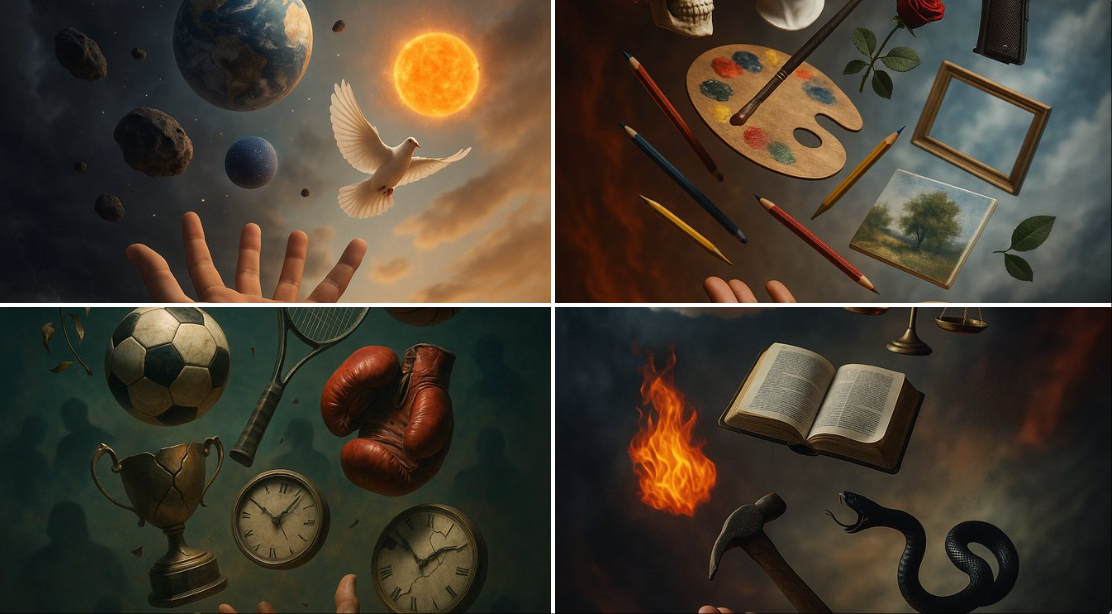
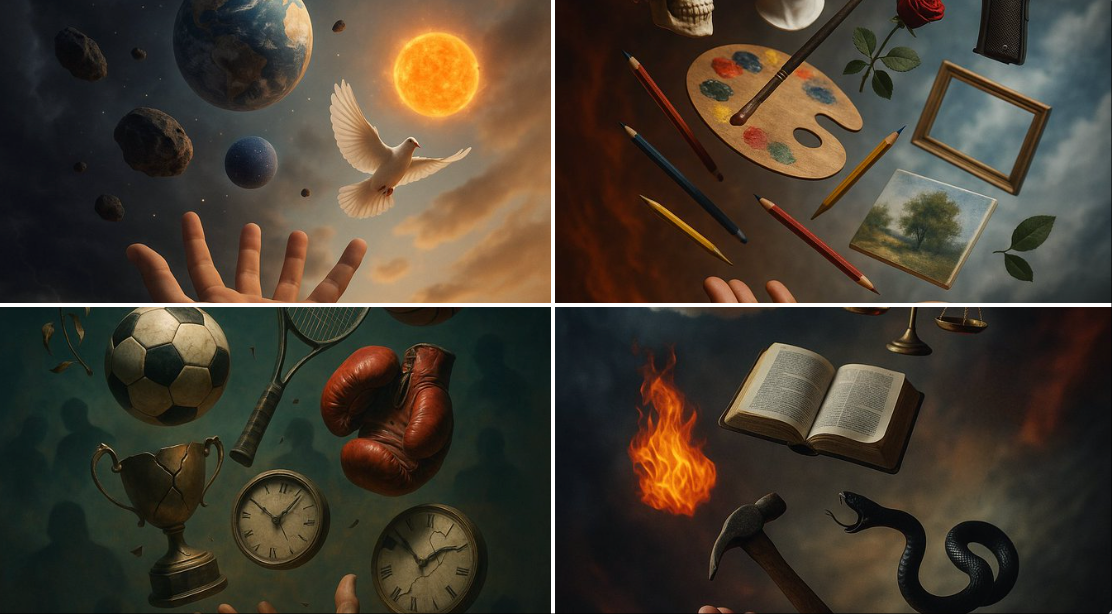
A surreal yet hyper-realistic image in levitation photography style, where elements of [subject] float chaotically and randomly above an outstretched hand, interwoven with symbolic elements that directly oppose it.\n\nThe background forms dynamically to visually embody the symbolism of the subject and its opposite, through blurred or abstract details that reflect either tension or harmony between the two—like a mirror inside a dream.\n\nEach element floats at a unique angle and varying distance.\n\nBackground: Shifts according to the subject and its opposite\n\nLighting: Soft cinematic with dreamy shadows\n\nStyle: Hyper-realistic + Levitation Photography + Fantasy\n\nAspect Ratio: 1:1
悬浮摄影风格的超现实而超现实的图像,其中 [主体] 的元素混乱而随机地漂浮在伸出的手上方,与直接对立的象征性元素交织在一起。\n\n背景动态形成,通过模糊或抽象的细节在视觉上体现主题及其对立面的象征意义,这些细节反映了两者之间的张力或和谐——就像梦中的镜子。\n\n每个元素都以独特的角度和不同的距离漂浮。\n\n背景:根据主体及其对立面而变化\n\n照明:柔和的电影感,带有梦幻般的阴影\n\n风格:超写实 + 悬浮摄影 + 奇幻\n\n长宽比:1:1
Category
Photography & Realism
Model
Unknown
Creator
B_4AI
Views0
Source ID
symbol-clash

Guide

About "符号冲突"

What is this prompt for?

"符号冲突" AI image prompt for Unknown (Photography & Realism). A surreal yet hyper-realistic image in levitation photography style, where elements of [subject] fl…

The full copyable prompt and example visuals above are ready for AI image generation or one-click recreate in Picva.

How to use this prompt

  1. Step 1

    Open the prompt detail

    Review the example visuals, category, and full prompt text for "符号冲突".

  2. Step 2

    Copy the prompt

    Copy the prompt body from this page, or load it directly in Studio.

  3. Step 3

    Pick a model (Unknown)

    Prefer Unknown. If you switch models, keep subject and composition and tweak style terms.

  4. Step 4

    Generate and export

    Recreate the look in Picva, or export into your workflow for editing and publishing.

FAQ

What is the "符号冲突" prompt?
It is an AI image-generation prompt for Unknown in the Photography & Realism category. This page includes the full prompt text, example visuals, and a one-click recreate path in Picva.
How do I use this prompt to generate an image?
Copy the prompt from this page, or use Generate / Studio. Paste it into a compatible image model, or recreate the look in Picva with optional reference images.
Which model is this prompt for?
This page lists Unknown. Most descriptive prompts also transfer to nearby image models such as GPT Image, Flux, or Midjourney with light style tweaks.
Can I use the result commercially?
You can usually copy the prompt for creation, but commercial use of the final image depends on the model terms, reference-image rights, and the generated content. Follow the source author and platform rules.